
A useful thing you can do with an Android phone, that is actually impossible even to imagine on the iPhone, is to control it from your computer. Two tools I tested to do this are: AIrDroid and Kies Air.

Both two application follow the same usage procedure: install an application on your android phone, start it up (when you are connected to a Wireles network), connect to your phone address (shown on the application home page) using a browser… and enjoy your phone.
At the beginning I tested Kies Air, knowing it is a Samsung product and I’ve a Galaxy Phone, I thought it was surely the best choice because was created by the phone manufacturer.
Kies Air#
The interface is pretty interesting. After the connection,with your browser you have an home page with all important things on your phone: latest call, latest message, music, …

Interesting because you have all things “in a click”; but to use all web application functions, you should install the Java Virtual Machine on your computer and linked it with your browser.

You can use the web application to send or retrieve files from your device, but you need java if you want to transfer more than one file at the same time. So it is impossible to have all functions on, for example, tabled browser.

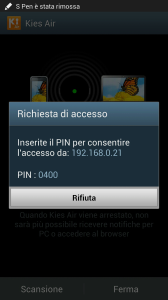
On phone side, the interface is really simple because is just a server that allows you to connect to your phone. You start it up and when a client try to connect to your device a popup propose you a pin code you must insert to start the connection between the two devices.
I was pretty satisfied by this application that allows me to control my phone all day long, without directly using it! But I decided to test AirDroid because I read many positive comments on the Google Play.
AirDroid#
As I said at the beginning is pretty the same thing. The main page of the application shows just a dashboard with links to access to the different areas: messages, photo, video, …
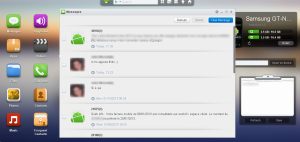
An important difference I like is that the application does not use Java so, for example, even the multi file upload works with any browser; you can connect to your phone via AirDroid using your iPad browser, and have access to all functions!

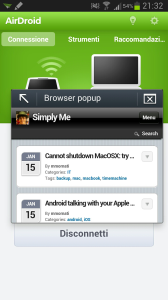
Another thing I liked was the ability to open a link on your phone simply pasting it in a text area on the desktop app.

And you have then, there are some other functions requiring a rooted device. An example is screenshot application.
Conclusion#
To be honest, both two applications offer the same things and are valid if you just need to control base functions of your phone and transfer file without connecting it using the USB cable. Personally I prefer AirDrop because you can use it from any device and browser: no additional software is required (Java).
Then… choose your application and use the phone from your browser! :)