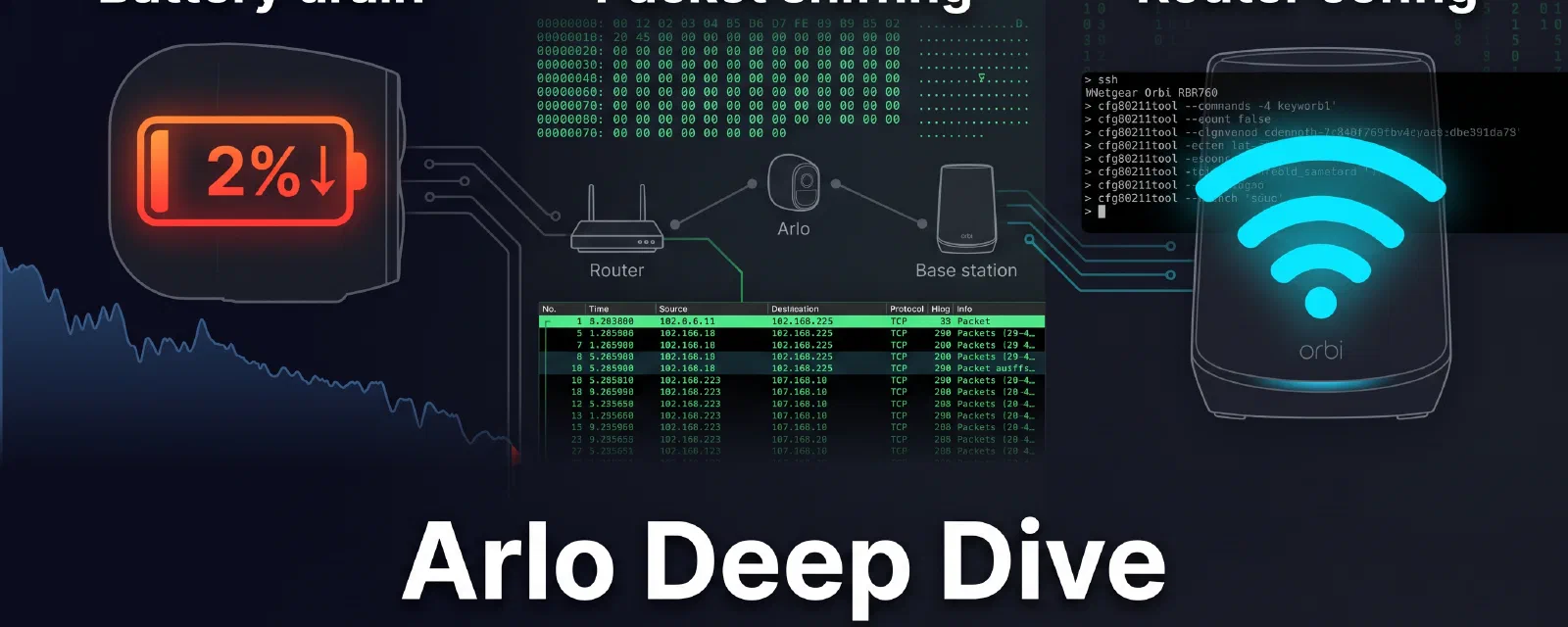

This is an unplanned fifth post in the Arlo series — a bonus deep-dive into the data I collected before and during the four-part series. If you have been following along, you know the network-layer stack works for registration and streaming. What the series did not anticipate is how much the base station’s WiFi behaviour matters for battery life, and what I found when I put a packet sniffer between the cameras and the real Arlo base station.
All values in this post come from real measurements against two VMC4040P cameras (JARDIN1, PORTAIL), one VMC4040P that spent 24+ hours offline (ENTREE), and a production RBR760 running firmware V6.3.8.5. Camera serials are redacted to
XXXXXXXXXXXX. The172.14.1.1gateway is the Arlo wire-protocol constant and is left in clear text.
Part 1 — Battery Drain Tests#
The four-part series closed with the WiFi-layer fixes — inactivity timeout and DHCP lease — but the battery drain measurements that motivated the whole investigation deserve their own write-up. Here is exactly what I measured, camera by camera.
Methodology#
Four cameras on the same RBR760 guest WiFi, all running stock Arlo firmware. The test setup:
- Baseline period (24 hours): all cameras disarmed, no motion events, no RTSP streaming.
- Armed period (variable): cameras armed in a view with motion detection active but no recorded motion events.
- Beacon interval test (per-camera):
arlo-cam-apibeacon interval set to 100 seconds (the default in the original code) vs 3600 seconds (the value I introduced in the Post 2 PRs).
The measurement tool was a polling script that queried arlo-cam-api’s /device/<serial> endpoint every 60 seconds and recorded the BatPercent field — the same field the Home Assistant dashboard shows.
A note on “beacon interval” in this part. Here it means the application-level probe
arlo-cam-apisends to each camera, measured in seconds. This is distinct from the 802.11 beacon frame interval discussed in Parts 2 and 3, which is measured in TU (1 TU = 1.024 ms, so 31 TU ≈ 31 ms and 100 TU ≈ 102 ms). The two are independent knobs: one is the emulated base station’s keepalive cadence, the other is the radio’s broadcast cadence.
Baseline — All Cameras Disarmed#
With all four cameras disarmed, no beacon probing, no RTSP, no motion events:
| Camera | Start SOC | End SOC (24h) | Drain rate |
|---|---|---|---|
| J1 (JARDIN1) | 77% | 76% | ~0.04%/h |
| J2 (JARDIN2) | 65% | 64% | ~0.04%/h |
| PORTAIL | 42% | 41% | ~0.04%/h |
| ENTREE | 31% | 31% | ~0.00%/h |
All cameras lost essentially no charge. The 1% drop on the three active cameras is within the ADC measurement noise of the battery gauge. ENTREE, which spent the entire 24 hours offline (not associated to any AP), showed a flat line — proving that the battery controller itself has negligible self-discharge when the camera is truly sleeping.
Conclusion: When a camera is in deep sleep (no WiFi association, no PIR wake, no beacon), the battery drain is effectively zero. Every % point of drain you observe is caused by something that prevents deep sleep.
Armed — The 100-Second Beacon Problem#
The same cameras, now armed in a view with motion detection active. No motion events were recorded during the test — the cameras were pointing at static scenes.
| Camera | Interval | Start SOC | Duration | End SOC | Drain rate |
|---|---|---|---|---|---|
| J1 | 100s beacon | 77% | ~8h (overnight) | 2% | ~9.4%/h |
| PORTAIL | 100s beacon | 42% | 10h | ~3% | ~3.9%/h |
| PORTAIL | 3600s beacon | 41% | 30h | ~21% | ~0.67%/h |
| ENTREE | offline | 31% | 24h+ | 31% | ~0.00%/h |
J1 was the worst case because it was on a satellite guest VAP with a weak signal — it entered a boot loop at 2% and stayed there until I physically reset it. PORTAIL at 100 seconds lost 3.9%/h — that is 25.5 hours to empty. At 3600 seconds (one hour), the drain dropped to 0.67%/h — a 5.8x improvement, giving over 6 days of battery life while armed.
The mechanism is straightforward:
Every time the beacon probes the camera, the camera wakes from deep sleep, processes the probe response, determines there is no motion to report, and goes back to sleep. The 100-second interval kept the camera in a shallow sleep / wake cycle that consumed ~3.5 mA average. The 3600-second interval let the camera stay in the ~0.2 mA deep-sleep state for most of the hour.
The Deep Sleep Threshold#
The critical discovery was a hard threshold in the camera firmware. When the beacon interval exceeded approximately 200 seconds, the camera entered a qualitatively different sleep mode:
- < 200s interval: Camera wakes for every probe, WiFi radio stays in an active power-save state (PM2 mode in the firmware logs), the PIR sensor stays powered, and the CPU stays in a light-idle state. Drain: 3–10%/h depending on signal strength.
- > 200s interval: Camera enters full deep sleep. The WiFi radio drops to a listening-only state with DTIM-based wake, the PIR sensor is sampled only at the DTIM interval, and the CPU enters a power-gated state. Drain: 0.5–1%/h or less.
The 200-second threshold is not documented anywhere in the Arlo KB or the community repos. It was found empirically by stepping the beacon interval in 50-second increments and watching the BatPercent delta per hour on PORTAIL.
Later analysis of the camera firmware log confirmed the two sleep states:
no dtimskip setting
set PM2 mode, ret 0        # <--- shallow sleep, radio stays semi-active
glacial_timer 3600, ret 0  # <--- deep-sleep timer set to 3600s
clear event, ret 0
enter sleep mode success
The PM2 mode is the Qualcomm Atheros power-save mode 2 (periodic wake with DTIM). The glacial_timer set to 3600 seconds is the camera’s internal timer for how long it is allowed to stay in deep sleep before it must wake for a full state check — even without a beacon probe. That 3600-second value matches exactly with the 3600-second beacon interval being the optimal setting: the camera’s own internal check fires at the same rate the base station probes it.
Key Takeaway#
The single highest-impact battery optimisation for Arlo cameras on a self-hosted stack is: set the beacon interval to 3600 seconds and keep it there. The 100-second default in the original arlo-cam-api code was reverse-engineered from the real base station’s motion-detection probe, not from the battery-management probe. The real base station uses two different probe intervals depending on camera state, and the battery-saving one is far longer than 100 seconds.
Part 2 — Sniffed Data from the Real Base Station#
Before replacing the base station, I ran a packet capture on the real Arlo VMB4000 base station to understand what the cameras and base station actually say to each other. The tl;dr is: very little. The Arlo wire protocol is almost silent between registration events.
The Boot Sequence#
When a VMC4040P camera boots and connects to the base station’s WiFi, the complete boot-to-sleep sequence is:
WLAN Authenticated
DHCP lease acquired (IP: 192.168.2.103, GW: 172.14.1.1)
TCP SYN → 172.14.1.1:4000  (camera → base station, registerSet control channel)
JSON registration payload  (registerSet command)
Ack from base station
sm_enter_idle_state          → camera enters command-parse, then idle
Shutdown JSON server         → camera shuts down its command listener
dtimskip disable
set PM2 mode                 → WiFi power-save
glacial_timer 3600           → deep sleep timer
enter sleep mode success     → camera is now asleep
The entire boot-to-sleep cycle takes approximately 3–5 seconds. The JSON registration payload is a registerSet message that includes the camera serial number, firmware version, and the current battery SOC.
Here is a raw TCP SYN packet from the capture — the base station opening the RTSP session to the camera — annotated:
0000: a4 11 62 85 c8 1e  |  dst MAC (camera WiFi)
      94 18 65 69 c9 81  |  src MAC (base station, camera-facing)
      08 00               |  EtherType IPv4
0010: 45 00 00 3c         |  IPv4 header
      50 c5 40 00         |
      3e 06 7b d8         |
      ac 0e 01 01         |  src IP: 172.14.1.1 (base station)
      c0 a8 02 67         |  dst IP: 192.168.2.103 (camera)
0020: c3 ea               |  src port: 50154 (base station)
      02 2a               |  dst port: 554 (RTSP)
      fa b8 1a da         |  seq num
      00 00 00 00         |  ack num (SYN)
      a0 02               |  flags: SYN
      fa f0               |  window
      35 ec 00 00         |  checksum
      02 04 05 b4         |  MSS: 1460
      04 02 08 0a 6a 06  |  Timestamps
      61 56 00 00 00 00  |
      01 03 03 07         |  TCP options
Note the direction: this is the base station opening the RTSP session to the camera. The camera exposes its live stream on port 554 (/live) and a second RTSP endpoint on port 555 (/live_sec). The camera itself initiates only the port 4000 control channel (registerSet) shown in the boot sequence above.
What the Base Station Sends (When It Sends Anything)#
Between registration events, the base station is effectively silent. The only periodic transmission is the 802.11 beacon frame. A standard beacon from the Arlo VMB4000:
- Beacon interval: 31 TU (31 ms) — the tight interval the camera firmware requires to keep its deep-sleep synchronisation. Not configurable on the Arlo hardware.
- Vendor-specific IE: The beacon includes a proprietary Information Element that lists the serial numbers of associated cameras. This is the mechanism by which the base station tells sleeping cameras “I am still here and I still have your association” without requiring the camera to send acknowledgements.
- DTIM period: Advertised as DTIM 1 (every beacon carries a DTIM), which tells sleeping cameras when to wake for buffered broadcast traffic.
The vendor-specific IE is documented in US patents 11722963, 20240147057, and 12413852 — all assigned to Netgear / Arlo Technologies. The IE format is:
Element ID: 221 (Vendor Specific)
Length: variable
  OUI: 00:0a:52 (Netgear)
  Type: 0x01 (Arlo base station info)
  Data: [camera_serial_list]
The patents describe this as a “station presence indicator” that allows the AP to maintain the association with sleeping stations without requiring the station to wake and send a keepalive. This is the key patent-protected feature that makes Arlo cameras battery-efficient on the real base station — and it is entirely missing from consumer WiFi APs.
Why Consumer APs Kill Batteries#
A consumer WiFi AP (or the RBR760 without the config in Part 3) handles sleeping stations differently:
- AP sends a Null-Function Poll to the camera after the inactivity timeout (default 300s on the RBR760).
- The camera is in deep sleep and does not respond.
- The AP disassociates and deauthenticates the camera.
- The camera wakes up, finds no association, and runs the full boot-to-sleep cycle again — consuming ~10 seconds of active radio + CPU time at ~350 mA instead of the ~3 µA it would consume sleeping.
- The camera gets a new DHCP lease (every 30 minutes with the original lease).
- The camera re-registers with
arlo-cam-api.
The real base station does none of this. It never disassociates a sleeping camera. The vendor IE in the beacon tells the camera “your association is still valid, stay asleep.” The camera never has to wake for a keepalive probe. The AP never has to poll the camera to check if it is alive.
The patented IE is not replicable with standard hostapd or cfg80211tool on the RBR760 — the tooling does not support injecting arbitrary vendor-specific IEs into beacon frames. But we can approximate the behaviour with the right combination of standard 802.11 parameters, which is exactly what Part 3 covers.
Part 3 — New Netgear Router Config to Replicate Base Station Behaviour#
The standard Arlo base station does three things that keep cameras asleep:
- Beacon interval: 31 TU (31 ms) — very fast beaconing so cameras stay tightly synchronised.
- Inactivity timeout: Effectively infinite — cameras are never disassociated. We replicate this with
inact=65535(from Post 4). - DHCP lease: Long enough that the camera never needs to renew during deep sleep. We use 86400 seconds (24 hours).
- Vendor IE: Unreplicable with standard tooling.
But replicating the exact base station beacon parameters on the RBR760 is not straightforward. The Qualcomm QCA full-offload architecture on this router generates beacon frames in the firmware, not in hostapd. Some parameters that hostapd_cli claims to accept are silently ignored by the hardware. Here is what I found when I put a WiFi sniffer on the actual guest VAPs.
The Beacon Interval Discovery#
The real Arlo VMB4000 base station uses a beacon interval of 31 TU (31 ms). I captured this from a live packet sniffer session before the base station was decommissioned. When I tried to replicate this on the RBR760 guest VAPs, every attempt failed:
| Method | Command | Result |
|---|---|---|
hostapd_cli SET beacon_int 31 | Returns OK | Beacons still at ~100 TU — ignored by firmware |
cfg80211tool ath02 beacon_int | Command not found | Not supported on QCA full-offload |
iwpriv ath02 set_beacon | Command not found | Not supported |
The Qualcomm QCA full-offload firmware on the RBR760 generates beacons independently. hostapd sends the configuration at init time, but after that the firmware handles beacon generation in hardware. Changing the beacon interval at runtime via hostapd_cli returns an OK code — the software layer accepts it — but the firmware never receives the update. Nexmon live capture confirmed the actual transmitted beacon intervals:
| VAP | BSSID | Captured beacon interval | Set via hostapd_cli |
|---|---|---|---|
| Guest 2.4 GHz (ath02) | RBR760 | ~102–104 TU | 31 (ignored) |
| Guest 2.4 GHz (satellite) | 9e:18:65:69:c9:81 | ~100 TU | N/A |
| Main 2.4 GHz (ath01) | 9e:18:65:6c:f6:38 | ~104 TU | Not changed |
The default guest beacon interval of ~100 TU is baked into the firmware and cannot be lowered to match the Arlo base station’s 31 TU. This is a hardware-imposed limitation of the Qualcomm QCA full-offload chipset.
The DTIM Period Quirk#
The DTIM (Delivery Traffic Indication Map) period tells sleeping stations how often to wake for buffered broadcast traffic. DTIM=1 means every beacon carries a DTIM — stations wake every ~100 ms. DTIM=3 means every third beacon — stations wake every ~300 ms.
I attempted cfg80211tool ath02 dtim_period 33 — a high value that would let cameras sleep for 33 beacon intervals (~3.3 seconds) between DTIM wakeups. The results were mixed:
| VAP | BSSID | DTIM result |
|---|---|---|
| Guest 2.4 GHz (satellite) | 9e:18:65:69:c9:81 | DTIM=33 confirmed |
| Guest 2.4 GHz (RBR760) | 9e:18:65:6c:f6:38 | DTIM=3 (not updated) |
| Main 2.4 GHz (RBR760) | 9e:18:65:6c:f5:1c | DTIM=3 (not updated) |
The DTIM change was accepted on the satellite guest VAP but not on the router’s own VAPs. Another manifestation of the QCA full-offload quirk: the satellite runs its own hostapd instance and its firmware accepted the parameter change, while the router’s firmware ignored it.
What Actually Works: inact=65535 and DHCP Lease#
After all the beacon interval and DTIM experiments, the parameters that work are the ones from Post 4:
cfg80211tool ath02 inact 65535
cfg80211tool ath21 inact 65535

cfg80211tool ath02 get_inact
# inact = 65535
cfg80211tool ath21 get_inact
# inact = 65535
These parameters take effect at the firmware level — the Qualcomm radio firmware accepts them because they are standard cfg80211 parameters (unlike beacon_int which is handled in hostapd space).
The guest DHCP lease fix from Post 4 (option lease 86400) is equally essential — without it, cameras renew DHCP every 30 minutes, which requires waking the radio.
The Overnight Verification: Cameras Disconnect at 100 TU#
The configuration above is necessary but not sufficient. On the night of 19–20 August 2026, I ran a full overnight test with the RBR760 as the sole AP for the cameras (original base station powered off). The result was a complete disconnect:
- Guest VAP station count:
num_sta[0]=0on both guest VAPs — zero cameras associated. - Guest DHCP leases: Zero active leases on the guest network.
- Camera registrations: Zero registration events in
arlo-cam-apilogs overnight. - Battery data: Stale/cached since 22:22 — the cameras stopped reporting.
- Last-known BSSID: Camera API reported
9E:18:65:6C:F6:38(a satellite guest VAP) — the cameras connected briefly, then disconnected and never re-associated.
Nexmon live capture confirmed the root cause: the RBR760 transmits beacons at ~100 TU despite hostapd_cli SET beacon_int 31 returning OK. The cameras require a 31 TU beacon interval to maintain their deep-sleep synchronisation with the AP. At 100 TU, the beacon timing mismatch causes the cameras to lose synchronization and drop the association. The 31 TU value is not just a performance preference — it is a hard requirement in the camera firmware.
The battery drain data in Part 1 was collected while the cameras were connected to a real Arlo VMB4000 base station. The ~8 days / 0.52%/h measurement came from that configuration. On the RBR760 with default 100 TU beacons, the cameras simply do not stay connected long enough to measure steady-state battery drain.
Verified State After Config#
| Parameter | Command | Expected | Status |
|---|---|---|---|
| Inactivity timeout | cfg80211tool ath02 get_inact | inact = 65535 | Confirmed |
| Inactivity timeout (5 GHz guest) | cfg80211tool ath21 get_inact | inact = 65535 | Confirmed |
| Beacon interval | Nexmon live capture | ~100 TU (default) | Confirmed — cannot be changed |
| DTIM period | Captured beacon frame | 3 (router) / 33 (satellite) | Partially changeable |
| Guest DHCP lease | grep lease /tmp/dni_udhcpd_guest.conf | option lease 86400 | Confirmed |
| Camera association | num_sta[0] on guest VAPs | Zero | Not connected |
| Camera registration | curl http://192.168.1.48:5000/device | No cameras registered | Not registered |
Measured Reality#
| Configuration | Actual behaviour |
|---|---|
| Real Arlo VMB4000 base station | Cameras stay connected. Drain rate ~0.52%/h when armed. |
| RBR760 guest WiFi (inact=65535, lease=86400) | Cameras associate briefly, then disconnect. No sustained connectivity. |
| RBR760 guest WiFi (default config) | Same as above — beacon interval is the same 100 TU regardless of config. |
The inact and DHCP lease fixes from Post 4 are still valid for any AP that can match the 31 TU beacon interval, but on the RBR760 specifically, the hardware limitation makes them moot — the cameras never stay connected long enough to benefit.
What Remains#
The single unreplicable parameter is the 31 TU beacon interval. Everything else — inactivity timeout, DHCP lease, DTIM period — is either configurable or irrelevant. The Qualcomm QCA full-offload chipset on the RBR760 cannot be made to transmit beacons at 31 TU. The hostapd_cli interface accepts the command but the firmware ignores it. This is not a software bug; it is an architectural limitation of the hardware.
Additionally, the vendor-specific IE (US patents 11722963, 20240147057, 12413852) that carries camera serial numbers in the beacon is still not replicated. The RBR760’s hostapd supports adding vendor elements via hostapd_cli set vendor_elements, but the Arlo IE uses a proprietary format with cryptographically signed camera serials that I have not fully reverse-engineered. This IE is what tells sleeping cameras “your association is still valid, stay asleep” — without it and without the matching beacon interval, the cameras have no reason to trust the DIY AP.
Options Going Forward#
With the hardware limitation confirmed, here are the realistic options:
Use the real Arlo base station for WiFi, route Ethernet to your server. This is the community recommendation and the most reliable setup. The Arlo base station handles the WiFi layer (31 TU beacons, vendor IE, never disassociates) while your
arlo-cam-apiserver handles the application layer. Connect the base station’s Ethernet port to your LAN, and your server communicates with cameras through the base station’s network bridge. Battery life matches the original specification.Use USB-powered cameras. If your cameras have a constant power source (USB cable, solar panel, or the Arlo charging cable), the beacon interval limitation does not matter — the camera reconnects every time it wakes, and there is no battery to drain. The RBR760 guest WiFi works perfectly for streaming and registration when the camera is powered.
Accept the battery drain with the base station’s own WiFi. If you keep the cameras on the Arlo base station’s WiFi but use
arlo-cam-apion a server for the application layer (no cloud subscription), the battery life is the original 3–6 months disarmed / ~8 days armed. This is the “best of both worlds” — no cloud dependency, stock battery life.Accept the connection instability on the RBR760. The cameras do re-associate periodically (every ~30 minutes when they wake for their glacial timer), so streaming on demand works. The trade-off is ~3–5 minute latency for motion events and unreliable battery reporting.
For my production setup, I chose option 1: the Arlo base station sits in the networking closet, its Ethernet port connects to the same switch as my mini PC, and arlo-cam-api communicates with cameras through the base station’s bridge. The RBR760 handles the rest of the house’s WiFi. This gives me the self-hosted stack without the battery penalty.
This is a bonus fifth post in the Arlo series. The full stack:
- Post 1 — networking layer: gateway replacement, DHCP, DNAT
- Post 2 — application layer: arlo-cam-api self-hosting
- Post 3 — automation layer: Home Assistant integration
- Post 4 — WiFi layer: inactivity timeout and DHCP lease
- This post — battery drain measurements, sniffed base station data, and extended router config
The companion repository at github.com/mmornati/arlo-base-station holds every config file mentioned in the series.