# ePomodoro: update site

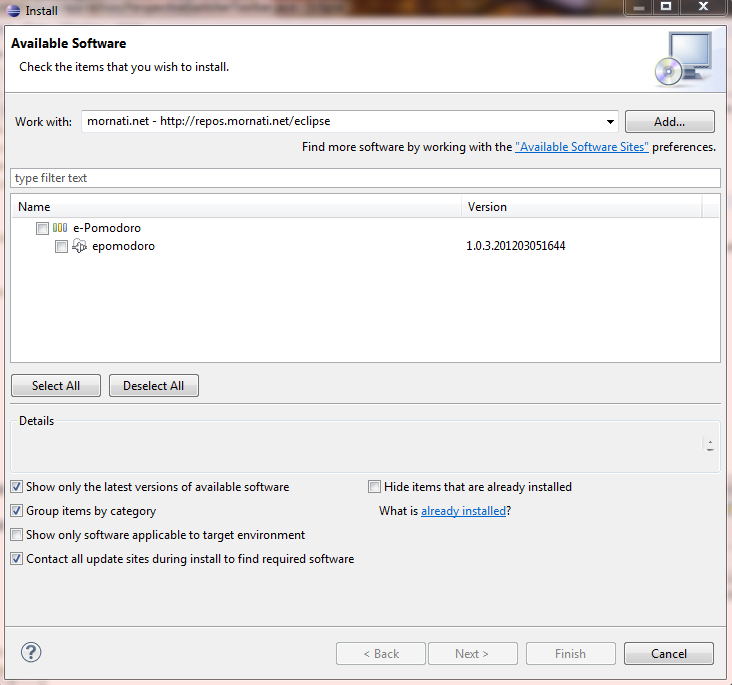
Since today you can install <a href="http://code.google.com/p/e-pomodoro/">ePomodoro </a>directly using the provided update site! And naturally update it using the Eclipse function <em>Check for Update</em>.
<p style="text-align: center;"><a title="ePomodoro Update Site" href="https://res.cloudinary.com/blog-mornati-net/image/upload/v1391641361/ePomodoro7_xvrnat.png" target="_blank"><img class="aligncenter size-thumbnail wp-image-404" title="ePomodoro7" src="https://res.cloudinary.com/blog-mornati-net/image/upload/c_crop,h_685,w_685,x_23,y_0/h_150,w_150/v1391641361/ePomodoro7_xvrnat.png" alt="" width="150" height="150" /></a></p>
You can add this Update Site: <a href="http://repos.mornati.net/eclipse/">http://repos.mornati.net/eclipse/</a> and select ePomodoro.

Should work, even if at the moment you get a message saying the content is not signed, bla, bla, bla. I'll fix it next days, but let me know if you can install ePomodoro without problems.