
It started as a matter of style. I was redoing my Home Assistant dashboards, the heat pump view in particular, with Claude reading the real values to fill in the cards. Somewhere between the colours and the icons it stopped on one line: the circulation pump speed was at 100%, and it had never moved. Not once in the whole available history. It added that the flow was 3.9 m³/h, that the difference between the water going out and the water coming back never exceeded 1 or 2 °C, and that all of this looked very much like a pump running too fast, all the time.
I had no idea that thread would take me back five years.
Some context: a heat pump discovered in my house#
My heat pump is a Hitachi Yutaki. It feeds two circuits: underfloor heating on the ground floor and radiators upstairs. I won’t name the company that installed it. I’ll just say that during the installation the technicians admitted it was the first Hitachi heat pump they had ever fitted, that they hadn’t been trained on it, and that they were discovering it in my house. It showed a little.
Even then I had a doubt. The underfloor three-way valve didn’t work in automatic mode: as soon as it was switched to auto it closed, and the floor just circulated its own water in a loop without ever heating. I reported it. The answer was, roughly, “it’s not a big deal, it’s a bonus”. No comment. So the valve stayed in manual, and I spent five years with a house that did heat, but where the right setting was strangely hard to find: never really too hot, never really too cold, never really right either.
Since then I’ve written, and still maintain, a Home Assistant integration for Hitachi heat pumps that go through the CSNet cloud (I wrote about it here and here). That integration is what made this afternoon possible: Claude could read live what the heat pump thought it was doing, and compare it with what I was seeing in the boiler room.
First thread: the pump at 100%#
Before touching anything, we had to know whether the value was real. The integration passes that field through unchanged, so CSNet itself was saying 100%. That left checking at the source: on the heat pump controller, in the Information menu, I read flow 3.90 m³/h, pump speed 100%. Exactly.
In the installer menu (on my controller you hold OK and back for three seconds, then enter the arrow code from the manual), the water pump configuration screen answered in one line: operating mode: Fixed, heating speed: 100%. The pump had never modulated since installation.
Claude explained why installers often leave it like that: at 100%, the heat exchanger’s minimum flow is guaranteed in every situation, defrosts included, and nobody calls back about a low-flow alarm. It’s the choice of easy commissioning over consumption. Not a serious mistake, but not free either:
- a pump like this draws roughly 60 to 90 W flat out against 15 to 40 W when modulating, so 0.5 to 1.5 kWh a day, a few dozen euros per heating season;
- with too much flow the supply/return difference collapses (1 to 2 °C instead of the 5 °C Hitachi designs for), which doesn’t help efficiency;
- and above all, in my opinion, wear: a motor running flat out, continuously, for years ages faster. It doesn’t show on a bill, but you pay for it the day it has to be replaced.
The change was one line: Fixed → ΔT. A few minutes later Home Assistant showed 97%, then 82%, then 70%, with the flow starting to drop and the supply/return difference widening to 3 °C. Tonight the pump runs at around 50% for 2.4 m³/h.
While looking at that data, though, Claude had also flagged two other suspicious values: the mixing valve position, stuck at 100% exactly like the pump, and a water pressure of 4.48 bar that never moved. It was the valve that made me think about my old doubt again.
Second thread: the valve and its sensor#
I took two photos of the underfloor group: the motorised three-way valve at the bottom, the Wilo pump above it, the floor supply with its red thermometer, the return with its blue one. And the circuit’s temperature sensor, simply held by a cable tie on the white multilayer pipe.
Claude spotted it straight away: multilayer pipe (PEX-alu-PEX) insulates, the sensor touches the pipe at a single point, and nothing shields it from the room air. It measures a mix of water and air, minutes late, which is enough to make any control loop oscillate. The fix, without switching to an immersion sensor: move it onto the brass body of the red-handled valve, which is in direct contact with the water, with a little thermal paste (I had some Arctic MX-6 in a drawer), aluminium tape, the clamp on top, and the kit’s insulating shell closed over it.
But looking at my photos of the heating curves, Claude raised something much more important than the sensor.
The real problem: the two circuits are swapped#
On a Hitachi, the two circuits don’t play the same role. Circuit 1 is a direct circuit: the heat pump produces its water for it. Circuit 2 is the only one that can have a mixing valve: the controller manual says it in black and white, the second water temperature control is “only for circuit 2”. The valve can only cool the heat pump’s water by mixing it with the return. So, logically, the coldest circuit, the floor, should be on C2.
At my place the controller said the opposite:
| Circuit | Heating curve | Target at 8 °C outside | |
|---|---|---|---|
| Floor (ground floor) | C1 (direct) | Curve: 44 °C at −20 °C, slope 0.6 | ≈ 27 °C |
| Radiators (upstairs) | C2 (mixed) | Points: 60 °C at −10 °C, 21 °C at 20 °C | ≈ 37 °C |
Yet there is only one group with a mixing valve, and it’s on the floor. The upstairs radiators have their own pump and no valve. Physically, the installation was wired the way Hitachi intends. It was the configuration that was the wrong way round.
Proving it with two switches#
A hypothesis is nice, but I wanted to see it. Claude suggested a simple test: switch off one circuit at a time from the app, and watch what the heat pump does in Home Assistant.
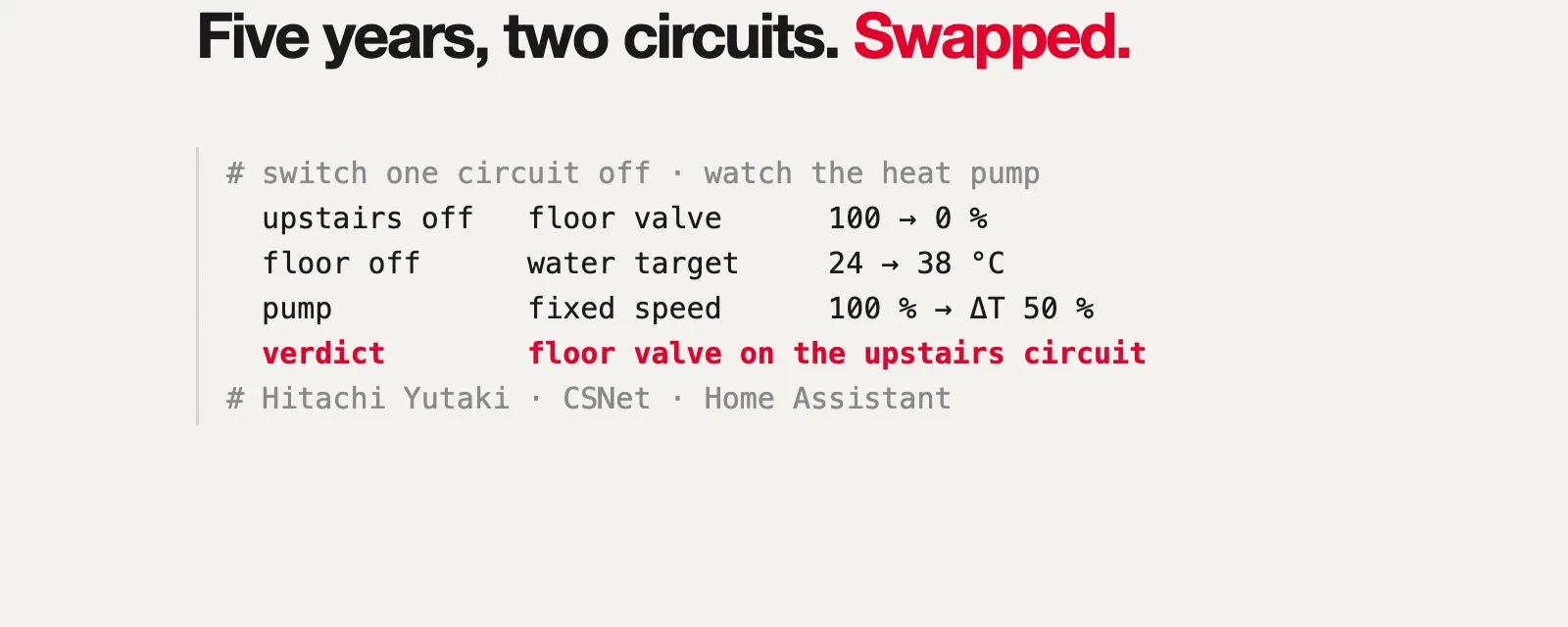
I switch off upstairs. A minute later mix_valve_position goes from 100% to 0%, for the first time in the whole history. So the valve mounted on the floor obeys the upstairs thermostat.
I switch off the ground floor and switch upstairs back on. The heat pump’s water target goes from 23-24 °C to 38 °C, the valve goes back to 100%, and the water leaving the heat pump climbs from 25 to 38 °C.
| What is on | Heat pump water target | Floor valve | Heat pump supply |
|---|---|---|---|
| Ground floor (C1) only | 23-24 °C | 0% | 23-25 °C |
| Upstairs (C2) only | 38 °C | 100% | 25 → 38 °C |
| Both (the situation for five years) | 23-28 °C | 100% | 23-28 °C |
Everything suddenly made sense:
- The heat pump was producing water for C1’s curve, the floor’s. The upstairs radiators were getting water at 23-28 °C instead of the planned 35-40 °C. Upstairs heated poorly, and I compensated by raising the set points.
- The floor valve was aiming for the radiators’ target, about 37 °C, which it could never reach with 28 °C water. So it stayed wide open as long as upstairs wanted heat, and closed completely as soon as upstairs was satisfied, even if the ground floor was cold.
- That is exactly the behaviour I reported five years ago: in auto, the valve closed and the floor stopped heating. It “didn’t work in automatic” because it was being driven by the wrong circuit. The “bonus” was in fact the heart of the control loop.
One last check finished convincing me later that evening: once the configuration was fixed, with C2 switched off, the floor’s Wilo pump stopped. The floor’s pump, valve and sensor are all wired to C2.
The fix: nothing to rewire#
Since the wiring was right, everything happened in the controller. Claude had me photograph every screen before changing anything (so I could roll back in five minutes), then:
- C2 maximum water temperature: 60 °C → 45 °C, first. The heat pump was now going to produce hotter water for upstairs, and this limit is what protects the floor.
- Heating curves swapped: C1 by points (radiators), C2 by curve (floor).
- Thermostats: both room thermostats are radio. Rather than swapping them physically, I swapped the values 1 and 2 in the radio remote circuit ID setting. Test: I change the set point on the upstairs thermostat, and it’s C1 that reacts.
- The valve’s own settings (proportional band, run time) stayed as they were: they’re the factory values.
A few minutes later:
| Before | After | |
|---|---|---|
| Heat pump water target | 23-28 °C | 41 °C |
| Heat pump supply / return | ~24 / 23 °C | 38 / 34 °C |
| Floor valve | follows the upstairs thermostat | follows the ground floor thermostat |
| Floor supply | depends on my hand on the handle | 27 °C, measured by the sensor moved onto the brass |
Upstairs finally gets 40 °C water. The floor gets mixed water around 27 °C, which is what its curve asks for.
The integration got something out of it too#
The afternoon also moved the CSNet integration forward, with two new releases published on the spot:
- Renaming a room no longer breaks entities. Once the circuits were the right way round, I renamed the zones in CSNet (“Living room” and “Library” no longer meant anything). The integration identified each zone by its name, so every entity went unavailable. They are now identified by CSNet’s stable ID, with an automatic registry migration that keeps the
entity_ids and their history. - Pressure was doubled. The 4.48 bar on display was physically impossible on a circuit protected by a 3 bar relief valve. My gauge read about 1.9 bar. Comparing CSNet’s raw value (224) with an old issue from another user that had exactly the same factor of 2, the conclusion was clear: the value is in hundredths of a bar. The integration now shows 2.24 bar.
- A new sensor: circuit 2 water temperature. CSNet already sent it (
waterOutlet2Temp), the integration just didn’t use it. It’s the sensor I had just moved onto the brass, and it’s what tells me the floor is at 27 °C.
Version 2.11.0 was released, installed through HACS and checked on my own instance in the same session, and 2.11.1 followed for a deprecation warning spotted in the logs after the restart.
What I take away#
I’m not a heating engineer. Five years ago I had a doubt, but no way to defend it against technicians telling me it wasn’t a big deal. I didn’t know that on a Hitachi the mixing valve necessarily belongs to circuit 2, I didn’t know how to read a heating curve, and I would never have thought of switching off one circuit at a time while watching the water target to find out who controls what.
This afternoon I had the data (thanks to an integration I’ve maintained for years without imagining it would one day be used for this), a phone to take photos, and a model able to connect a Hitachi manual, a photo of pipes, a controller screen and a time series in Home Assistant. Models are improving fast, and it’s in situations like this that it shows the most: with the right information, an AI doesn’t just answer, it makes you able to do things you couldn’t have done alone. Even on a subject you know nothing about.
Five years after installation, my heat pump is finally configured the way it was wired. About time.
How it was done#
Two Claude Code sessions with Opus 5.5, in the CSNet integration repository, over one afternoon. The first started from the heat pump view in Home Assistant: Claude read the pump’s history in OpenObserve (the Home Assistant MCP doesn’t expose that sensor), confirmed it was read correctly, found the path to the installer menu and validated the switch to ΔT. The second picked up that context, analysed my photos (the floor group, the heating curves, the pumps, the controller screens, the actuator), looked up the circuits’ roles in Hitachi’s manuals, proposed the circuit switch-off tests and read them live, then guided the configuration swap screen by screen. It also wrote the integration fixes with their tests, opened and merged the PRs once CI was green, published the releases, installed them through HACS in the built-in browser once I had signed in, and put the entity IDs back in order so no dashboard broke. My part: the photos, my hands in the boiler room, the controller buttons, and the questions. This post was written in a separate session, from those two transcripts.