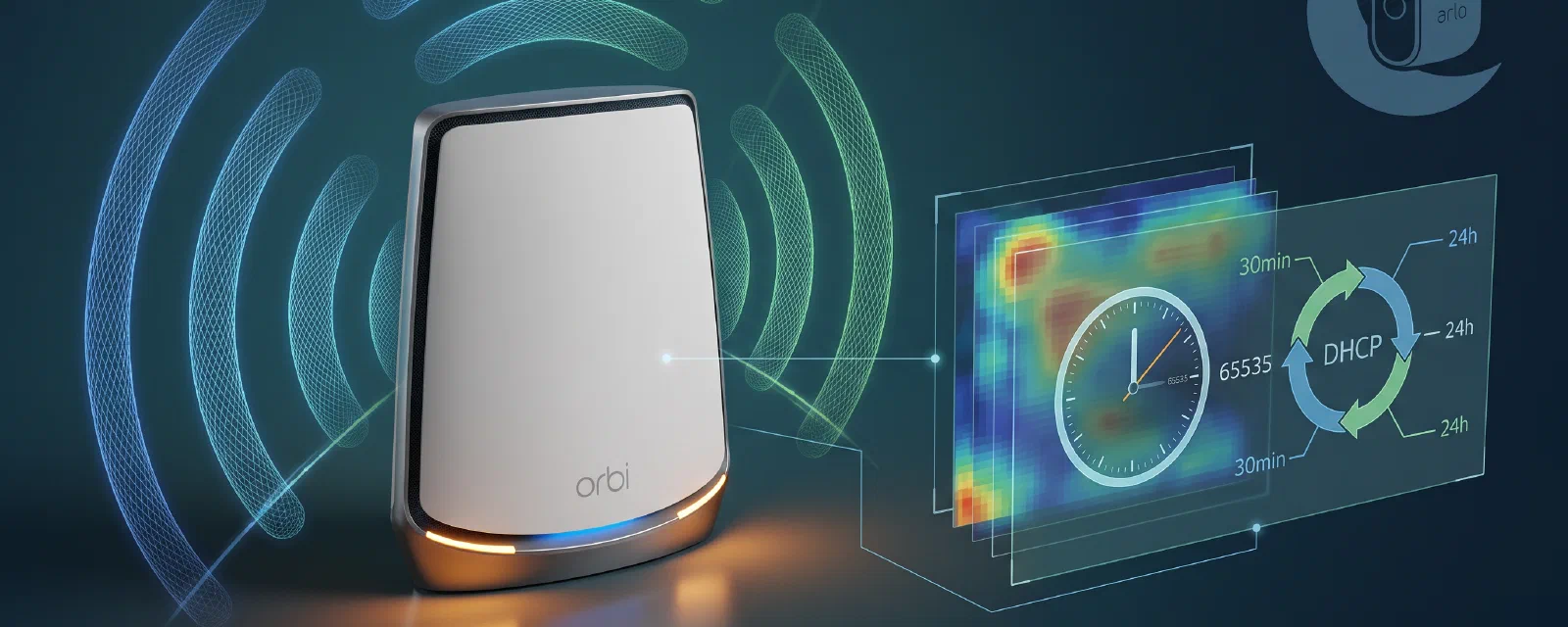

After the three posts of this series were merged, I kept watching the battery numbers on the cameras. Post 1 told me the WiFi hardware was the second-most likely cause of drain. Post 2 and Post 3 told me how the beacon and the camera arming policy interact. But the cameras were still re-associating with the guest network roughly every thirty minutes, and the battery still kept dropping even on cameras that were armed in views with no motion. The remaining cause was not in the application layer at all — it was in the WiFi layer itself.
Update (20 August 2026). The
inact=65535and DHCP lease=86400 fixes in this post are correct and take effect at the firmware level. However, subsequent testing in the bonus deep-dive post revealed that the RBR760’s QCA full-offload chipset cannot match the Arlo base station’s 31 TU beacon interval — a hard requirement for camera deep-sleep synchronisation. The cameras disconnect repeatedly at the default 100 TU beacon interval, making the inactivity timeout and DHCP lease fixes insufficient on their own. The full investigation is in the bonus deep-dive post.
This post is the fourth in the series and closes the loop. It is short, surgical, and entirely about the Netgear Orbi RBR760 and its proprietary guest WiFi stack. Two values, two config files, one reload — and one regression you have to know about before you run the reload.
All values in this post are taken from a live RBR760 running firmware V6.3.8.5 (Chaos Calmer, rtm-6.3.8.5+r49254). Real IP addresses, WiFi MACs, camera serial numbers, and the WPA passphrase have been removed; the published SSID is
ARLO_VMB_XXXXXXXXXXand the published LAN is192.168.1.x.
TL;DR#
Two changes, both guest-only, both persistent:
- Guest WiFi inactivity timeout raised from the firmware default of
300seconds to the firmware maximum of65535seconds (about 18.2 hours) on both guest VAPs (Guest2onath022.4 GHz andGuest5onath215 GHz-low). - Guest DHCP lease raised from the original
1800seconds (30 minutes) to86400seconds (24 hours) in/etc/rc.d/S99arloand in the livedni_guest_udhcpdconfig.
After the change, cameras sleep through the night instead of churning the WiFi association table every thirty minutes. The main WiFi is untouched. The script is restartable — /etc/rc.d/S99arlo restart brings up a single clean DHCP daemon.
The Discovery#
By the end of Post 3 I had a working stack and a working dashboard. The cameras were reachable, the WiFi was stable, the beacon was keeping them attached. So why was the battery still falling?
I started grabbing the camera registration counters from arlo-cam-api. The pattern was unmistakable:
[beacon] Probing XXXXXXXXXXXX…[register] XXXXXXXXXXXX registered, BAT=42%…[beacon] Probing XXXXXXXXXXXX…[register] XXXXXXXXXXXX registered, BAT=42%
The same cameras were re-registering again and again. Not because the beacon was failing — the beacon was doing what I told it to do — but because the cameras were not the same instance of the camera every time. They were re-associating with the AP, getting a fresh DHCP lease, and re-registering from scratch. Roughly every thirty minutes.
While all this was happening, one camera had been connected for over thirty hours straight. That was the clue. The difference was not the camera, not the firmware, not the application layer. It was the WiFi network it was attached to.
A quick check on the guest VAPs:
cfg80211tool ath02 get_inact
inact = 300
Three hundred seconds. Five minutes. The Arlo base station, by contrast, never disassociates a sleeping camera — it keeps them in 802.11 power-save with the DTIM/PS-Poll handshake and a vendor-specific IE in the beacon frames that lists the associated cameras. The camera-side hardware is designed to assume that connection. When the gateway’s inactivity timeout fires, the AP sends a null-function poll; the sleeping camera does not respond (its radio is asleep); the AP disassociates and deauthenticates the client. The camera wakes up later, finds no association, and goes through the full register-DHCP-reregister cycle again.
The real Arlo base station is a proprietary 2.4 GHz access point that never disassociates sleeping cameras. Its power-save handling, beacon IE, and disassociation policy are documented in patents US11722963, US20240147057, and US12413852. The community reverse-engineering project arlo-open-base-station documents the same behaviour in WIFI-HARDWARE.md: cheap USB APs drop clients every ~30 minutes; TP-Link Omada EAP225 allows 2–5 hour sleeps. The conclusion is the same: the problem is the WiFi layer dropping sleeping clients, not the Arlo protocol.
Post 1’s battery analysis called this out as the second cause of drain. This post is the fix.
Fix A — Inactivity Timeout#
The guest WiFi has two interfaces, one per radio band:
ath02on radiowifi0(2.4 GHz), bound to the UCI sectionwireless.Guest2ath21on radiowifi2(5 GHz-low), bound to the UCI sectionwireless.Guest5
The inactivity timeout is the inact option on each guest WiFi network. The default is 300 seconds. The firmware accepts a 16-bit value, so the maximum is 65535 seconds (~18.2 hours). The intent is to match the Arlo base station’s de-facto “never disassociate a sleeping camera” policy. A camera that truly leaves the network will deauth itself on its own — the AP simply stops being the party that initiates the disassociation.
Apply it via UCI and commit:
uci set wireless.Guest2.inact='65535'
uci set wireless.Guest5.inact='65535'
uci commit wireless
This is persistent across reboots. The relevant vendor script, /lib/wifi/qcawificfg80211.sh (around line 4069), natively passes the inact value through to cfg80211tool on every WiFi restart, so no script patch is needed.
Also apply it live on the running interfaces, so the change takes effect immediately without a wifi reload:
cfg80211tool ath02 inact 65535
cfg80211tool ath21 inact 65535
Verify:
cfg80211tool ath02 get_inact
inact = 65535
cfg80211tool ath21 get_inact
inact = 65535
uci get wireless.Guest2.inact
65535
uci get wireless.Guest5.inact
65535
There is no literal “never” — the 16-bit field caps it at ~18.2 hours — but in practice a camera that wakes for any reason (PIR event, beacon probe, sync button, firmware cycle) will re-associate long before that timer fires.
Fix B — Guest DHCP Lease#
The guest DHCP daemon is the proprietary dni_guest_udhcpd (not dnsmasq). The configuration is a heredoc written by /etc/rc.d/S99arlo to /tmp/dni_udhcpd_guest.conf. The original lease was 1800 seconds (30 minutes). A 30-minute lease is reasonable for a coffee-shop guest network, but is far too short for a sleeping IoT device — every lease renewal risks a brief disassociation that, combined with the inactivity timeout, triggers the full re-registration cycle.
The fix is one number in two files. In /etc/rc.d/S99arlo (the persistent init script), change:
option lease 1800to:
option lease 86400In the live config /tmp/dni_udhcpd_guest.conf, make the same change. Then restart the daemon:
/etc/rc.d/S99arlo restartThe script killall -9 dni_guest_udhcpd (or the equivalent stop() path) and starts a fresh instance. Verify:
ps w | grep dni_guest_udhcpd | grep -v grep
<single pid> /sbin/dni_guest_udhcpd /tmp/dni_udhcpd_guest.conf
The main LAN DHCP daemon (dni_udhcpd serving 192.168.1.x) is a separate process and is untouched. The lease change is guest-only.
A note on the host DHCP daemon: the RBR760 ships a native guest DHCP service (
/etc/init.d/guest_dhcpd.init) that usesprocdto respawndni_guest_udhcpdautomatically. If you let it run, you end up with two instances of the same daemon, which is a real problem. The fix in the S99 script of Post 1 (/etc/rc.d/S99arlo) already handles this by killing the procd-managed instance. If you are applying this fix to a fresh router, walk through Post 1 Step 5 first; the S99 script there is the foundation this post builds on.
Verification#
After applying both fixes, the live state should match:
| Check | Command | Expected |
|---|---|---|
ath02 inactivity | cfg80211tool ath02 get_inact | inact = 65535 |
ath21 inactivity | cfg80211tool ath21 get_inact | inact = 65535 |
Guest2 UCI value | uci get wireless.Guest2.inact | 65535 |
Guest5 UCI value | uci get wireless.Guest5.inact | 65535 |
| Guest DHCP lease | grep lease /tmp/dni_udhcpd_guest.conf | option lease 86400 |
| Guest DHCP process | `ps w | grep dni_guest_udhcpd |
| Main WiFi | iwinfo ath01 info (or ath2) | home SSID up, stations attached |
| Guest 2.4 | iwinfo ath02 info | ARLO_VMB_XXXXXXXXXX up |
| Guest 5-low | iwinfo ath21 info | ARLO_VMB_XXXXXXXXXX up |
| Camera registration | curl http://192.168.1.48:5000/refresh (or HA) | 4 cameras, no churn |
A camera that has been deep-sleeping for hours will not answer an ICMP ping — that is expected, not a problem. The proxy for “still associated” is the camera’s entry in the hostapd station list, and the absence of registration churn in the S99arlo log.
What Can Go Wrong — The wifi2 Mesh Race#
The fix above requires a wifi reload to actually push the UCI commit into the running wireless stack — unless you set the values live via cfg80211tool as well, which we did. If you do trigger a wifi reload, or any wifi up / wifi down cycle, you may hit a regression that knocks the mesh network into a wedged state.
Symptom#
After wifi reload, wifi restart, or any equivalent UCI-driven wireless restart:
- The Orbi web GUI shows both satellites as disconnected.
ping 192.168.1.82andping 192.168.1.101(the satellite IPs) may still succeed.- CPU
hostapdreports the satellites as associated on the backhaul radio. iwconfig ath2andiwconfig ath21may showESSID:""(empty SSID) andEncryption: off.
The wireless radios are physically fine. The mesh control plane is just blind.
Root Cause#
The RBR760 runs a mesh daemon called hyd in two instances:
hyd -d -C /tmp/hyd-lan.conf -P 7777 -cfg80211— LAN-side mesh daemon, bridgingbr-lanover the backhaul VLANs (ath0.4094,ath1.4094).hyd -d -C /tmp/hyd-guest.conf -P 8888 -cfg80211— guest-side mesh daemon.
When wifi2 comes back up after the reload, the VAPs on ath2 (main 5 GHz-low) and ath21 (guest 5 GHz-low) initialise with empty SSIDs if the radio re-init stalled. The LAN hyd then tries to read the SSID from ath2, fails with:
HYDR wlanif ERR: wlanifBSteerControlCmnStoreSSID: invalid ESSID length 0, ifName: ath2
Failed to initialize wlanif/wlb/modules
…and exits. Without the LAN mesh daemon, the router cannot track the satellites’ mesh status, so the GUI shows them as disconnected even though the backhaul link is up.
Diagnosis#
Run these to confirm the regression:
iwconfig ath2
# If ESSID:"" → wifi2 race triggered
iwconfig ath21
# If ESSID:"" → wifi2 race also covers the guest 5-low VAP
ps w | grep 'hyd '
# Expect TWO hyd processes: 7777 LAN + 8888 guest. If only one (or none), this is the regression.
hostapd_cli -i ath1 -p /var/run/hostapd-wifi1 list_sta
# Should show the satellites as associated on the backhaul
ping -c 2 192.168.1.82
ping -c 2 192.168.1.101
# Both should respondRecovery#
The fix is a clean re-init of wifi2 and a restart of hyd:
wifi down wifi2
wifi up wifi2
# Wait ~10–30s for the VAPs to come up with their UCI SSIDs

# Verify SSIDs are no longer empty
iwconfig ath2 | grep ESSID
iwconfig ath21 | grep ESSID

# Bring back the mesh daemon
/etc/init.d/hyd restart

# Verify both hyd instances are now running
ps w | grep 'hyd '
After this, the satellites reappear in the GUI as connected within a minute or two. The battery fix is intact — the inact setting on Guest2 and Guest5 is preserved across the wifi up wifi2 because UCI is the source of truth and qcawificfg80211.sh re-applies it.
Interplay Warning#
The guest WiFi changes sit on ath02 (on wifi0) and ath21 (on wifi2). The wifi reload that applies a UCI commit wireless can trigger the wifi2 bring-up race even if the change itself was on wifi0. Always verify after any wireless config change:
ps w | grep 'hyd '           # expect TWO hyd instances
iwconfig ath2 | grep ESSID   # expect a real SSID
iwconfig ath21 | grep ESSID  # expect a real SSID
If any of these are wrong, run the recovery sequence above.
Rollback#
Both fixes are reversible.
Inactivity timeout:
uci delete wireless.Guest2.inact
uci delete wireless.Guest5.inact
uci commit wireless
cfg80211tool ath02 inact 300
cfg80211tool ath21 inact 300
DHCP lease:
sed -i 's/option lease 86400/option lease 1800/' /etc/rc.d/S99arlo
sed -i 's/option lease 86400/option lease 1800/' /tmp/dni_udhcpd_guest.conf
/etc/rc.d/S99arlo restart
Warnings:
- Never run
passwdon a Netgear Orbi router. It rewrites/etc/passwdin a way that breaks telnet access. If you need to change the admin password, do it through the web GUI. - Never set
skip_inactivity_poll=1. This sounds like it would help, but it makes idle stations more likely to be disconnected, not less. The right knob isinact. - The
inactvalue is 16-bit. It is impossible to set a literal “never”. The maximum is65535(~18.2 hours). In practice, a camera that wakes for any reason will re-associate long before the timer fires.
Known Limitations#
Satellite guest VAPs are not directly verifiable. The RBS760 satellites (at 192.168.1.82, 192.168.1.101, and others) do not have a telnet service on TCP/23. The UCI setting lives on the router; the satellites receive the configuration via Orbi’s config sync (common_update_uci / wsplcd) over the guest backhaul VLAN 4094. If the satellite cameras (JARDIN1, JARDIN2, PORTAIL in this deployment) still drain after the main router’s fix, the most likely cause is that the satellite guest VAPs did not pick up the inact setting. Verify this in the Orbi GUI, by physically moving the cameras closer to the main router, or by replacing the satellite with a dedicated AP (the community recommendation is a TP-Link Omada EAP225).
arlo-cam-api is the source of truth for the camera inventory. The /device endpoint returns the live serial→IP mapping. The router’s known_devices dictionary is populated from those registrations.
inact is not a substitute for BeaconIntervalSeconds. The two settings are independent. inact controls the AP-side disassociation timer; BeaconIntervalSeconds (in arlo-cam-api) controls the application-layer keepalive. Both are needed for a battery-friendly fleet; neither is a replacement for the other. See Post 2 and Post 3 for the application-layer side.
Monitoring Plan#
After the fix, the proxy for “still working” is the absence of re-registration churn. Watch:
- Camera registration intervals. The
S99arlolog should show a single[register]event per camera on first connect, then nothing for hours. If you see the sameXXXXXXXXXXXXre-registering every 30 minutes, the regression is back. - Battery % over days. A camera that was losing ~3 %/h before the fix should hold its charge for days now. The JARDIN1 camera in the deployment behind this post went from 42 % → 1 % overnight to a flat line over the next 48 hours.
inactafter a reboot. Afterreboot, verifycfg80211tool ath02 get_inactreturns65535. The setting is in UCI, so it should persist, but verifying it is cheap.inactafter awifi reload. Same as above — theqcawificfg80211.shscript re-applies it, but a regression is easier to catch than to fix.- Satellite cameras. If JARDIN1, JARDIN2, or PORTAIL still drain, the satellite guest VAP may not have received the new
inactvalue. Check the Orbi GUI under Attached Devices for the satellite guest VAP AP settings.
Protect Your Setup: Disable Auto-Updates#
A Netgear Orbi firmware update wipes the telnet service and any customisations you have made. The community-recommended way to keep your setup is to disable the auto-updater:
nvram set orbi_auto_upgrade=0
nvram set auto_check_for_upgrade=0
nvram set auto_update=0
nvram commit
This is the single highest-leverage change you can make to protect the work in this series. If you do not do this, a 3 a.m. firmware push from Netgear will silently turn your RBR760 back into a stock consumer router and you will have to start the telnet-enable dance from scratch.
What’s Next#
This post closes the four-part series. The full stack is now:
- Post 1 — networking layer: gateway replacement, DHCP, DNAT, S99arlo, telnet.
- Post 2 — application layer: arlo-cam-api self-hosting, the three upstream PRs, production patches.
- Post 3 — automation layer: Home Assistant integration, REST sensors, the wake machinery, the measured battery-drain numbers.
- Post 4 (this post) — WiFi layer: inactivity timeout and DHCP lease.
For the networking side, see Post 1 of this series. The application layer is covered in Post 2 (arlo-cam-api, the three upstream PRs). The automation side is covered in Post 3 (Home Assistant integration, REST sensors, the wake machinery).
The companion repository at github.com/mmornati/arlo-base-station holds every config file mentioned in the series.