

Automations in Home Assistant are very powerful, allowing us to control anything in our home and reduce cost and consumption.
To simplify management, I decided to use events to trigger input_boolean flags, and then use those booleans to trigger automations. This way, adding events doesn’t require changing many automations because the boolean provides an abstraction layer.
Holidays Flag#
Let me walk you through my solution with an example. What about if you want to adapt your home automation on holiday? Following what I said just before, I added a holiday flag

This flag is then used in automations I want to change when I’m away for an extended period. For example the water heater:

It runs during the night, but only if the holiday flag is off.
Control the flag#
So how do I know if I’m on holiday? A simple way is to switch it manually. But who still does things manually? 😂
In Home Assistant there is a Google Calendar integration that lets you download events from one or more Google calendars. Each event becomes a Home Assistant event… and the rest is what you already know 😎
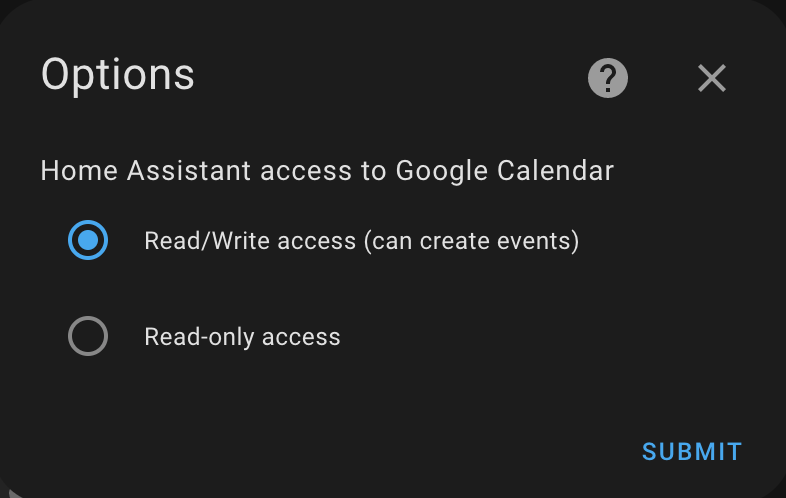
When installing the integration, you can give it read or read/write access to the calendars. You might want to create events from Home Assistant (I haven’t used that yet).
Once connected, you can see your Google calendars, each becoming an entity in Home Assistant

Oh, what’s that homeautomation calendar? 🤩 I created it to separate personal events from automation-control events. But it is not necessary to do it in this way.
From now on, you can create conditions or triggers based on calendar events.
- alias: Calendar Holidays Event
  id: calendar_holidays_event
  trigger:
    - platform: calendar
      event: start
      entity_id: calendar.homeautomation
    - platform: calendar
      event: end
      entity_id: calendar.homeautomation
  condition:
    - condition: template
      value_template: "{{ 'Holidays' in trigger.calendar_event.summary }}"
  action:
    - if:
        - "{{ trigger.event == 'start' }}"
      then:
        - service: input_boolean.turn_on
          entity_id: input_boolean.vacation
      else:
        - service: input_boolean.turn_off
          entity_id: input_boolean.vacation
  mode: queued
In this example, the automation is triggered by the start and end calendar events, but filtered only for events with a title starting with Holidays.

Create your calendar event and let the home automate 😎
Once synced, the calendar.homeautomation entity will show information about the upcoming event:
message: Holidays
all_day: true
start_time: '2023-02-11 00:00:00'
end_time: '2023-02-18 00:00:00'
location: ''
description: ''
offset_reached: false
friendly_name: Homeautomation
Since I have a separate calendar for automation control, the holidays in this one can differ from my actual holiday days. In the water heater example, I’d want the automation to resume the day before I return home.