# How to build MCollective Windows package
What I'm describing is surely not the best method to build a windows package... but it works and is scriptable (I.e. building it with Jenkins).
To proceed, you need to install the following tools on your Windows (build) machine:
* Ruby 1.8.7 or later
* Ruby binaries in your PATH environnement variable (rake, ruby and gem will be used)
* InnoSetup 5 (http://www.jrsoftware.org/isinfo.php)
From my github repo you can download the builder scripts which contains a Rakefile and install_gems.bat.
The Rakefile is the script you will then call to execute all the build tasks; install_gems.bat is a batch file packaged into the installer and it will be called in the post installation step to install all gems dependencies.
Configure Package Script
Before you can start the build script you should check in the downloaded Rakefile if all parameters are corrects for the build environment you are using.
 # set constant values:
LIB_FOLDER = File.expand_path('./lib')
INSTALL_FOLDER = File.expand_path('./install')
ISCC = "C:/Programmi/Inno Setup 5/iscc.exe"
ISS_FILE = "#{INSTALL_FOLDER}/Setup.iss"

APP_TITLE = "Marionette Collective"
EXE_NAME = "mcollective"
EXE_BASENAME = "mcollective"
APP_VERSION = "2.3.2"
In particular you have to check the ISCC variable with the path to your InnoSetup binary file.
Prepare the installation environment
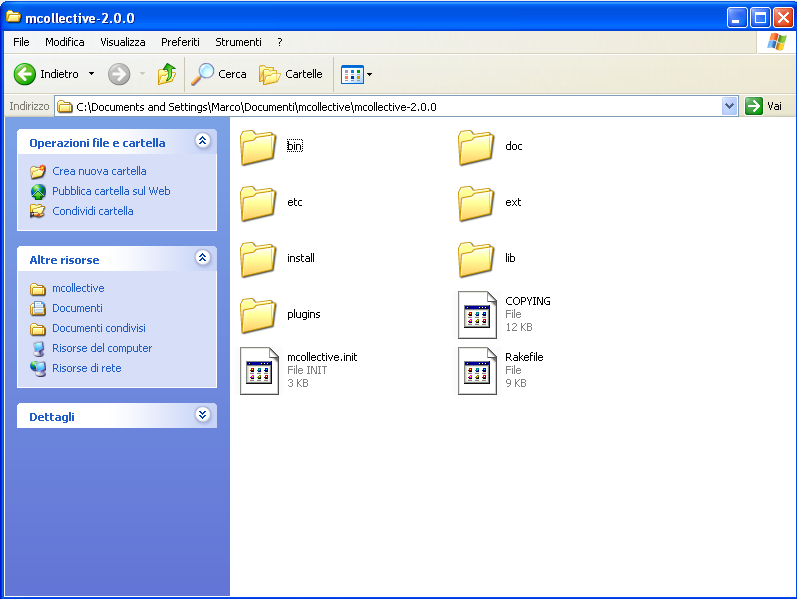
To build the desired version of mcollective you just need to download mcollective tgz sources from http://downloads.puppetlabs.com/mcollective/, extract the downloaded package into preferred location and copy the two previously described file in the sources dir.
- Rakefile sould be copied into sources root dir (i.e. C:projectsmcollective)
- install_gems.bat into bin subfolder (i.e. C:projectsmcollectivebin)
This one is, for exemple, my mco source dir
[caption id="attachment_889" align="aligncenter" width="150"] Mcollective sources root folder[/caption]
[caption id="attachment_888" align="aligncenter" width="150"]
Mcollective sources root folder[/caption]
[caption id="attachment_888" align="aligncenter" width="150"] Mcollective Binary Folder[/caption]
Now you are ready to create the installer package.
Open a Windows CMD console, move to mcollective sources folder and execute Rake:
Mcollective Binary Folder[/caption]
Now you are ready to create the installer package.
Open a Windows CMD console, move to mcollective sources folder and execute Rake:
C:projectsmcollective-2.3.2> rake
If the compilation worked well, you should have a sucessful message at the end:
 Successful compile (4,547 sec). Resulting Setup program filename is:
C:projectsmcollective-2.3.2installmcollective_Setup.exe
That means you have your installer file into the install subfolder.
Convert into MSI
Following procedure is surely not the best way to create an MSI windows package. Maybe in the future I'll try to convert the build script using the WIX toolset project which creates directly a real MSI package.
Anyway... Using MSI Wrapper you can select the Mcollective EXE installer created with InnoSetup and convert it into a simple MSI.On my github repo, into exe2msi subfolder you can find two pre-configured MSI Wrapper scripts to create a Silent Installation MSI or a Normal MSI.
All packages created with this method are available on http://repos.mornati.net/mcollective/
 Mcollective Binary Folder[/caption]
Now you are ready to create the installer package.
Open a Windows CMD console, move to mcollective sources folder and execute Rake:
Mcollective Binary Folder[/caption]
Now you are ready to create the installer package.
Open a Windows CMD console, move to mcollective sources folder and execute Rake: