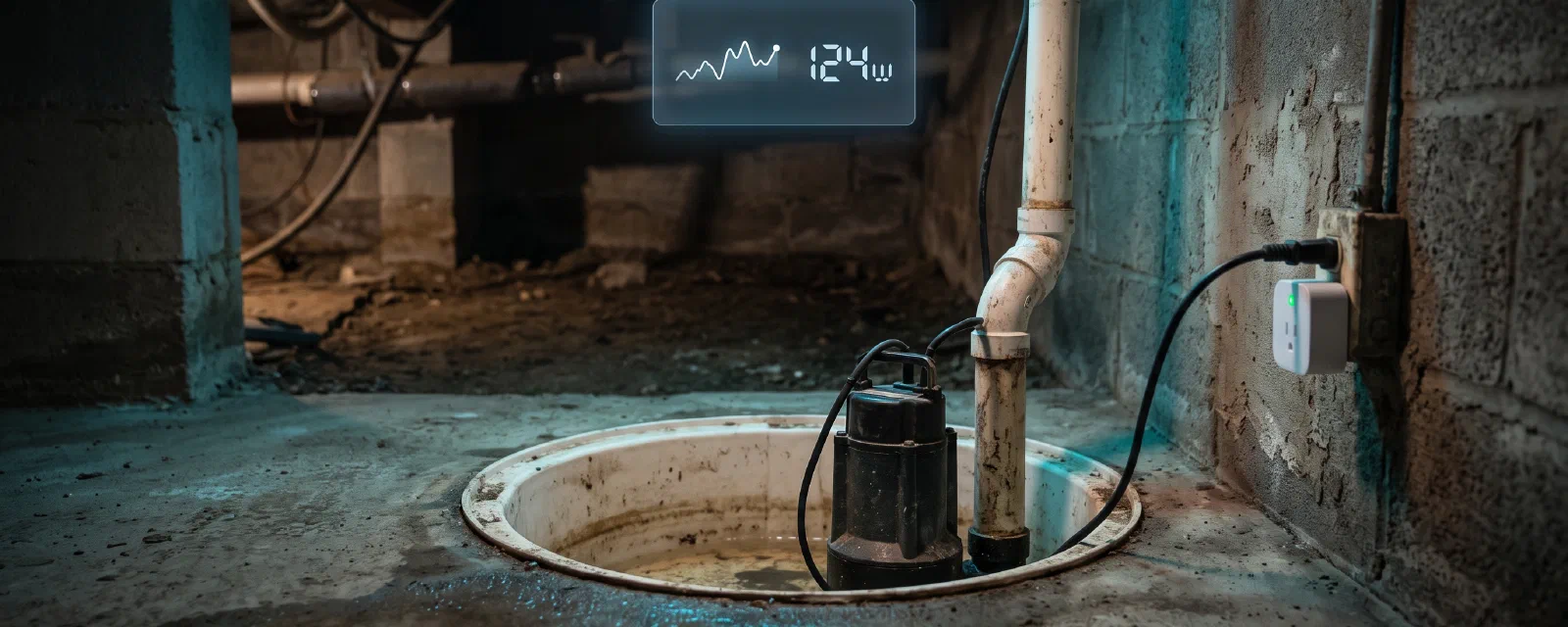

My cellar has a pump that saves the house, and until a few months ago the only way I knew it still worked was by listening for it. A sump pump (pompe de relevage) sits in a pit in the cellar, collects the groundwater that seeps in, and pushes it out to the drain. When it works, nobody notices. When it fails — stuck float, burned motor, tripped breaker — water rises quietly until the cellar floods.
That’s the definition of hidden infrastructure: invisible, critical, and silent until it’s expensive. This post is about how I put mine in the spotlight with Home Assistant — what I monitor, the actual YAML, and the real numbers from my live instance.
Honest setup note first. Every automation in this post is live in my config right now. I pulled the YAML directly from
automations.yamland verified the live state via the API before writing: all nine automations are enabled, and the last forced-off event dates back to October 2025. What you see below is what runs today.
Disclaimer: I am not a plumber or an electrician. Sump pumps and cellar drainage are my field notes from one house in northern France, not installation advice for yours. A pump that runs dry or a flooded cellar can damage things; monitor, but never skip the physical maintenance.
TL;DR — what could fail, what HA does#
| Failure mode | What Home Assistant does |
|---|---|
| Pump runs too long (stuck float, blockage) | Warning at 2 min, anomaly alert at 5 min |
| Pump keeps restarting without fixing itself | 3 retries, then forced shutdown + 24 h lockout |
| Pump never starts again after a forced-off | Auto-reactivation after 24 h |
| Pump hasn’t run in 48 h (stuck float, outage) | “Not started” alert every 6 h |
| Any run at all | Full tracking: start/stop timestamps, runtime, energy |
| Week in review | Monday report: run time, energy, last start/stop |
The hardware is deliberately boring: a Zigbee smart plug with power monitoring (zigbee2mqtt friendly name pompe_cave) that the pump is plugged into. No float sensor, no water-level probe — everything is inferred from the power draw. The pump tells us everything we need just by how much electricity it consumes.
Why monitor hidden infrastructure#
The “invisible device” pattern is everywhere: the sewage pump, the circulation pump on your heating, the freezer in the garage, the UPS under the desk. You only think about them when they stop, and by then the damage is done.
For a sump pump the stakes are concrete. Groundwater rises; the pump cycles; if it stops cycling the cellar floods within hours. A monitoring layer doesn’t fix the pump — it fixes the surprise. You find out at 14:00 via a notification instead of at 19:00 ankle-deep in water.
There’s a second, subtler reason: pumps degrade slowly. A float that gets stiffer, an impeller that starts clogging — the symptoms show up as changed run patterns long before a hard failure. Tracking the pattern is how you catch them early.
Hardware: how HA sees the pump#
The pump runs on mains power through a Zigbee smart plug with a power meter. In Home Assistant this shows up as a cluster of entities:
| Entity | What it reports |
|---|---|
sensor.pompe_cave_power_2 | Instant power draw in W (0 W = idle) |
sensor.pompe_cave_energy_2 | Device-side energy counter in kWh |
switch.pompe_cave_2 | The physical plug itself (off = pump has no power) |
binary_sensor.pompe_cave | Template: power > 5 W → on (the pump is running) |
sensor.pompe_cave_on_today / on_weekly | history_stats run time today / last 7 days |
The binary sensor is the heart of everything. It turns a continuous wattage reading into a clean on/off signal that every automation below can trigger on:
# templates/sensors.yaml
- binary_sensor:
    - unique_id: pompe_cave_running
      name: "Pompe Cave Running"
      icon: mdi:pump
      device_class: running
      state: >
        {% set power = states('sensor.pompe_cave_power_2') %}
        {% if power in ['unavailable', 'unknown', 'none'] or power == '' %}
          {{ 'off' }}
        {% else %}
          {{ 'on' if power | float > 5.0 else 'off' }}
        {% endif %}
The > 5.0 W threshold matters: it filters out the plug’s own idle draw and any measurement noise, so only a real pump run counts as on.
Two template sensors complete the picture. One converts the tracked timestamps into hours since the last start (999 when never started), the other computes the current run length in minutes:
- sensor:
    - unique_id: pompe_cave_hours_since_last_start
      name: "Pompe Cave Hours Since Last Start"
      unit_of_measurement: h
      icon: mdi:clock-outline
      state: >
        {% set last = states('input_datetime.pompe_cave_last_started') %}
        {% if last in ['unavailable', 'unknown', 'none', ''] %}
          {{ 999 }}
        {% else %}
          {{ ((now() - as_datetime(last)) / 3600) | round(1) }}
        {% endif %}
The automations, one by one#
A. Start/stop tracking#
Two automations record every run by watching the binary sensor flip. When the pump starts, we stamp input_datetime.pompe_cave_last_started; when it stops, input_datetime.pompe_cave_last_stopped:
- id: pompe_cave_track_start
  alias: "Pompe Cave - Suivi demarrage"
  mode: single
  triggers:
  - trigger: state
    entity_id: binary_sensor.pompe_cave
    from: 'off'
    to: 'on'
  conditions: []
  actions:
  - action: input_datetime.set_datetime
    target:
      entity_id: input_datetime.pompe_cave_last_started
    data:
      datetime: "{{ now() }}"

- id: pompe_cave_track_stop
  alias: "Pompe Cave - Suivi arret"
  mode: single
  triggers:
  - trigger: state
    entity_id: binary_sensor.pompe_cave
    from: 'on'
    to: 'off'
  conditions: []
  actions:
  - action: input_datetime.set_datetime
    target:
      entity_id: input_datetime.pompe_cave_last_stopped
    data:
      datetime: "{{ now() }}"
These two timestamps are the backbone of every other automation — the runtime, the “not started” alert, and the weekly report all read from them.
B. Anomaly detection (with retries and a lockout)#
The pump runs in bursts of about a minute. If it runs for 5 minutes straight, something is wrong — a blocked discharge, a stuck float, a pump fighting water it can’t move. This is the heart of the system, so it’s the most defensive automation:
- id: pompe_cave_anomalie_detection
  alias: "Pompe Cave - Detection d'anomalie"
  mode: single
  max_exceeded: silent
  triggers:
  - trigger: numeric_state
    entity_id: sensor.pompe_cave_power_2
    above: 0
    for: 00:05:00
  conditions:
  - condition: state
    entity_id: switch.pompe_cave_2
    state: 'on'
  - condition: state
    entity_id: input_boolean.pompe_cave_force_disable
    state: 'off'
  actions:
  - action: notify.notify
    data:
      title: "Pompe Cave"
      message: "Pompe cave - Detection d'anomalie (5 min)."
  - action: switch.turn_off
    target:
      entity_id: switch.pompe_cave_2
  - action: input_number.increment
    target:
      entity_id: input_number.pompe_cave_retry_count
  - action: delay
    delay: 00:02:00
  - action: switch.turn_on
    target:
      entity_id: switch.pompe_cave_2
  - action: delay
    delay: 00:01:00
  - choose:
    - conditions:
      - condition: numeric_state
        entity_id: sensor.pompe_cave_power_2
        above: 0
      - condition: numeric_state
        entity_id: input_number.pompe_cave_retry_count
        above: 2
      sequence:
      - action: notify.notify
        data:
          title: "Pompe Cave"
          message: "Pompe cave - Desactivation forcee (apres 3 essais)."
      - action: switch.turn_off
        target:
          entity_id: switch.pompe_cave_2
      - action: input_boolean.turn_on
        target:
          entity_id: input_boolean.pompe_cave_force_disable
      - action: input_datetime.set_datetime
        target:
          entity_id: input_datetime.pompe_cave_last_forced_off
        data:
          datetime: "{{ now() }}"
The logic is a retry ladder: power on for 5 min → cut power, alert, count one retry; wait 2 minutes; power back on; wait 1 minute; if it’s still drawing power and we’ve done this 3 times → give up. The pump is forced off, the pompe_cave_force_disable lockout is raised so nothing retries it automatically, and the forced-off time is stamped. After three attempts and a 5-minute nonstop run, leaving it running is riskier than leaving it off.
This is the “why monitors fail differently than people” moment: a human would eventually notice the pump never stopping. Home Assistant notices after 5 minutes, reacts, and tells us about it — without us being anywhere near the cellar.
C. Forced reactivation after 24 h#
A forced-off pump is protected from burning itself out — but a disabled pump is also a flooded cellar waiting to happen. So the lockout self-expires after 24 hours:
- id: pompe_cave_restart_once_a_day
  alias: "Pompe Cave - Reactivation forcee apres 24h"
  mode: single
  triggers:
  - trigger: time_pattern
    hours: '/1'
  conditions:
  - condition: state
    entity_id: input_boolean.pompe_cave_force_disable
    state: 'on'
  - condition: template
    value_template: >
      {% set last_off = as_timestamp(states('input_datetime.pompe_cave_last_forced_off')) %}
      {% set since = (now().timestamp() - last_off) | int %}
      {{ since > 86400 }}
  actions:
  - action: input_boolean.turn_off
    target:
      entity_id: input_boolean.pompe_cave_force_disable
  - action: input_number.set_value
    target:
      entity_id: input_number.pompe_cave_retry_count
    data:
      value: 0
  - action: switch.turn_on
    target:
      entity_id: switch.pompe_cave_2
Every hour it checks: is the lockout on, and has it been more than 24 h since the forced-off? If yes, clear the counters and give the pump power back. The pump gets a second chance — and if the problem is still there, the anomaly detection catches it again. If the float is physically stuck, this single test also acts as a manual test cycle: it powers the pump for a moment, and if the water has drained in the meantime, the run ends cleanly.
D. “Not started” and “running too long” alerts#
Two alerts cover the opposite failure: the pump that should have run and didn’t.
- id: pompe_cave_alert_not_started
  alias: "Pompe Cave - Pas demarree depuis longtemps"
  mode: single
  triggers:
  - trigger: time_pattern
    hours: '/6'
  conditions:
  - condition: template
    value_template: >
      {% set last = states('input_datetime.pompe_cave_last_started') %}
      {{ last != '' and states('sensor.pompe_cave_hours_since_last_start') | float > 48 }}
  - condition: state
    entity_id: input_boolean.pompe_cave_force_disable
    state: 'off'
  actions:
  - action: notify.notify
    data:
      title: "Pompe Cave"
      message: >-
        Pompe cave pas demarree depuis longtemps.
        Dernier demarrage: {{ states('input_datetime.pompe_cave_last_started') }}.
        Heures depuis: {{ states('sensor.pompe_cave_hours_since_last_start') }}h
Every 6 hours, if the pump hasn’t started in more than 48 hours, a notification reminds us. In a dry season this can fire legitimately (my pump barely ran during the summer), so the message carries the actual “hours since” value — it’s a nudge, not a panic.
The companion alert fires when a run does happen but refuses to end:
- id: pompe_cave_alert_running_too_long
  alias: "Pompe Cave - Fonctionnement prolonge"
  mode: single
  max_exceeded: silent
  triggers:
  - trigger: numeric_state
    entity_id: sensor.pompe_cave_power_2
    above: 0
    for: 00:10:00
  conditions:
  - condition: state
    entity_id: binary_sensor.pompe_cave
    state: 'on'
  - condition: state
    entity_id: input_boolean.pompe_cave_force_disable
    state: 'off'
  actions:
  - action: notify.notify
    data:
      title: "Pompe Cave"
      message: >-
        Pompe cave - Fonctionnement prolonge (10 min).
        Puissance: {{ states('sensor.pompe_cave_power_2') }}W.
        Duree: {{ states('sensor.pompe_cave_current_runtime_minutes') }}min
A 10-minute continuous run is beyond anything a healthy pump needs — the alert is the last word before (or in parallel with) the anomaly ladder, and it includes the live power draw so we can tell a full-current pump from a struggling one.
There’s also a gentler first stage, notify_pompe_cave_problem, that raises a warning at the 2-minute mark — a heads-up that the pump is running long, before the 5-minute anomaly escalation kicks in.
E. The weekly report#
Every Monday at 08:00, a single notification summarizes the week — run time, energy, last activity:
- id: pompe_cave_weekly_report
  alias: "Pompe Cave - Rapport Hebdomadaire"
  mode: single
  triggers:
  - trigger: time
    at: '08:00:00'
  conditions:
  - condition: time
    weekday:
    - mon
  actions:
  - action: notify.notify
    data:
      title: "Pompe Cave"
      message: >-
        Rapport hebdomadaire pompe cave.
        ON cette semaine: {{ states('sensor.pompe_cave_on_weekly') }}h.
        ON aujourd'hui: {{ states('sensor.pompe_cave_on_today') }}h.
        Energie: {{ states('sensor.pompe_cave_energy_2') }} kWh.
        Dernier demarrage: {{ states('input_datetime.pompe_cave_last_started') }}.
        Dernier arret: {{ states('input_datetime.pompe_cave_last_stopped') }}.
        Heures depuis demarrage: {{ states('sensor.pompe_cave_hours_since_last_start') }}h
The report is where the “monitor the pattern” idea pays off: weeks that show suddenly more run time, or a run that never stops, stand out in a single glance. A float that’s slowly stiffening shows up as a trending weekly number before it becomes an actual failure.
The supporting cast: inputs#
Several input_* helpers back these automations. The most important is the lockout toggle:
# components/input_boolean.yaml
pompe_cave_force_disable:
  name: "Pompe Cave Forcee Off"
  icon: mdi:power-off
  initial: false

# components/input_number.yaml
pompe_cave_retry_count:
  name: "Pompe Cave Retry Count"
  min: 0
  max: 5
  step: 1
  initial: 0
Plus three input_datetime helpers (pompe_cave_last_started, pompe_cave_last_stopped, pompe_cave_last_forced_off) that the tracking and alert automations read and write.
Real numbers (from my live instance)#
I pulled these straight from the statistics API while writing this post — a dry summer day, so today’s value is the interesting kind of zero:
| Metric | Value |
|---|---|
| ON time today | 0.0 h (dry summer day) |
| ON time last 7 days | 0.55 h total |
| ON time/day, last 90 days (mean) | ~0.13 h (~8 min/day) |
| ON time/day, last 90 days (median) | 0.135 h |
| ON time/day, last 90 days (max) | 0.28 h |
| ON time/week, last 90 days (mean) | 0.35 h |
| Total energy, device counter | 67.78 kWh |
| Last run | 2026-08-22 18:20:55 → 18:21:05 (~10 s) |
| Hours since last start | 3.2 h |
| Last forced-off | 2025-10-14 18:46:48 |
Two things stand out. First, typical runs are short — on 2026-08-16 the logbook shows runs of 1 min 06 s, 8 s, and 1 min 15 s: the pump works in tiny bursts as groundwater trickles in. That’s exactly why the 5-minute anomaly threshold works: a healthy run never comes close to it. Second, dry summers are quiet — ~8 minutes of pump time per day on average over 90 days, and essentially zero on a summer day. The “not started in 48 h” alert has to tolerate that, which is why it reports the hours-since value instead of just alarming.
The forced-off event from October 2025 is worth mentioning: that’s the anomaly ladder doing its job once, during a wet winter period, and the system self-recovered via the 24 h reactivation.
Lessons and tradeoffs#
- False positives are the real risk. Every threshold I picked (5 W, 2 min, 5 min, 48 h) was chosen to sit far above the normal pattern so alerts are rare and meaningful. The summer quiet period almost guaranteed the “not started” alert would fire harmlessly — so it carries context instead of crying wolf.
- Cooldowns matter. The 2-minute/1-minute delays in the anomaly ladder exist so the pump isn’t slammed on/off by the automations themselves. Without them, the monitor would create the failures it’s watching for.
- Dry vs. rainy periods need different expectations. In a dry spell the pump may not run for days — that’s fine. In a wet spell it runs constantly — also fine. Only changes from the established pattern are suspicious.
- The plug is the cheap sensor. A Zigbee power-monitoring plug costs a few dozen euros and requires zero plumbing work. The float and the motor already exist — we’re just listening to the one signal they already produce.
Generalizing: a template for any hidden appliance#
Nothing here is pump-specific. The same skeleton — a power draw, an on/off binary sensor derived from it, start/stop tracking, an anomaly ladder with a lockout, a “didn’t run” alert, and a periodic report — maps directly onto:
- Sewage / lift pump — same logic, same thresholds roughly.
- Heating circulation pump — track runtime, alert on no-runs in winter.
- Freezer / fridge — alert if the compressor hasn’t cycled in hours.
- UPS — alert on battery age, on-battery events, or a load that changed.
- Any appliance you only notice when it stops.
The reusable recipe: derive a binary “is it doing its job” sensor from power, track start/stop timestamps, build a retry-and-lockout ladder for “runs but doesn’t fix it”, alert on “should have run and didn’t”, and summarize weekly. That covers the vast majority of hidden-infrastructure failures.
Disclaimers#
- Field notes, not advice. These are my thresholds for my pump in my cellar in northern France. Your pump, your water table, your wiring are different.
- I am not a plumber or electrician. The physical side — the pump, the pit, the discharge line — is maintained and installed by professionals; I describe the monitoring layer, not the plumbing.
- Monitoring is not maintenance. No automation replaces the yearly check, the float test, or cleaning the pit. What HA buys you is time: early detection instead of surprise.
- Zigbee is a mesh, and meshes drop. My logbook shows an
unavailableblip on the plug on 2026-08-16 (a Zigbee hiccup, not a pump failure). Alerts should be designed around the sensor being temporarily blind, not just around pump failures.
If I were to build this again from scratch, I’d keep the same core: a power-monitoring plug, a derived binary sensor, and the retry-with-lockout ladder. That trio turned an invisible pump into a device with a heartbeat — and a cellar I don’t have to think about until something actually needs thinking about.