# Nexus 7: reinstall stock rom and re-lock boot loader
After the problem I had on my Nexus 7 and the wipe data test, my tables was always locked on the boot image.
So, the second thing (and I think the last one too) I could test, was a complete reinstallation of the rom.
Before going ahead, you need a computer with the Android SDK installed and the platform-toolfolder in the class path of your machine (means you can run, for example, fast boot from everywhere).
Download the factory image for your nexus device from here: https://developers.google.com/android/nexus/images
I suppose the same thing should work for any other device if you can retrieve the factory ROM.
Reboot your device into fastboot menu (as I described here)
Enter in the ROM folder you downloaded, where you should have the script to reinstall it (flash-all.sh or flash-all.bat)
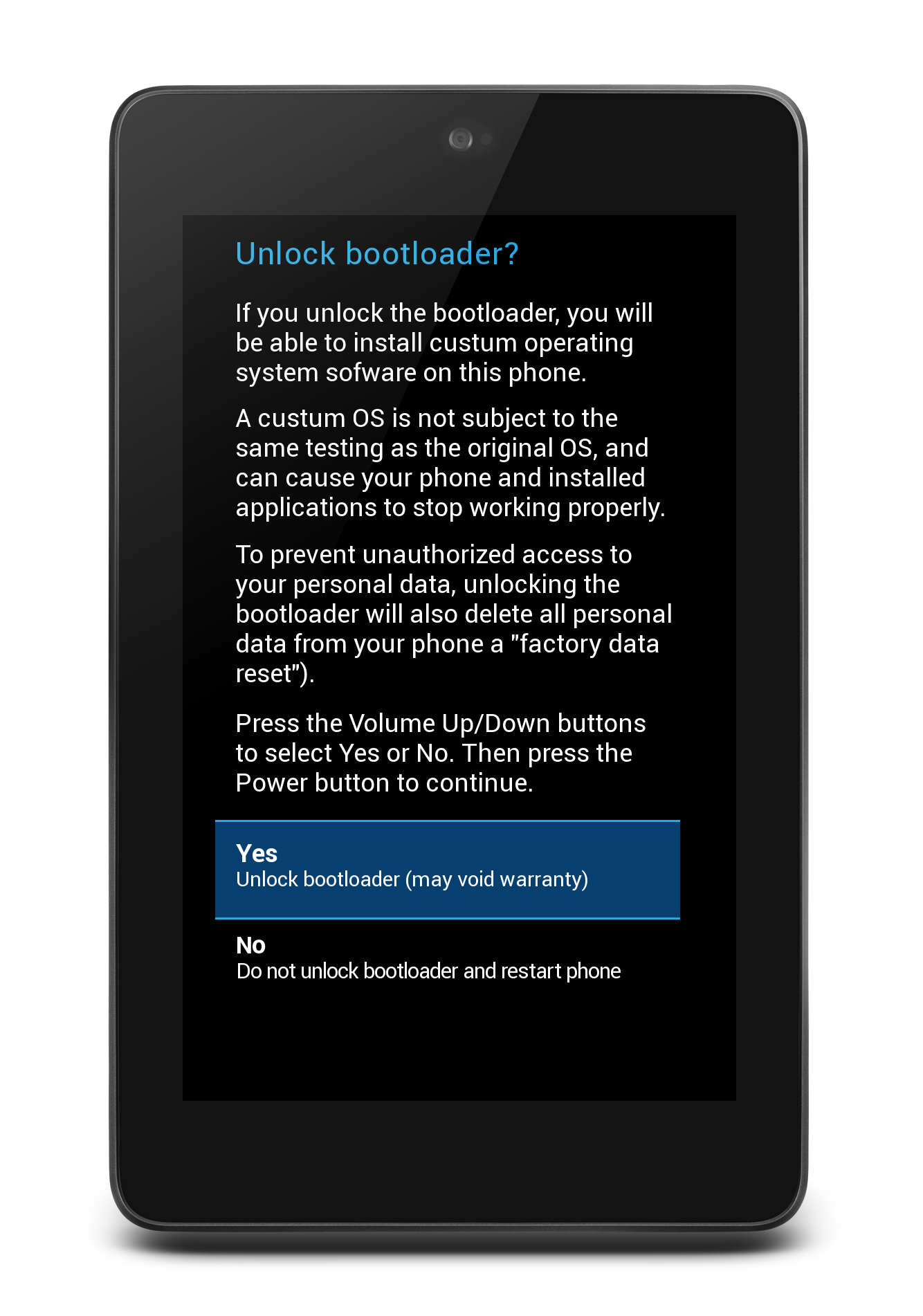
Execute the script and you should see on the screen a question asking you if you want to unlock the boot loader (you must unlock it to install the stock ROM)
On your computer screen you can follow the ROM installation log. When procedure ends (if no problem occurred) your device will be automatically boot.
For security reasons, as suggested by Google too, it's better to relock your boot loader (in any case you can always unlock it if needed).
Reboot the device in fast boot mode
From your computer execute fastboot oem lock
 MacBook-Pro-di-Marco:nakasi-jwr66y mmornati$ fastboot oem lock
< waiting for device >
...
(bootloader) Bootloader is locked now.
OKAY [  1.447s]
finished. total time: 1.447s
Now you have a completely new device (at least software side).