
Nexus 7: restore to factory default#
Even if I never “hacked” my Nexus device, after a few months (I suppose due to application installation) my device crashed and, after reboot, I was stuck on the Google boot image. I tried leaving it to boot for an hour with no success. So… factory reset. Yes, but how do I factory reset a crashed device? Reading online I found forum posts with combinations that I honestly didn’t understand.
Here is the combination I tested many times to wipe your device:
- Reboot your device by pressing Power Button + Sound Down Button at the same time until you see the fast boot menu
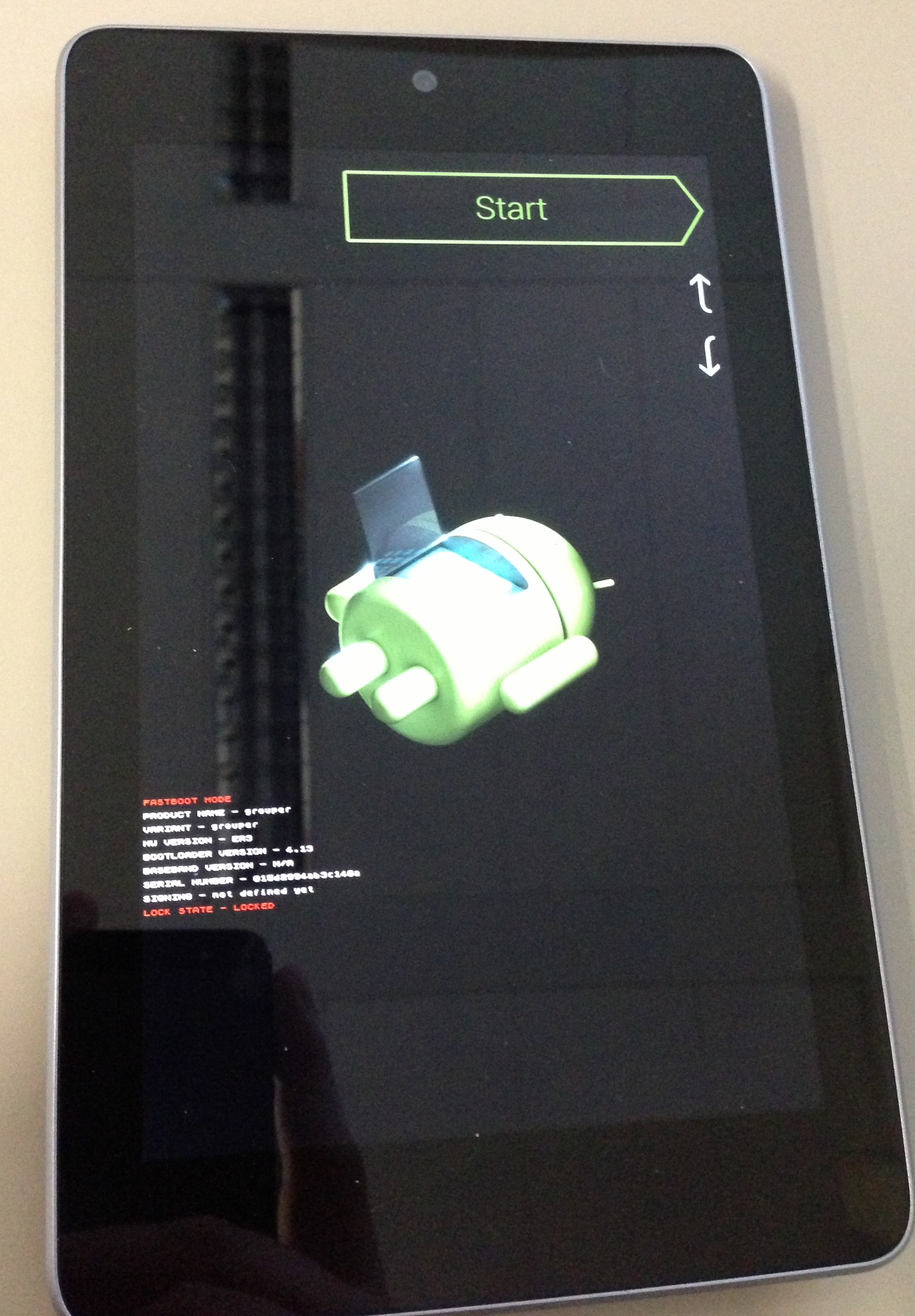
- Use the volume buttons to move to Recovery Mode menu and then start it using the power button
- Your Nexus 7 will reboot and, after a while, you should see the Android robot with a red exclamation mark and the information no data on the screen
- Press Power Button + Sound Up Button at the same time for about 2 seconds and then release the two buttons at the same time. The recovery menu should appear
- Use the volume buttons to navigate to the Wipe Data menu (and if you want Wipe Cache)
- At the end, select the Reboot entry in the menu to restart your device

Hope this helps!