

In 2022 the OpenWrt community released a version compatible with Google WiFi devices: https://openwrt.org/toh/google/wifi It’s finally possible to move away from the default Google firmware and unlock the full potential of a great device!

I won’t go through the installation process here, as you can find a ton of tutorials online to make the configuration. But I’m happy to help if you have any questions.
OpenVPN#
One of the good features I love on OpenWRT is the ability to secure my entire network by forcing VPN usage.

For this, you just need to configure the OpenVPN client by uploading the ovpn file (or configuring everything manually), and then, by default, once connected, all WiFi traffic is forwarded to the tun0 interface.
If you have a good VPN with decent bandwidth, no other configuration is needed. If, like me, the global VPN speed is not always so good (~20Mbit/sec vs 300 😱), regardless of which server I use, you may want to choose which devices use the VPN and which don’t.
Configuring to now use VPN by default#
If, like me, you prefer to select which devices to protect and leave others “as usual” you can change the OpenVPN configuration to not set tun0 as the default gateway. Just add this to your OpenVPN configuration file:
pull-filter ignore redirect-gatewayYou should have something like this
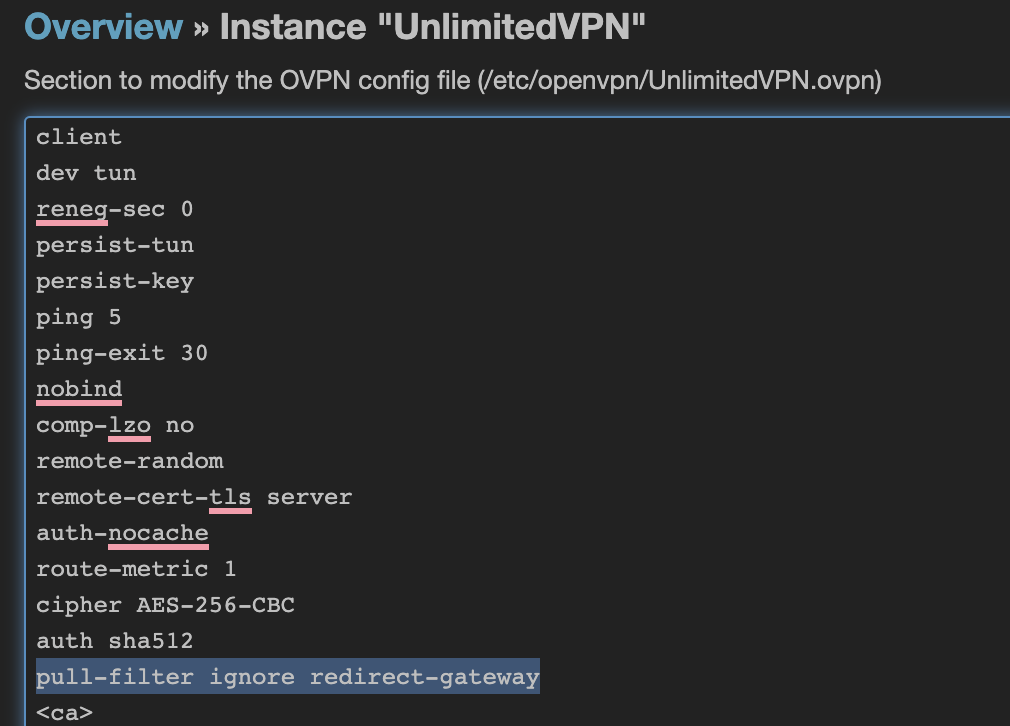
After restarting the OpenVPN service, all devices will keep your router as the default gateway.
Routing selected devices through VPN#
To select which devices go through the VPN (this also works if you keep VPN as default and want to exclude devices) install and configure the Policy Based Routing package.
opkg update
opkg install pbr luci-app-pbr
Once installed, you’ll have a new Policy Routing menu where you can configure everything needed.
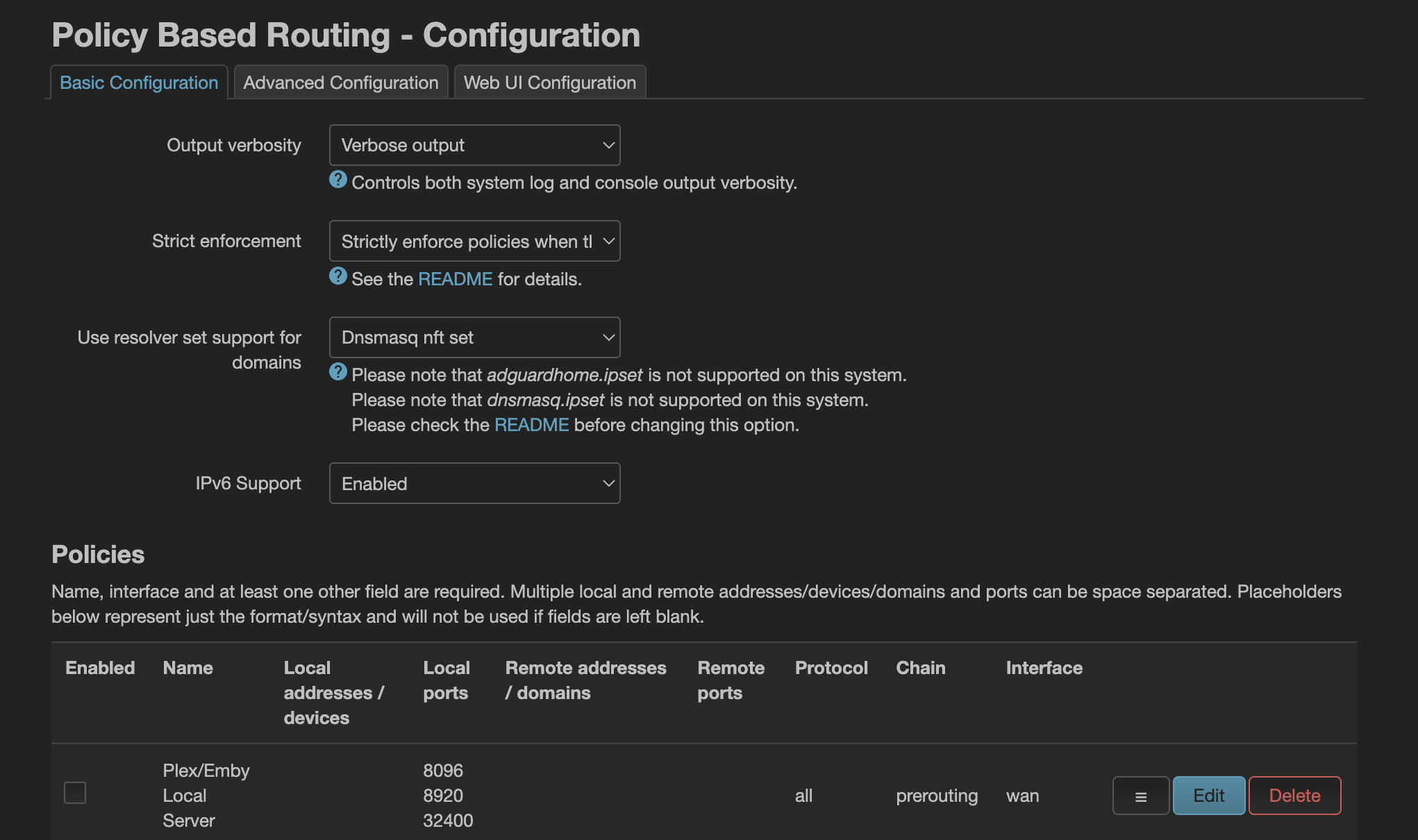
To select the gateway for desired local network devices, you can add new policies defining the local IP address or the device hostname with a prerouting rules and the target interface to use as default gateway.

In this screenshot, the Google TV and MacBook Pro are routed through the VPN (by default all the devices on my network are not using the VPN).
Specific Video Streaming configuration#
If, like in my example, you’re routing devices with non-VPN-friendly services (Netflix, amazon prime, …) you can create custom policies for specific target addresses.
For Netflix, the PBR service already has a configuration you can simply enable (NB in my case, I also needed to enable the AWS one).
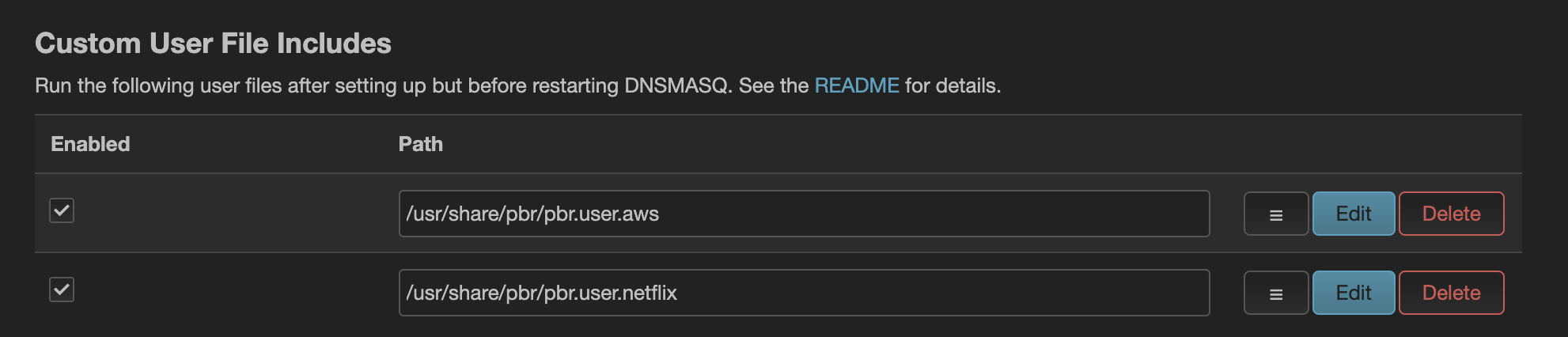
For other services you can add a policy like the following one:

How to test / debug#
For Netflix it’s easy to know if the traffic is forwarded to the correct interface: the service mostly won’t work through the VPN. But, what about other URLs?
There are several ways to debug. The simplest is using traceroute and traceroute6.
$ traceroute www.google.fr
traceroute to www.google.fr (216.239.38.120), 64 hops max, 52 byte packets
 1  openwrt (192.168.86.1)  4.853 ms  6.957 ms  7.892 ms
 2  10.200.0.1 (10.200.0.1)  13.255 ms  12.262 ms  13.713 ms
 3  51.255.71.253 (51.255.71.253)  13.344 ms^C
The 10.200.0.1 is my tun0 public IP address. This means the traffic is redirected via the VPN.
If I’m doing the same with Netflix, I excluded from the VPN:
$ traceroute netflix.com
traceroute: Warning: netflix.com has multiple addresses; using 54.155.246.232
traceroute to netflix.com (54.155.246.232), 64 hops max, 52 byte packets
 1  openwrt (192.168.86.1)  5.686 ms  5.109 ms  3.737 ms
 2  192.168.1.1 (192.168.1.1)  4.605 ms  7.768 ms  5.949 ms
 3  80.10.233.201 (80.10.233.201)  8.701 ms  8.956 ms  8.694 ms
The traffic is going through my ISP box at 192.168.1.1.
I can now browse the web securely! 😎