
Home automation has transformed how we interact with our living spaces, offering unprecedented control, convenience, and efficiency. Today, I’m thrilled to introduce a custom integration that bridges the gap between Hitachi devices and Home Assistant for better automations.
Why This Automation?#
Hitachi recently made significant changes to their wireless module approach. These changes, while aimed at simplifying their ecosystem, introduced new challenges for smart home enthusiasts:
Simplified Hardware: Hitachi transitioned from requiring two expensive modules for wireless connectivity to a single, more cost-effective module.
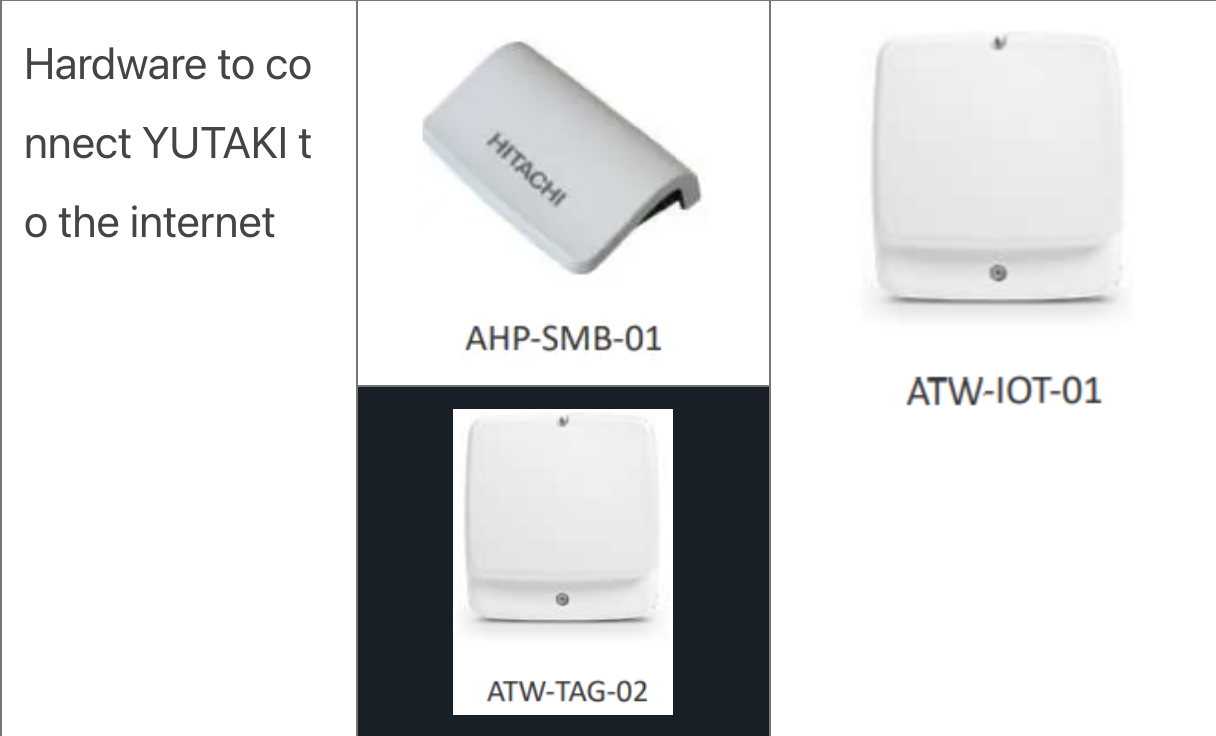
Limited Connectivity Options: The new module is designed to connect exclusively through the official application and website, removing previously available options like APIs or Modbus.
Discovering the Solution: By analyzing how the official website communicates with the devices, I identified a list of URLs containing the necessary control information. This discovery became the foundation for building this custom automation.
This integration bridges the gap by leveraging these insights, enabling seamless control of Hitachi devices within the Home Assistant ecosystem.
NOTE: Since I only own a Hitachi Yutaki Heat Pump, I’m not sure how the integration works with other devices.
Key Features of the Integration#
This custom integration, available on GitHub, brings powerful capabilities to your smart home setup, including:
Device Support: Seamlessly integrates with Hitachi appliances using the CS-Net communication protocol.
Real-Time Monitoring: View status updates and diagnostics directly within Home Assistant.
Full Control: Adjust device parameters such as temperature, mode, and power state remotely.
Automation-Ready: Leverage Home Assistant’s automation engine to create rules and triggers based on device activity.
How It Works#
This integration leverages the CS-Net protocol to communicate with supported Hitachi devices. Once installed, it establishes a connection between Home Assistant and your appliances, enabling bidirectional communication for control and status updates. The setup process is straightforward and requires minimal technical expertise.
It uses the provided CSNet Home credentials to enable the communication and, when errors occur it re-authenticates the integration. There is so far not a better or proper way to interact with it.
Step-by-Step Guide to Installation#
Here’s how to get started:
Download the Integration: Add the integration repository to HACS custom repositories.
Install: Install by searching for “csnet” or “hitachi” in the list of available HACS integrations.
Restart Home Assistant: Reload your instance to activate the integration.
Add the new Integration: Go to the “Devices” section and add the new integration (using the same filters as in HACS).
Configure: The UI will ask for your credentials, and if everything goes well, it will display the found climate devices and ask for their location.
For detailed steps, troubleshooting tips, and additional configuration options, refer to the documentation on GitHub.
Real-World Use Cases#
This integration opens the door to numerous possibilities:
Energy Savings: Automate your Hitachi air conditioner to maintain optimal temperatures during peak hours and reduce usage when not needed.
Comfort Automation: Pair your Hitachi devices with motion sensors to adjust settings based on room occupancy.
Unified Ecosystem: Integrate your Hitachi appliances with other smart devices, such as thermostats, lights, and voice assistants, for seamless control.
What’s Next?#
This is just the beginning. Future updates will include:
Expanded Device Support: Adding compatibility with more Hitachi products.
Community Contributions: Welcoming feedback, bug reports, and feature requests from the Home Assistant community.
Conclusion#
This custom integration for Home Assistant empowers users to unlock the full potential of their Hitachi devices, bringing them into the modern smart home ecosystem. With enhanced control, energy savings, and comfort at your fingertips, it’s time to take your home automation to the next level.
Ready to get started? Visit the GitHub repository to download the integration, and don’t forget to share your experience and feedback. Let’s build a smarter, more connected future together!