

Continuing to make my home smarter and, hopefully, reduce the electricity bill by being more environmentally friendly… if adding electric devices can be considered that 😩
This time, I want to share how I made my water heater smarter — inspired by looking at my electricity consumption graph during a 2-week holiday.
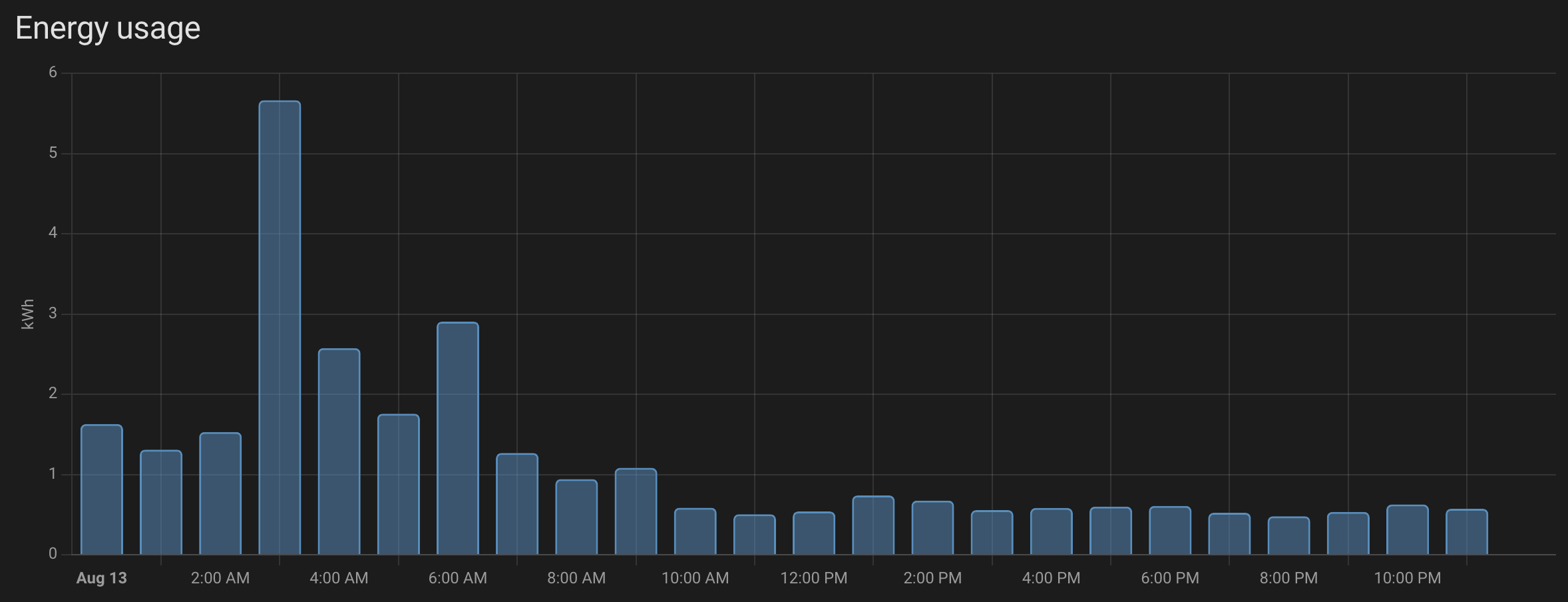
During the night, consumption was higher than during the day, and for the rest of the day, only smart devices, the internet box, cameras… Why that? Because our water heaters (we have 2) are statically configured to work every night at about 2 o’clock. But nobody was going to use the water… and it was being heated every day. 😱😱 That made me crazy… I could have shut them down before leaving (but I forgot)… but then the first day back, you’d have no hot water (since it takes hours to heat).
Water Heater power circuit?#
In my case, I had a day/night circuit breaker controlled by an electronic timer.

There is a 25A circuit used to power up the water heater and a second one, 2A, powering the clock and giving the signal to the day/night circuit breaker. When the timer signals the day/night device, it lets power from the 20A circuit flow to the water heater. In some cases, you can replace the timer with the utility company’s day/night switch, but the process is the same.
Which module?#
It depends on your setup, but keep in mind that a water heater is a high-power device — it’s probably not a good idea to power it directly through a smart switch. Following the previous diagram, the easiest way to make it smarter is to replace the timer with a smart switch.
After some research, I decided to try a Shelly device: the Shelly Plus 1. I only needed a small change to my electrical configuration
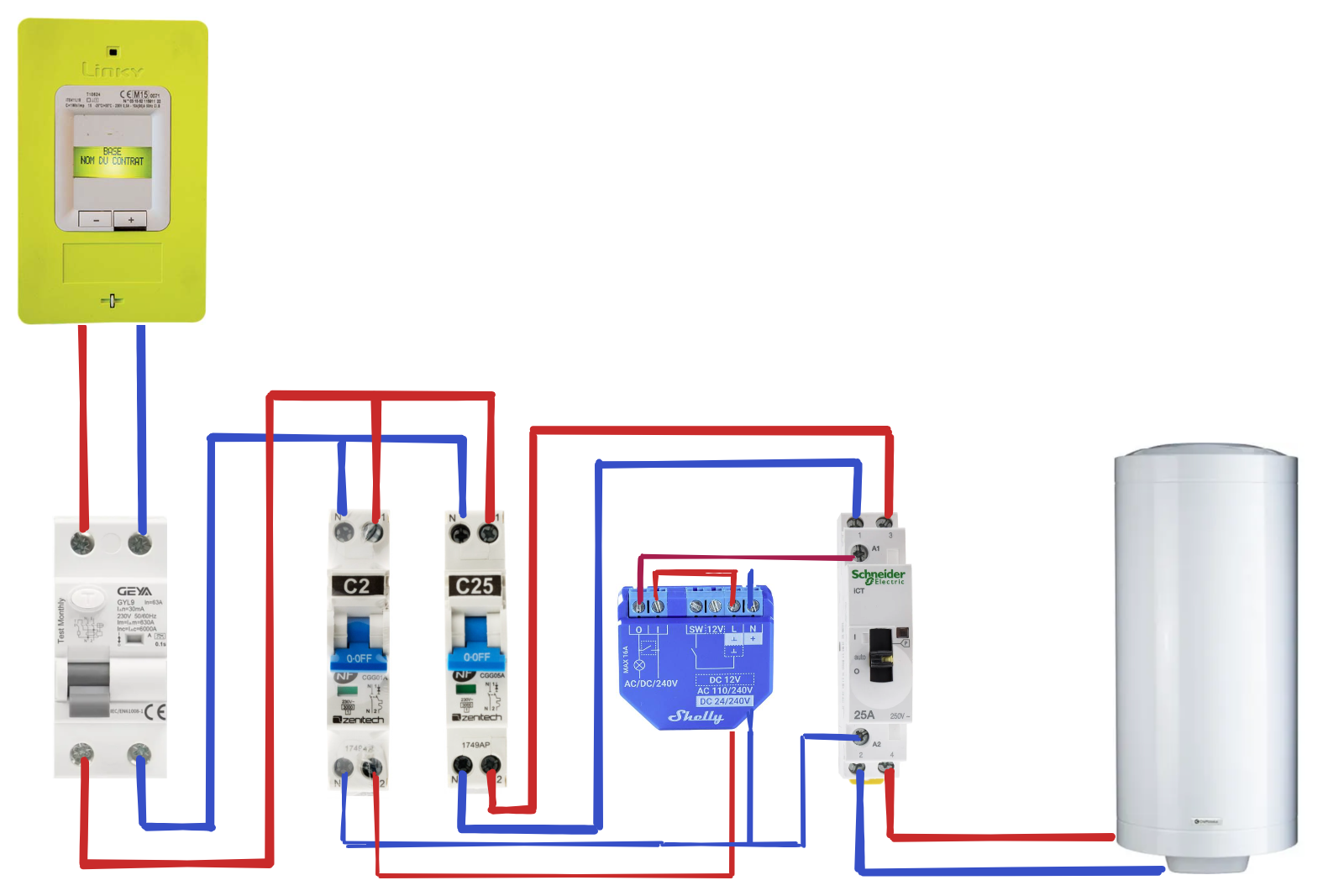
Now the signal to activate the day/night circuit breaker comes from the Shelly device. Quite easy isn’t it? 😎
Configuration#
First of all, you need to configure the device within the Shelly application. Just follow the instruction provided with the device and in a couple of minutes, you are ready to go.
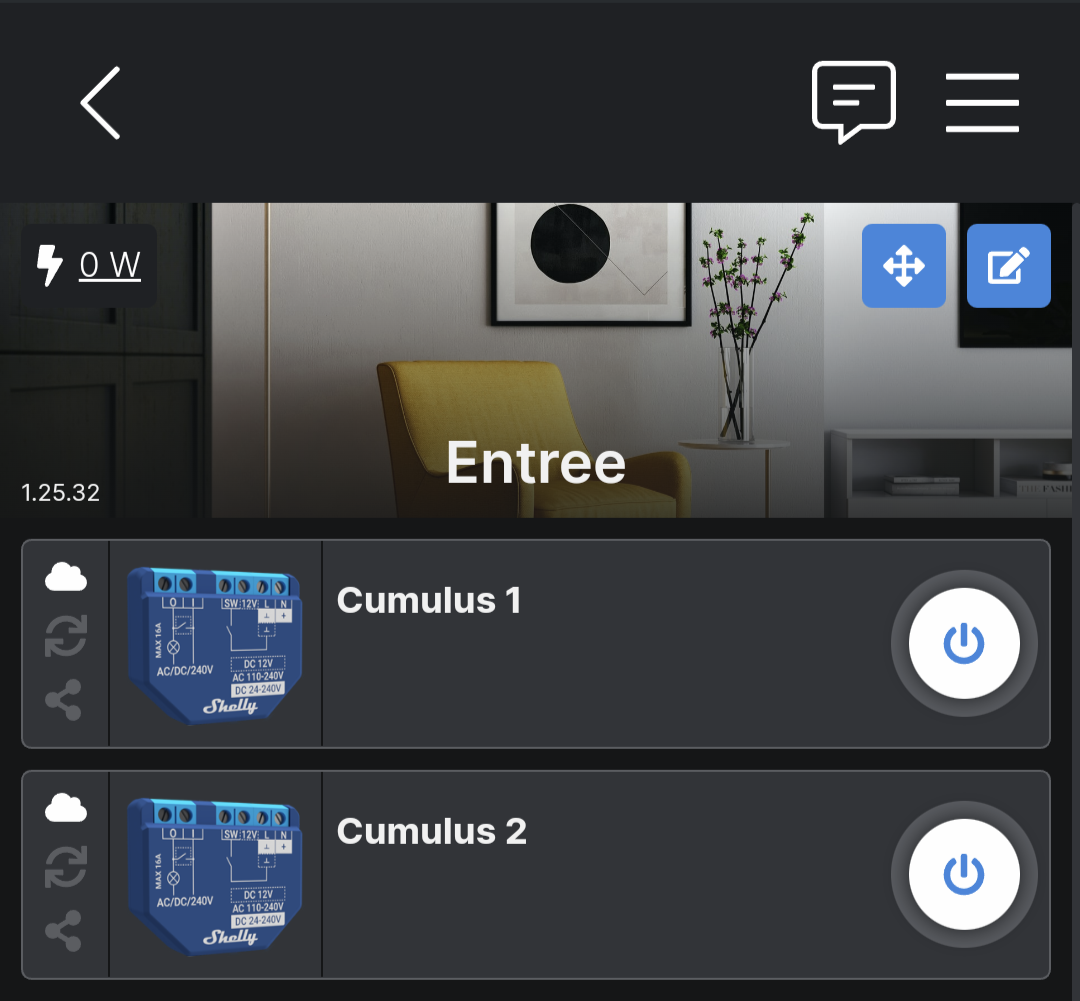
If you don’t have a smart home hub, you can configure everything within the Shelly app: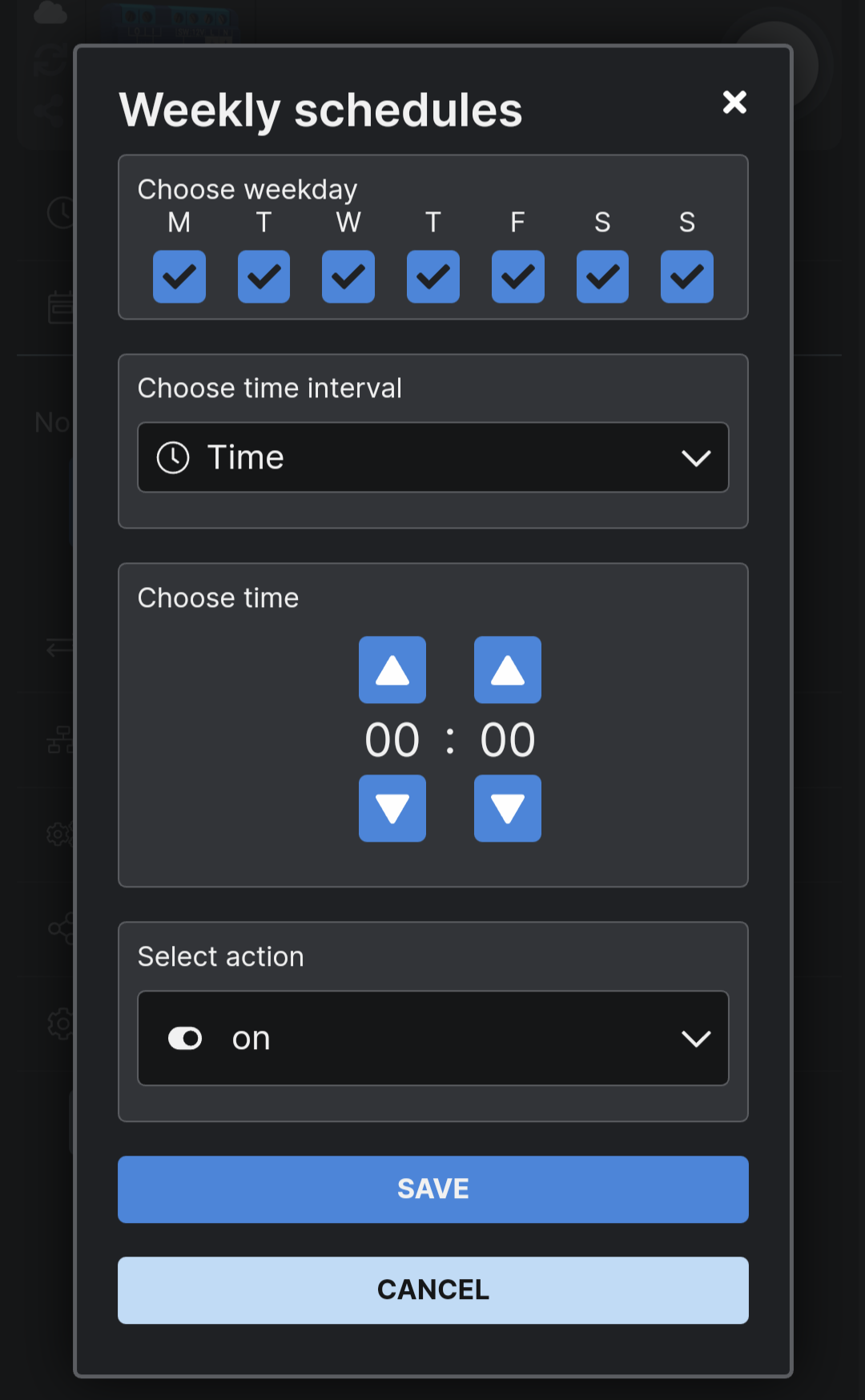
To use it with Home Assistant, you may need to update the Shelly firmware (from within the app), which is required for the HA integration.
Home Assistant#
To import your Shelly device into Home Assistant, install the Shelly integration and provide your device’s IP.

There are settings for full control within Home Assistant (update, reboot), but for the water heater, you just need the switch.
From here, it’s like any other automation. How do you want to control it? When? Based on a sensor? Configure accordingly.
In my case, the French utility company gives me 2 time windows each day at a reduced rate: one during the night and one during the day. I decided to run it during the nighttime window.
- id: water_heater_on
  alias: "Water Heater ON"
  mode: parallel
  trigger:
    - platform: time
      at: "01:24:00"
  condition:
    - condition: state
      entity_id: input_boolean.vacation
      state: "off"
  action:
    - service: switch.turn_on
      entity_id: switch.shellyplus1_XXXXXXXX_switch_0
- id: water_heater_off
  alias: "Water Heater OFF"
  mode: parallel
  trigger:
    - platform: time
      at: "07:24:00"
  condition:
    - condition: state
      entity_id: input_boolean.vacation
      state: "off"
  action:
    - service: switch.turn_off
      entity_id: switch.shellyplus1_XXXXXXXX_switch_0
Coming back to my initial frustration, there’s an added condition compared to my old static configuration:
condition:
    - condition: state
      entity_id: input_boolean.vacation
      state: "off"
The water heater turns on at the scheduled time, but only if I’m not on holiday. Hopefully, I’ll be able to be greener 😎