I build, self-host and sometimes break software in production — writing about AI tooling, coding agents and infrastructure.
Written in 2021. Versions, commands and links have probably changed since, so read it as history rather than a current how-to.
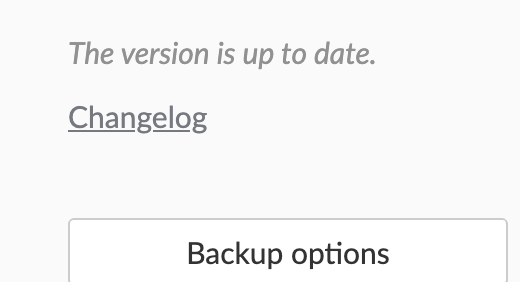
I’ve been using deConz with Home Assistant for the last 9 months and discovered some strange things in the way deConz works. The strangest thing is the gateway firmware update (for me a ConBee II): even if you’re running year-old firmware, in Phoscon you always get the message “your version is updated”.
The only way to get the latest firmware version is to use the manual upgrade process, which works in Home Assistant even if the official documentation says no.
First of all you need to know what is the device name of your zigbee gateway. The easiest way is to check the Docker startup logs. It shows you the list of devices and the line with ‘Serial’ is your gateway (mine is /dev/ttyACM1).
[s6-init] making user provided files available at /var/run/s6/etc...exited 0.
[s6-init] ensuring user provided files have correct perms...exited 0.
[fix-attrs.d] applying ownership & permissions fixes...
[fix-attrs.d] done.
[cont-init.d] executing container initialization scripts...
[cont-init.d] firmware.sh: executing...
[20:26:11] INFO: GCFFlasher V3_17 (c) dresden elektronik ingenieurtechnik gmbh
Path             | Vendor | Product | Serial     | Type
-----------------+--------+---------+------------+-------
/dev/ttyACM0     | 0x1CF1 | 0x0030  |            | ConBee II
/dev/ttyACM1     | 0x1CF1 | 0x0030  | DE111111111  | ConBee II
/dev/ttyAMA0     | 0x0000 | 0x0000  |            | RaspBee
Stop the deConz Integration. You can do it on the interface…NOTE If you have ‘Watchdog’ activated it may be better to disable it on the integration during this process. It could start the integration up unattended.
SSH to Hass (standard SSH, not the OS-level one).
Start the deConz container to use the Gateway flasher binary. Here, specify the device from step 1 and override the entrypoint which is configured to start the deConz app.
NOTE The firmware in this example is the latest available released on 29/04/2021. If you have a different gateway from Dresden Elektronik, you can find the firmware at the same URL6. Upgrade the firmware with the following command
The -d parameter corresponds to the device name found on the first step.
The -x parameter is the log level. With value 3 you’ll get lots of details
The -f is where you should provide the firmware filename.
After just a few seconds, you should see the firmware upgrade message.
root@5b3be22b1c2c:/# GCFFlasher_internal -d /dev/ttyACM1 -x 3 -f deCONZ_ConBeeII_0x266b0700.bin.GCF
GCFFlasher V3_17 (c) dresden elektronik ingenieurtechnik gmbh
18:25:22:294 using firmware file: deCONZ_ConBeeII_0x266b0700.bin.GCF
18:25:22:348 ls dev: /dev/ttyACM0 (0x0000/0x0000) sn:
18:25:22:348 ls dev: /dev/ttyACM1 (0x0000/0x0000) sn:
18:25:22:349 ls dev: /dev/ttyAMA0 (0x0000/0x0000) sn:
Reboot device /dev/ttyACM1 (ConBee II)
18:25:23:362 query bootloader v1 ID after 1006 ms
18:25:23:863 close serial after 1507
18:25:24:874 query bootloader v3 ID after 2517 ms
18:25:24:874 TX c081027dffc0
18:25:25:375 close serial after 3018
18:25:25:385 query deCONZ firmware version
18:25:25:387 SLIP RX frame length: 9
deCONZ firmware version 26680700
18:25:25:388 send watchdog reset 2 seconds
18:25:25:388 TX c00b02000c0005002602000000baffc0
18:25:25:390 set watchdog ttl status: 0x00
18:25:25:395 wait reboot: 2100 ms
18:25:29:500 query bootloader v1 ID after 2004 ms
18:25:29:512 RX 60 bytes ASCII
R21B18 Bootloader
Vers: 2.07
build: Jun 17 2019
, 08:48:53
 after 2016 ms
18:25:29:513 bootloader start after 2016 ms
R21B18 Bootloader
Vers: 2.07
build: Jun 17 2019
18:25:29:515 GCF_ResetDeviceDone
18:25:29:517 bootloader v1 update firmware
flashing 164377 bytes: |==============================|
verify: .
SUCCESS
Wait 10 seconds until application starts
18:25:49:051 verify application is running
18:25:49:063 query deCONZ firmware version
18:25:49:065 SLIP RX frame length: 9
deCONZ firmware version 266B0700
18:25:49:065 ok, application is running
root@5b3be22b1c2c:/# exit
Get back to the interface and start the integration as usual to bring back your zigbee network to normal.