

Behind the Scenes: The Admin Section of Cyber Code Academy
How we built powerful tools to manage a Python learning platform

Search for a command to run...
How we built powerful tools to manage a Python learning platform
No comments yet. Be the first to comment.
and why it took two completely different approaches to get it right.

Following the Trail from the Cultura & FFT Breaches to SendGrid Abuse

Beyond the single-model myth: Implementing intelligent multi-agent routing and DAG workflows with AI Dispatch.

Introduction: The Black Box of AI Code Generation When you ask GitHub Copilot to write a function, refactor a module, or explain a complex piece of code, the response you get is the output of a probab

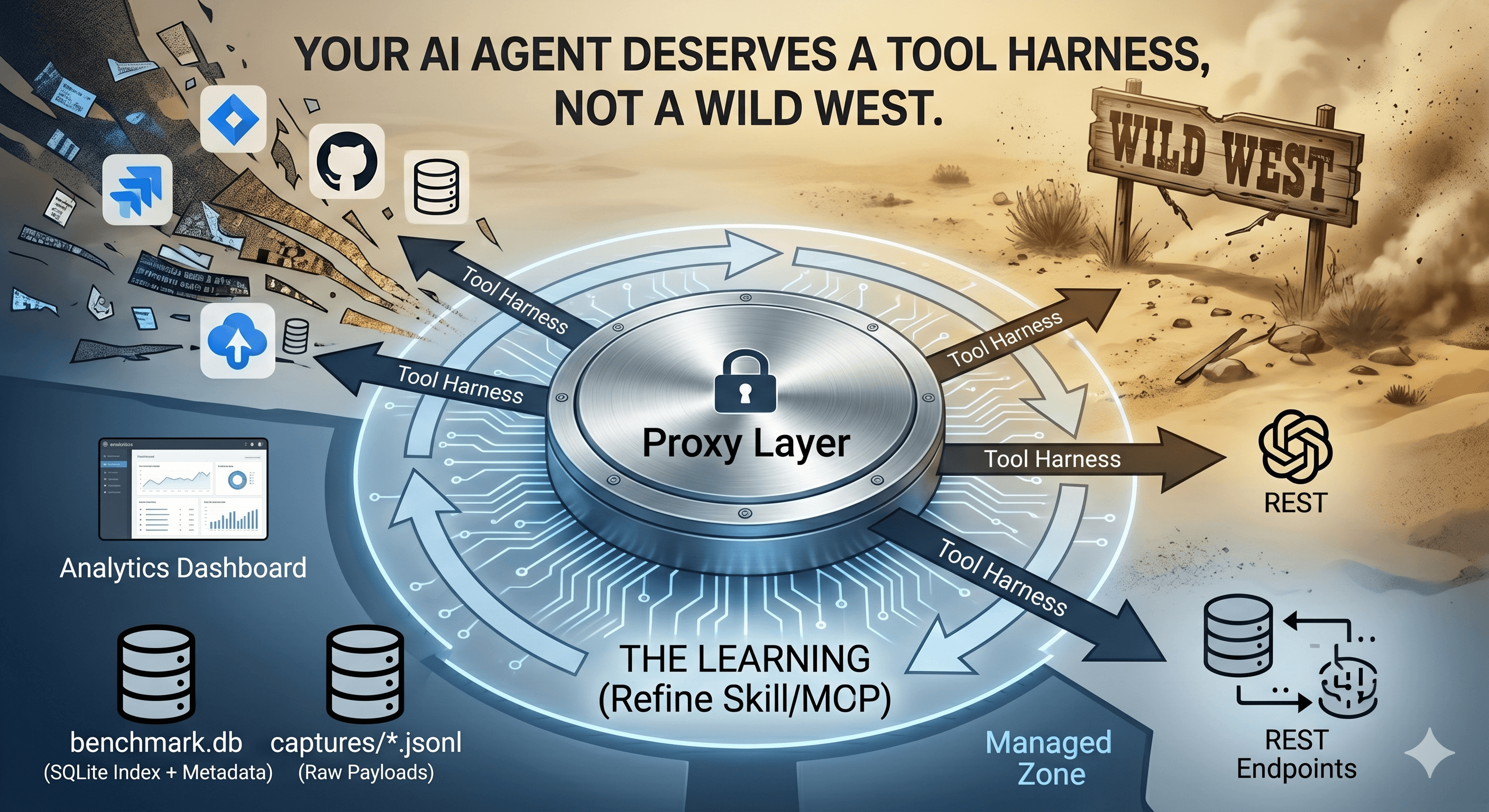
How we built a proxy-driven, benchmark-validated ecosystem for LLMs, and why your company's MCP servers and SKILLS should come with unit tests
Cyber Code Academy is a modern, gamified platform for mastering Python through interactive challenges, real-time competitions, and AI-powered problem generation. While students focus on solving coding challenges, administrators need robust tools to create, manage, and monitor the platform's content and infrastructure.
In this post, we'll take a deep dive into the admin section, a comprehensive suite of tools that simplifies everything from challenge creation to infrastructure monitoring. We'll explore how we leverage JSON storage, semantic validation, AI-powered generation, translation services, and Docker-based execution to create a scalable and maintainable platform.

The admin dashboard provides a centralized view of all platform operations
One of the core design decisions in Cyber Code Academy was to store challenge tests as JSON in PostgreSQL's JSONB columns. This approach provides several advantages:
Flexibility: Tests can have different structures (assertion-based, output-based, or custom validation)
Queryability: PostgreSQL's JSONB operators allow us to query and filter challenges by test properties
Versioning: Easy to track changes to test suites over time
No Schema Migrations: Adding new test types doesn't require database migrations
Each challenge stores its tests in a JSONB array like this:
{
  "tests": [
    {
      "name": "test_basic",
      "code": "assert solve([1, 2, 3]) == 6",
      "hidden": false
    },
    {
      "name": "test_edge_case",
      "code": "assert solve([]) == 0",
      "hidden": true
    }
  ]
}
The database model uses SQLAlchemy's JSONB type to store this flexible structure:
tests = Column(JSONB, nullable=False) # Array of test objects

The challenge editor shows an UI over JSON structure of tests, making it easy to understand and modify test cases
While unit tests verify that code produces correct outputs, they don't ensure that students are learning the intended concepts. A student might solve a challenge using a workaround or unintended approach that passes all tests but misses the educational objective.
This is where semantic validation comes in. We've implemented a two-tier validation system:
For challenges that require specific code patterns or structures, we use Python's Abstract Syntax Tree (AST) module to perform fast, deterministic validation. The AST validator can check for:
Required function definitions
Prohibited imports or functions
Required control structures (loops, conditionals)
Code complexity constraints
Specific algorithm requirements
The AST validator parses the code into an AST and uses a visitor pattern to check constraints:
class ASTValidator:
    def validate(self, code: str, constraints: Dict[str, Any]) -> ValidationResult:
        tree = ast.parse(code)
        visitor = ASTConstraintVisitor(constraints)
        visitor.visit(tree)
        return ValidationResult(
            passed=len(visitor.errors) == 0,
            errors=visitor.errors,
            warnings=visitor.warnings
        )
This approach is:
Fast: No API calls, pure Python parsing
Deterministic: Same code always produces the same result
Precise: Can detect specific code patterns with high accuracy

Admins can configure semantic validation constraints for each challenge
For admis there is a predefined prompt helping to write a proper AST JSON validator !
For challenges where the learning objective is more nuanced, we use Large Language Models (LLMs) to validate that code follows the challenge instructions. The LLM validator:
Understands the challenge's educational objective
Checks if the code approach matches the intended learning path
Provides feedback on code style and best practices
Detects workarounds that pass tests but miss the point
The LLM validator sends the challenge objective, solution code, and user code to an AI model for analysis:
class LLMValidator:
    async def validate(self, code: str, challenge: Challenge, db: AsyncSession):
        system_prompt = """You are a code validator for a Python learning platform.
        Check if the user's code follows the challenge instructions exactly."""

        user_prompt = f"""Challenge Objective: {challenge.description['objective']}
        Expected Approach: {challenge.solution_code}
        User Code: {code}

        Analyze if the user's code follows the challenge instructions."""

        # Call LLM with automatic usage tracking
        response = await self._call_llm_with_tracking(...)
        return self._parse_response(response)
To ensure high availability and handle rate limits, we've implemented a fallback chain across three LLM providers:
Groq (Primary): Fast inference with models like llama-3.3-70b-versatile
Google Gemini (Fallback): gemini-2.5-flash for reliable performance
OpenAI (Last Resort): gpt-4-turbo-preview for maximum quality
The system automatically switches providers when:
Rate limits are hit (HTTP 429)
API errors occur
Timeouts happen
class AIModelManager:
    def handle_error(self, error: Exception, current_model: str):
        if is_rate_limit_error(error):
            self.current_index += 1
            next_model = self.get_next_model()
            return True, next_model, retry_after_seconds
        # ... handle other errors
This multi-provider approach ensures that semantic validation remains available even when individual providers have issues, providing a robust and reliable validation system.
Creating quality educational content is time-consuming. Translating that content into multiple languages can be prohibitively expensive and slow. To solve this, we've integrated LibreTranslate—an open-source translation service—to automatically translate challenges.
Similar to our test storage approach, we use JSONB columns to store translations:
title_i18n = Column(JSONB, nullable=True)  # {"en": "...", "fr": "..."}
description_i18n = Column(JSONB, nullable=True)  # Nested structure
hints_i18n = Column(JSONB, nullable=True)  # Array of translated hints
This structure allows us to:
Store multiple languages in a single row
Query by language efficiently
Add new languages without schema changes
Maintain translation history
The translation system provides a seamless workflow for admins:
Create Challenge in English: Write the challenge with all content in English
Auto-Translate: Click a button to translate to target language (e.g., French)
Review & Edit: Review the auto-translated content and make manual adjustments
Publish: The challenge is now available in both languages
The translation service uses Redis caching to avoid redundant API calls:
class TranslationService:
    async def translate(self, text: str, target_lang: str, source_lang: str):
        # Check Redis cache first
        cache_key = f"translation:{source_lang}:{target_lang}:{hash(text)}"
        cached = await self.redis.get(cache_key)
        if cached:
            return cached.decode('utf-8')

        # Call LibreTranslate API
        translated = await self._call_libretranslate(text, source_lang, target_lang)

        # Cache the result
        await self.redis.setex(cache_key, ttl, translated)
        return translated
This caching strategy:
Reduces API costs
Improves response times
Handles repeated translations (e.g., common phrases)

The translation editor shows side-by-side comparison of original and translated content
The translation system is designed to degrade gracefully:
If LibreTranslate is unavailable, admins can still manually translate
Cached translations remain available even if the API is down
The system logs warnings but doesn't block challenge creation
Creating high-quality coding challenges is an art. It requires:
Clear problem statements
Appropriate difficulty levels
Comprehensive test cases
Engaging narratives (in our case, cyberpunk-themed)
Validated solutions
To scale challenge creation, we built an AI Challenge Generator that can create complete challenges from simple specifications.
The generator takes minimal input:
Category: e.g., "loops", "functions", "lists"
Difficulty: "initiate", "hacker", "elite", or "legend"
Concept: The educational concept to teach
Context: A cyberpunk narrative theme
Constraints: Optional special requirements
From this, it generates:
A complete challenge description with narrative
Starter code for students
Solution code with comments
Comprehensive test suite (visible and hidden tests)
Hints for struggling students
Prompt Engineering: The system uses carefully crafted prompts that instruct the AI to:
Follow the cyberpunk theme
Create progressive difficulty
Include comprehensive tests
Return valid JSON matching our schema
Schema Validation: Generated JSON is validated against a JSON Schema to ensure:
All required fields are present
Data types are correct
Structure matches our challenge model
Solution Testing: The generated solution code is automatically executed against the generated tests to verify:
All tests pass
The solution is correct
No syntax errors exist
Refinement Loop: If tests fail, the system:
Sends the error back to the AI
Requests corrections
Re-validates until tests pass (up to 3 attempts)
async def generate_challenge(self, category, difficulty, concept, context):
    for attempt in range(max_retries):
        # Call AI with model fallback
        response = await self._call_llm(messages, model=current_model)
        challenge_json = self._extract_json(response)

        # Validate schema
        self._validate_schema(challenge_json)

        # Test solution
        test_result = await self._test_solution(challenge_json)
        if not test_result["passed"]:
            # Request correction
            messages.append({"role": "user", "content": refinement_prompt})
            continue

        return challenge_json

Admins can generate complete challenges with just a few inputs
The generator uses the same multi-provider fallback system as semantic validation:
Tries Groq first (fast and cost-effective)
Falls back to Gemini if rate limited
Uses OpenAI as last resort for maximum quality
This ensures challenge generation remains available even during provider outages.
When using multiple AI providers with different pricing models, understanding usage and costs becomes critical. We've built comprehensive tracking that logs every AI API call.
For every AI call, we log:
Provider & Model: Which service and model was used
Call Type: Generation, refinement, or validation
Status: Success, error, or rate limit
Performance: Response time in milliseconds
Token Usage: Input tokens, output tokens, total tokens
Cost Estimation: Estimated cost based on provider pricing
Rate Limit Info: Retry-after headers and rate limit status
Metadata: Full response headers, error details, and context
This data is stored in the ai_call_logs table:
class AICallLog(Base):
    provider = Column(String(50), nullable=False, index=True)
    model = Column(String(100), nullable=False, index=True)
    call_type = Column(String(50), nullable=False)
    status = Column(String(20), nullable=False, index=True)
    response_time_ms = Column(Integer, nullable=True)
    input_tokens = Column(Integer, nullable=True)
    output_tokens = Column(Integer, nullable=True)
    total_tokens = Column(Integer, nullable=True)
    cost_estimate = Column(Numeric(10, 6), nullable=True)
    # ... more fields
The admin dashboard provides comprehensive analytics:
Total Usage: Calls, tokens, and costs over time
Provider Breakdown: Which providers are used most
Model Performance: Success rates and response times per model
Cost Analysis: Spending trends and projections
Error Tracking: Rate limits, failures, and retry patterns

The AI usage dashboard shows comprehensive statistics on API calls, costs, and performance
Every AI call is automatically tracked without requiring manual instrumentation:
async def _call_llm_with_tracking(self, provider, model, prompts, db):
    # Create call log entry
    call_log = AICallLog(
        provider=provider_name,
        model=model_name,
        status=CallStatus.PENDING.value
    )
    db.add(call_log)
    await db.flush()

    try:
        # Make API call
        response = await provider.generate_text(...)

        # Update with success data
        call_log.status = CallStatus.SUCCESS.value
        call_log.input_tokens = response.usage.input_tokens
        call_log.output_tokens = response.usage.output_tokens
        call_log.cost_estimate = calculate_cost(...)
    except Exception as e:
        # Update with error data
        call_log.status = CallStatus.ERROR.value
        call_log.error_message = str(e)

    return response
This automatic tracking ensures we never miss a call and can accurately analyze costs and performance.
Code execution is the heart of a coding platform. Students submit code, and the system must execute it securely and reliably. We use Docker containers for isolation, and comprehensive monitoring to ensure everything works correctly.
Each code submission runs in an isolated Docker container with:
Resource Limits: CPU and memory constraints
Network Isolation: No external network access
Timeout Enforcement: Automatic termination of long-running code
Clean Environment: Fresh container for each execution
The executor service manages a pool of containers to handle concurrent submissions efficiently.
The admin section provides real-time monitoring of the executor infrastructure:
Docker Connection: Is Docker daemon accessible?
Image Status: Is the executor image present and up-to-date?
Pool Metrics: Current pool size, active executions, available slots
Utilization: Percentage of pool capacity in use

Real-time monitoring of executor pool health and status
Beyond health checks, the system tracks:
Total Executions: Number of code runs over time
Success Rate: Percentage of successful executions
Average Execution Time: Performance metrics
User Statistics: Per-user execution patterns
Challenge Statistics: Which challenges have the most submissions
When AI-generated tests fail or students report issues, admins need to debug. The executor monitoring system provides:
Execution History: View all executions with filters (user, challenge, date range)
Failed Execution Logs: Full stdout/stderr for failed runs
Test Results: Detailed test output showing which tests passed/failed
This is particularly valuable for AI-generated challenges. Even after manual review, some edge cases might be missed. The execution logs help identify:
Test cases that are too strict
Edge cases not covered by tests
Performance issues with test execution
Syntax errors in generated test code

Admins can view detailed logs from failed executions to debug test issues
Imagine an AI-generated challenge has a test that's failing unexpectedly:
Admin views the challenge in the admin panel
Checks execution history for that challenge
Finds a failed execution
Views the execution logs
Sees the test error: AssertionError: Expected [1, 2, 3] but got [1, 2, 3]
Realizes the test is comparing lists with == which works, but the error message suggests a different issue
Reviews the test code and fixes the assertion
Re-tests the challenge
This workflow makes it easy to identify and fix issues in AI-generated content, ensuring quality even when challenges are created automatically.
The admin section of Cyber Code Academy demonstrates how thoughtful tooling can simplify complex platform management. By leveraging:
JSONB storage for flexible, queryable data structures
Semantic validation (AST + LLM) to ensure educational quality
Multi-provider AI fallback for reliability
Auto-translation to scale content globally
AI generation to create challenges at scale
Comprehensive logging to understand costs and performance
Executor monitoring to ensure reliable code execution
We've created a platform that can scale from a few challenges to thousands, from one language to many, and from manual creation to AI-assisted generation—all while maintaining quality and reliability.
The admin tools don't just make life easier for administrators; they enable the platform to grow and evolve. As we add more challenges, support more languages, and leverage AI more extensively, these tools ensure we can manage complexity without sacrificing quality.