

Reverse-Engineering Hitachi's Cloud API with AI: From Browser DevTools to a Full Home Assistant Integration
Reverse-Engineering Hitachi's Cloud API with AI: From Browser DevTools to a Full Home Assistant Integration

Search for a command to run...
Reverse-Engineering Hitachi's Cloud API with AI: From Browser DevTools to a Full Home Assistant Integration
No comments yet. Be the first to comment.
and why it took two completely different approaches to get it right.

Following the Trail from the Cultura & FFT Breaches to SendGrid Abuse

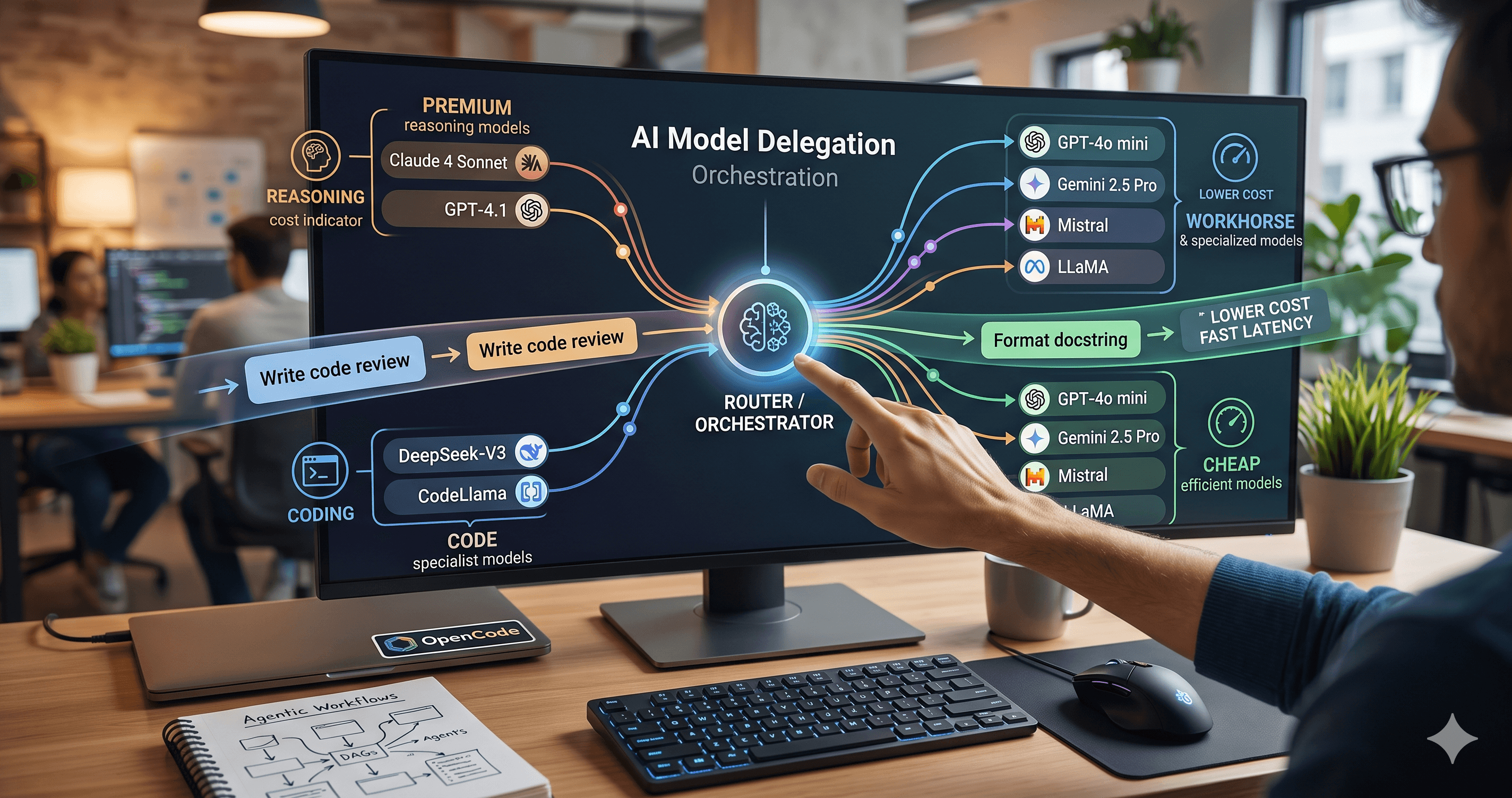
Beyond the single-model myth: Implementing intelligent multi-agent routing and DAG workflows with AI Dispatch.
Introduction: The Black Box of AI Code Generation When you ask GitHub Copilot to write a function, refactor a module, or explain a complex piece of code, the response you get is the output of a probab

How we built a proxy-driven, benchmark-validated ecosystem for LLMs, and why your company's MCP servers and SKILLS should come with unit tests
When Hitachi replaced its older Hi-Kumo system with the ATW-IOT-01 module, it broke every existing Home Assistant integration for their heat pumps. The new system routes everything through a cloud service called CSNet Manager — and there's no public API, no documentation, no SDK. Just a web app.
I decided to reverse-engineer it and build a complete Home Assistant integration from scratch. Not by spending weeks manually reading JavaScript and mapping HTTP calls, but by using AI as my primary tool. Here's how I did it — and how you can apply the same approach to any undocumented web service.
The first thing I did was open the CSNet Manager website and fire up the browser's DevTools. The Network tab is your best friend when reverse-engineering any web application.

After logging in, the dashboard shows a clean interface with your heating zones — in my case, two zones ("Bibliothèque" and "Salon") with their target and current temperatures:

But the real gold is in what happens behind the scenes. Filtering by XHR/Fetch requests in the Network tab, I quickly found that the web app calls several REST endpoints, all returning JSON:
Endpoint | Purpose |
|---|---|
| Authentication with XSRF token |
| The main one — temperatures, modes, alarms, for all zones |
| Device details, heating status, settings, temperature limits |
| Active and historical alarm data |
| POST endpoint to change settings (temperature, mode, etc.) |
| Room configuration |
| Installation metadata |
| User profile data |
Navigating directly to /data/elements, I could see the raw JSON response:

💡 Tip: If you're reverse-engineering a web service, start with the Network tab. If the API returns JSON (and not some proprietary binary format), you're in luck — the backporting work will be much simpler.
This was the first "good news": the API is straightforward HTTP calls with JSON responses. No WebSockets, no GraphQL, no obfuscated binary protocol. Just good old REST.
Here's a sample of what the /data/elements response looks like (redacted):
{
  "status": "success",
  "data": {
    "name": "Maison de Marco",
    "weatherTemperature": 11,
    "elements": [
      {
        "deviceName": "Hitachi PAC",
        "parentName": "Salon",
        "elementType": 1,
        "mode": 1,
        "realMode": 1,
        "onOff": 1,
        "operationStatus": 5,
        "settingTemperature": 18.5,
        "currentTemperature": 23.0,
        "ecocomfort": 1,
        "alarmCode": 0,
        "c1Demand": false,
        "c2Demand": true,
        "silentMode": -1,
        "fanSpeed": -1,
        "doingBoost": false,
        "yutaki": true
      }
    ]
  }
}
The field names are somewhat descriptive, but what do the values mean? What is elementType: 1 vs elementType: 5? What's operationStatus: 5? What does ecocomfort: 1 map to?
And here's the real challenge: I only have one device with one specific configuration — two water circuits, no water heater, no swimming pool, no fan coils. To make this integration useful for everyone, I needed to support configurations I don't have. How do you understand data you've never seen?
The answer was staring at me from the browser's Sources tab. The JavaScript files powering the CSNet Manager web app contain all the logic to interpret the API data. And fortunately, they're not heavily obfuscated.
In a file like csnet.js, I found exactly what I needed:
Operation status codes:
// From the CSNet Manager JavaScript source
var OPST_OFF = 0;
var OPST_COOL_D_OFF = 1;
var OPST_COOL_T_OFF = 2;
var OPST_COOL_T_ON = 3;
var OPST_HEAT_D_OFF = 4;
var OPST_HEAT_T_OFF = 5;  // ← My "Salon" has this value!
var OPST_HEAT_T_ON = 6;
var OPST_DHW_OFF = 7;
var OPST_DHW_ON = 8;
var OPST_SWP_OFF = 9;
var OPST_SWP_ON = 10;
var OPST_ALARM = 11;
Temperature limit validation:
function validateValue(v, def) {
    if (v != null && v != undefined && v != 0 && v != -1)
        return v;
    return def;
}
Element type mapping:
elementType 1 = C1 Air circuit (standard heat pump, 8-35°C range)
elementType 2 = C2 Air circuit
elementType 3 = DHW (Domestic Hot Water)
elementType 4 = SWP (Swimming Pool)
elementType 5 = C1 Water circuit (Yutaki/Hydro, 20-80°C range)
elementType 6 = C2 Water circuit
Alarm origin maps, fan speed constants, OTC (Outdoor Temperature Compensation) types — everything was there, clearly written in JavaScript, waiting to be translated into Python.
💡 Key insight: When a web service has no API documentation, the JavaScript source code is the documentation. The browser needs to understand the data to display it, so the code is effectively a reference implementation.
Now came the fun part. Instead of manually reading through thousands of lines of JavaScript and mapping every constant, every condition, every edge case into Python — I fed everything to an AI.
I used Claude Opus (available in tools like Antigravity and GitHub Copilot) as my architect. Here's what I asked it to do:
Analyse the JavaScript source files — understand the data model, the constants, the business logic
Cross-reference with the JSON API responses — map every field to its meaning
Design the Home Assistant integration architecture — entities, sensors, coordinators, config flows
Create detailed GitHub issues — each one a user story with acceptance criteria, technical notes, and implementation details
The AI produced a structured breakdown organized into milestones:
Milestone | Focus | Example Issues |
|---|---|---|
Phase 1 | Core HVAC Features | Climate entities, temperature control, mode switching, dynamic temperature limits |
Phase 2 | Sensors & Monitoring | Temperature sensors, alarm monitoring, device status, operation status |
Phase 3 | Advanced Features | Silent mode, fan speed control, OTC monitoring, water heater, swimming pool |
Each issue looked something like:
[Enhancement] Add Silent/Quiet Mode Support (#64)
What: Add silent mode control based on the
silentModefield from the elements APITechnical notes: The JavaScript uses
silentMode: 0for off andsilentMode: 1for on. The value-1means the feature is not available for this device.Acceptance criteria:
Switch entity that toggles silent mode
Entity is only created when silentMode ≠ -1
Toggle sends POST to
/data/indoor/heat_settingwithsilentModeparameter
You can see all these issues on the GitHub issues page.
With the architecture defined and the issues created, I entered the implementation phase. Here's the workflow I used consistently throughout the project:

Why two models? Using a highly capable model (Claude Opus) for architecture and a faster/cheaper model (Claude Sonnet, GitHub Copilot) for implementation keeps costs reasonable while maintaining quality. The architect model produces detailed enough specifications that a less powerful model can implement them accurately.
For each issue:
The coding AI creates a feature branch
It implements the code following the issue specifications
It writes unit tests
It creates a PR with a description of all changes
I review the code, test on my real Hitachi heat pump, and merge
You can see the entire history of this process in the pull requests — each PR is a single feature or bug fix, with a clear description of what was implemented and why.
Here's where the project truly came alive. Building the initial integration was one thing — making it work for everyone was another.
Remember my earlier challenge? I only have one device configuration (two air circuits, no water heater, no pool). How do you support hardware you don't own?
The answer: the community.
Within weeks of releasing the first version on HACS, 4-5 users with different Hitachi configurations started regularly testing and reporting feedback. Each new tester was like finding a puzzle piece I couldn't buy:
🔥 One user had a DHW (Domestic Hot Water) heater → We discovered elementType: 3 and the settingTempDHW field, then built the water heater entity
🏊 Another had a swimming pool heater → We found elementType: 4 with its 24-33°C temperature range
🌡️ A user with a Yutaki S2 + Yutampo waterboiler → Confirmed the integration works with water circuits (elementType: 5 and 6)
💨 Someone with fan coils reported a different speed mapping → We added legacy vs standard fan speed models
📊 Users asked for more sensors — compressor stats, outdoor temperatures, pump speeds → We surfaced more data from the installationdevices endpoint
Each time someone reported "I have this configuration and here's my elements JSON", I knew we could expand support. The JSON response from /data/elements became our common debugging language — any user could capture it from their browser and share it (redacting private data) to help identify unmapped fields.
The real "aha moment": Every time someone said "I have this specific setup and I can test", it felt like unlocking a new level. We could never have tested swimming pool or fan coil support without those volunteers.
Community testers also helped catch subtle bugs: wrong temperature readings, incorrect operation status mapping, credential management issues.
Today, the Hitachi CSNet Home integration is a complete Home Assistant custom component with:
Climate entities per zone with HVAC modes (heat/cool/off), presets (comfort/eco), and target temperature control
Water heater entity with eco/performance modes
40+ sensors for temperatures, operation status, alarm monitoring, compressor stats, and more
Advanced features: silent mode, fan speed control, OTC (Outdoor Temperature Compensation) monitoring
Alarm system with persistent notifications and historical alarm tracking
Multi-zone support for C1/C2 air and water circuits
Numbers that tell the story:
Metric | Value |
|---|---|
Closed issues | 166+ |
Releases | 29 |
Contributors | 11 |
Python codebase | ~5,000 lines (integration + tests) |
CI/CD | 32+ test combinations across 7+ HA versions |
HACS | ✅ Available |
Let me be honest about what AI did and didn't do in this project.
Code translation (JS → Python): The AI could read JavaScript source code, understand the logic, and produce equivalent Python in minutes — work that would take hours manually
Pattern recognition: Mapping cryptic field names to meaningful constants across thousands of lines of JS
Boilerplate generation: Home Assistant integration structure, config flows, entity platforms — all the scaffolding that takes time to write but follows clear patterns
Issue decomposition: Breaking a complex project into well-structured, implementable user stories
Test with real hardware. Only real devices connected to the CSNet cloud can validate the integration works
Understand edge cases from a single data point. AI could map elementType: 1 to "air circuit", but it couldn't know that elementType: 5 encodes temperature differently (multiplied by 10) without seeing the JS logic
Replace community interaction. Understanding that some users have legacy fan coils with a different speed mapping required human conversation and debugging
With AI: Core integration in 2-3 days. Full-featured with community refinement in a few weeks
Without AI (estimated): Core integration would take 2-3 weeks of reading JavaScript, understanding protocols, writing Python manually. Full-featured? Months.
The AI didn't save 80% of the thinking — it saved 80% of the typing and translating. The human work remained essential: making architectural decisions, reviewing code, testing on real hardware, and working with the community.
If you want to apply this approach to another undocumented web service, here's the step-by-step:
Open DevTools → Network tab
Interact with the web app and identify the API calls
Look for JSON responses — that's your best-case scenario
Check the Sources tab for unminified JS
Use prettier or your IDE to format minified code
Look for constants, enums, mapping functions
Give the AI: JavaScript source + sample JSON responses + context about what the web app does
Ask it to: map every field, identify the data model, create a technical specification
Use a capable model (Claude Opus, GPT-5.x) for this architectural analysis
Ask the AI to produce detailed GitHub issues from the spec
Each issue = one feature, with acceptance criteria and technical notes
Organize into milestones (core features first, then enhancements)
Use a coding AI (Claude Sonnet, Copilot) to implement each issue
Keep PRs focused and small
Always review the code yourself — AI makes subtle mistakes
Don't wait for perfection
Users with different configurations will find things you never could
Make it easy for them to share data (JSON responses, debug logs)
What I built here with AI could absolutely be done manually. The process of inspecting network calls, reading JavaScript, understanding data formats — it's all standard reverse-engineering. Developers have been doing it for decades.
But the timeframe is completely different. What took days with AI would have taken weeks without it. The AI handled the tedious translation work — reading thousands of lines of JavaScript, mapping constants, generating boilerplate — while I focused on what humans do best: architecture, testing, and community collaboration.
The real magic wasn't just the AI. It was the combination of AI-accelerated development and a community of 4-5 dedicated users, each with a unique Hitachi configuration, who gave regular feedback, tested features they needed, and helped the integration grow from a proof of concept into something that genuinely works for everyone.
Links:
📦 Repository: github.com/mmornati/home-assistant-csnet-home
📚 Documentation: mmornati.github.io/home-assistant-csnet-home
💬 Discussions: GitHub Discussions
🛒 HACS: Search for "csnet home" or "Hitachi"
Have you reverse-engineered a web service with AI? Found a cloud-only IoT device that needed a local integration? I'd love to hear about your experience — leave a comment or open a discussion on the repo!