

From Tools to Agents: The Evolution of Nexus-Dev
Building a customizable AI team inside your IDE with the Model Context Protocol.
Search for a command to run...
Building a customizable AI team inside your IDE with the Model Context Protocol.
No comments yet. Be the first to comment.
and why it took two completely different approaches to get it right.

Following the Trail from the Cultura & FFT Breaches to SendGrid Abuse

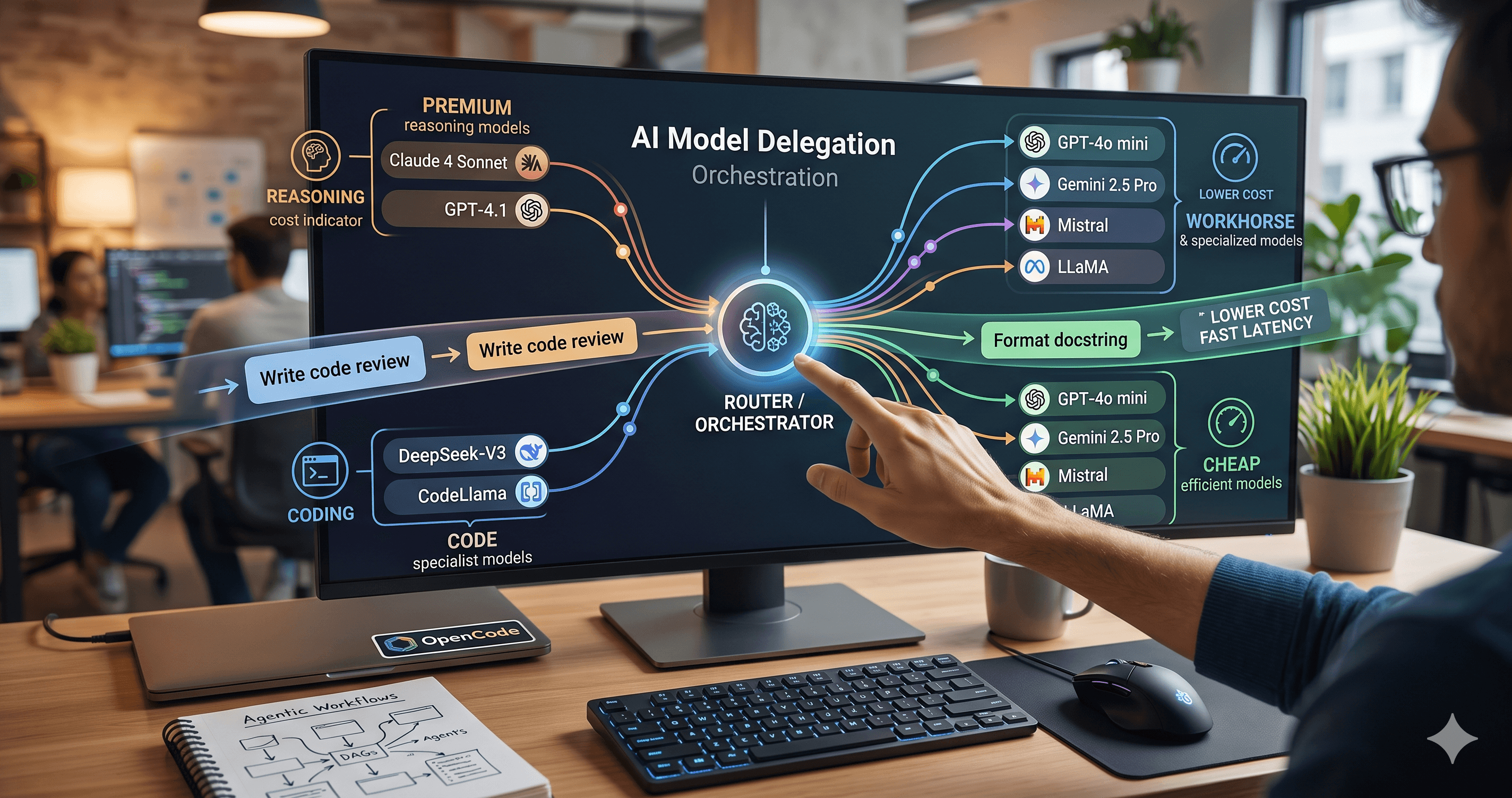
Beyond the single-model myth: Implementing intelligent multi-agent routing and DAG workflows with AI Dispatch.
Introduction: The Black Box of AI Code Generation When you ask GitHub Copilot to write a function, refactor a module, or explain a complex piece of code, the response you get is the output of a probab

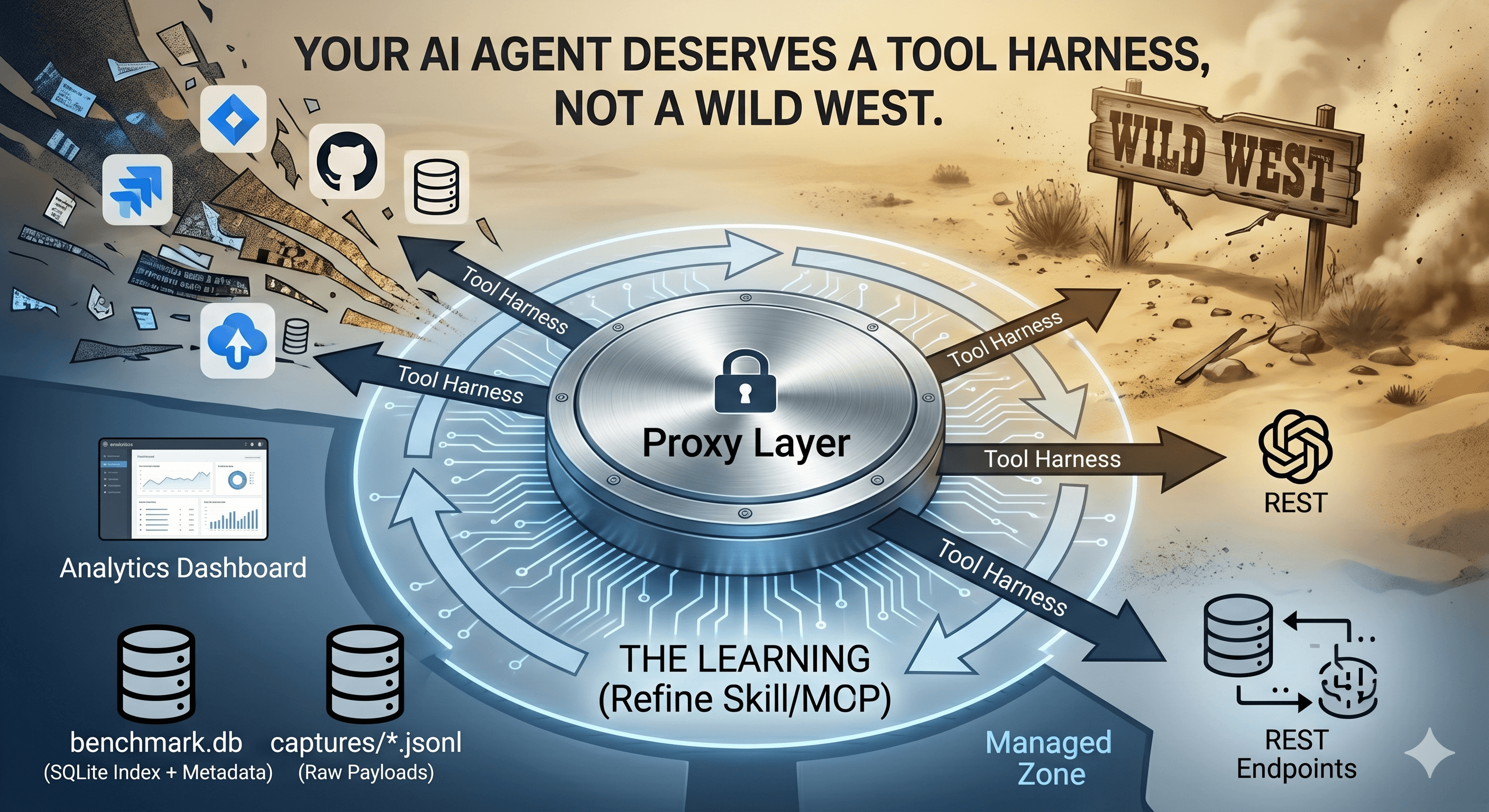
How we built a proxy-driven, benchmark-validated ecosystem for LLMs, and why your company's MCP servers and SKILLS should come with unit tests
If you've played with the Model Context Protocol (MCP) recently, you've probably felt the power of giving your LLM explicit tools. Being able to say "Hey Claude, search my code" or "Hey helper, restart the server" is magical. It turns a chatbox into a command center.
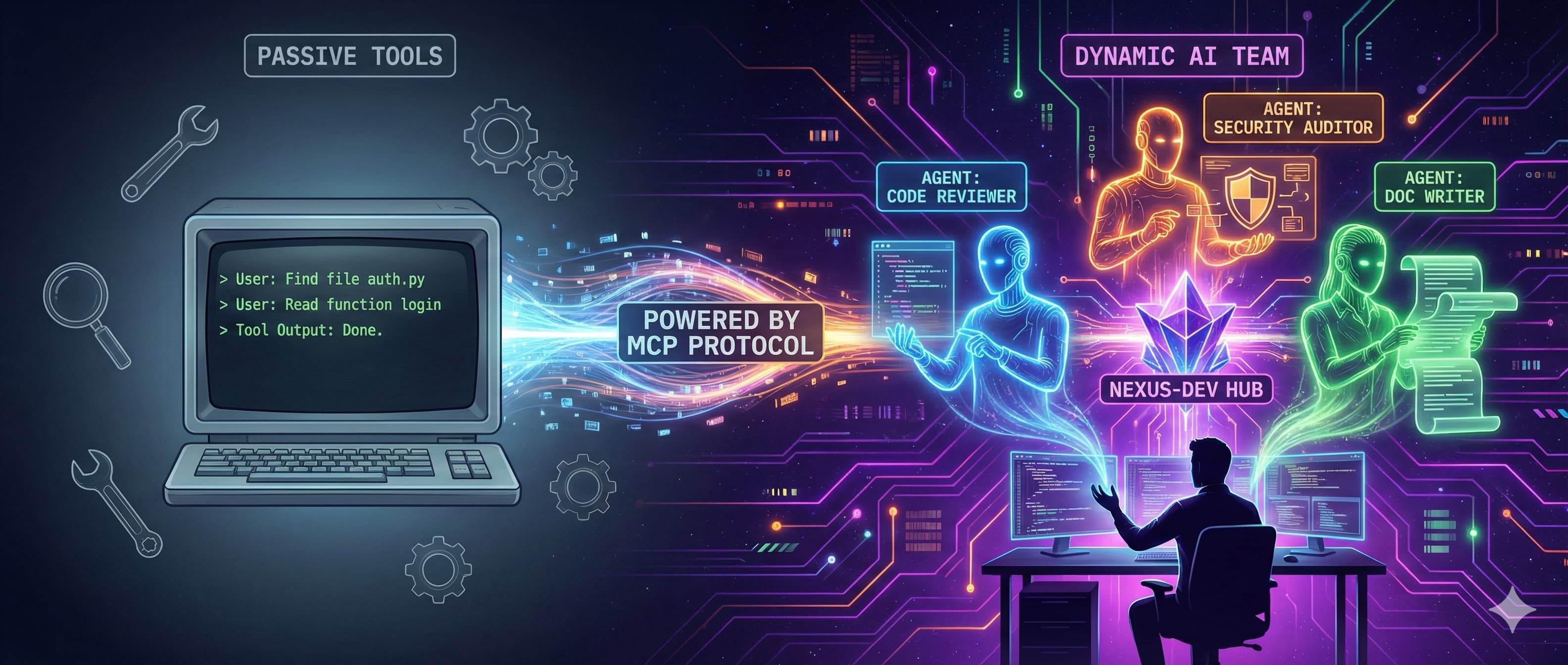
But after using MCP on real projects for a while, I hit a wall. Tools are great, but they are passive. They wait for you to drive. I didn't just want a smarter CLI; I wanted a pair programmer. I wanted Agents.
Today, I'm excited to share a major update to Nexus-Dev that brings true, configurable AI Agents to your IDE, powered by the MCP protocol.
Before we dive into the implementation, let's clarify the shift.
A Tool is a stateless function. readFile(path) is a tool. It does exactly one thing when asked. An Agent is a system with a Goal, a Persona, and Memory.
Andrew Ng highlighted back in 2024 the power of "Agentic workflows": where an AI iteratively plans, executes, and critiques its own work. Two years later, this is no longer just a theory; it's how we build software. Gartner now predicts that 40% of enterprise applications will embed task-specific AI agents by 2026, and we're seeing this unfold in real time.
In Nexus-Dev, we're moving from:
User: "Find the file
auth.py. Now read it. Now find theloginfunction. Now explain it."
To:
User: "Ask the Security Auditor to review the authentication flow."
With the latest release, Nexus-Dev scans your project for an agents/ directory. Inside, you can define your own specialized AI team members using simple YAML files.
Here is what agents/code_reviewer.yaml might look like:
name: "code_reviewer"
display_name: "Code Reviewer"
description: "Delegate code review tasks to the Code Reviewer agent."

profile:
  role: "Senior Code Reviewer"
  goal: "Identify bugs, security issues, and suggest improvements"
  backstory: "Expert developer with 10+ years of experience in code quality."
  tone: "Professional and constructive"

memory:
  enabled: true
  rag_limit: 5
  search_types: ["code", "documentation", "lesson"]
When you start your IDE, Nexus-Dev automatically registers a new MCP tool called ask_code_reviewer. When you invoke it, the server instantiates that specific persona, loads its specific memory context, and executes the task.
You don't need to write these from scratch. We've added a CLI command to generate them from best-practice templates:
# List available templates
nexus-agent templates
📋 Available Agent Templates:

  • API Designer (api_designer)
    Role: API Architect
    Model: claude-sonnet-4.5

  • Code Reviewer (code_reviewer)
    Role: Senior Code Reviewer
    Model: claude-sonnet-4.5

  • Debug Detective (debug_detective)
    Role: Debugging Specialist
    Model: claude-sonnet-4.5

  • Documentation Writer (doc_writer)
    Role: Technical Writer
    Model: claude-opus-4.5

  • Performance Optimizer (performance_optimizer)
    Role: Performance Engineer
    Model: gemini-3-pro

  • Refactor Architect (refactor_architect)
    Role: Refactoring Expert
    Model: gemini-3-deep-think

  • Security Auditor (security_auditor)
    Role: Security Analyst
    Model: claude-opus-4.5

  • Test Engineer (test_engineer)
    Role: QA Engineer
    Model: gpt-5.2-codex

# Create a new agent based on a template
nexus-agent init nexus_doc_writer --from-template doc_writer
✅ Created agent from template: doc_writer
✅ Created agent: /Users/mmornati/Projects/nexus-dev/agents/nexus_doc_writer.yaml

Next steps:
  1. Edit /Users/marco/nexus-dev/agents/nexus_doc_writer.yaml to customize your agent
  2. Restart the MCP server to activate this agent
  3. Use the 'ask_nexus_doc_writer' tool in your IDE
Available templates include: code_reviewer, doc_writer, debug_detective, refactor_architect, test_engineer, security_auditor, api_designer, and performance_optimizer.
Now, let's talk about the specific challenges of building this on top of MCP. It wasn't all smooth sailing.
MCP servers are often global system processes (started by your IDE configuration). But your agents are local to your project. When you open VS Code or Cursor, the MCP server starts up, but it doesn't inherently know that you just opened /Users/marco/projects/my-app. It just runs.
This means we can't efficiently pre-load your project-specific agents at startup because we don't know where "here" is yet.
If you've been following MCP, you know the protocol has matured significantly. The June 2025 update introduced structured tool outputs (making tool responses more reliable) and OAuth-based authorization. The November 2025 revision added the Tasks primitive for asynchronous, long-running operations and improved server discovery via .well-known URLs.
Crucially, the spec has long supported notifications/tools/list_changed: a mechanism for servers to tell clients "my tool list has changed, please re-fetch it."
The problem isn't the protocol; it's the client implementations.
Ideally, when you open a project, the client (IDE) would:
Tell the server "Hey, I'm in this folder."
The server would emit notifications/tools/list_changed.
The client would re-fetch the tool list.
In practice:
Context Awareness: Passing the current working directory reliably during the initialization handshake isn't always standardized across different clients.
Notification Handling: Not all clients react instantly to notifications/tools/list_changed. Some cache tool lists aggressively. Some don't implement the notification handler at all.
Sampling Support: For agents to work, the client must support the MCP Sampling capability (allowing the server to request LLM completions). Not all IDEs fully support this yet.
This is an evolving landscape. As MCP clients mature, these gaps will close.
refresh_agentsTo bridge this gap today, we introduced a pragmatic workaround: the refresh_agents tool.
When you start a session, or if you add a new agent YAML file, you (or the model) simply invoke:
refresh_agents()
This forces the Nexus-Dev server to:
Query the IDE for the current active project path (discovered via NEXUS_PROJECT_ROOT environment variable or inferred from context).
Scan the agents/ folder.
Dynamically register the ask_<agent_name> tools.
Emit notifications/tools/list_changed to tell the client to update its UI.
It's a small extra step, but it unlocks the ability to have per-project, fully customized AI teams without needing complex global configuration management.
Tip: The ideal setup is to configure your IDE's MCP settings with
NEXUS_PROJECT_ROOTpointing to your project. This eliminates the need for manual refresh in most cases. See the Quick Start Guide for configuration examples.

This update transforms Nexus-Dev from a "RAG Search Engine" into a "Team Management System" for your AI. You can now curate the exact help you need.
Refactoring? Spin up a refactor_architect.
Writing Docs? Use the doc_writer.
Learning a new codebase? Ask the onboarding_buddy.
The shift from tools to agents mirrors the broader trend in software development: we're moving from commanding machines to collaborating with them. Your AI isn't just a faster grep; it's a teammate with a defined role and responsibility.
The MCP ecosystem is evolving fast. I'm keeping an eye on:
Better client-side tooling: As IDEs like Cursor and VS Code mature their MCP implementations, the need for refresh_agents will diminish.
Multi-Agent Collaboration: The ability to have agents talk to each other, a security_auditor that flags issues, which a code_reviewer then addresses, is an active area of research.
Server Discovery: The MCP Registry (now in general availability preview) will make sharing and discovering useful agents much easier.
Go ahead and give it a try. The future of coding isn't just about faster typing; it's about better delegating.
Check out the documentation on GitHub to get started.