

How RAG Can Cut Your AI Coding Costs by 80%
A practical guide to reducing LLM token consumption with semantic code search

Search for a command to run...
A practical guide to reducing LLM token consumption with semantic code search
No comments yet. Be the first to comment.
and why it took two completely different approaches to get it right.

Following the Trail from the Cultura & FFT Breaches to SendGrid Abuse

Beyond the single-model myth: Implementing intelligent multi-agent routing and DAG workflows with AI Dispatch.

Introduction: The Black Box of AI Code Generation When you ask GitHub Copilot to write a function, refactor a module, or explain a complex piece of code, the response you get is the output of a probab

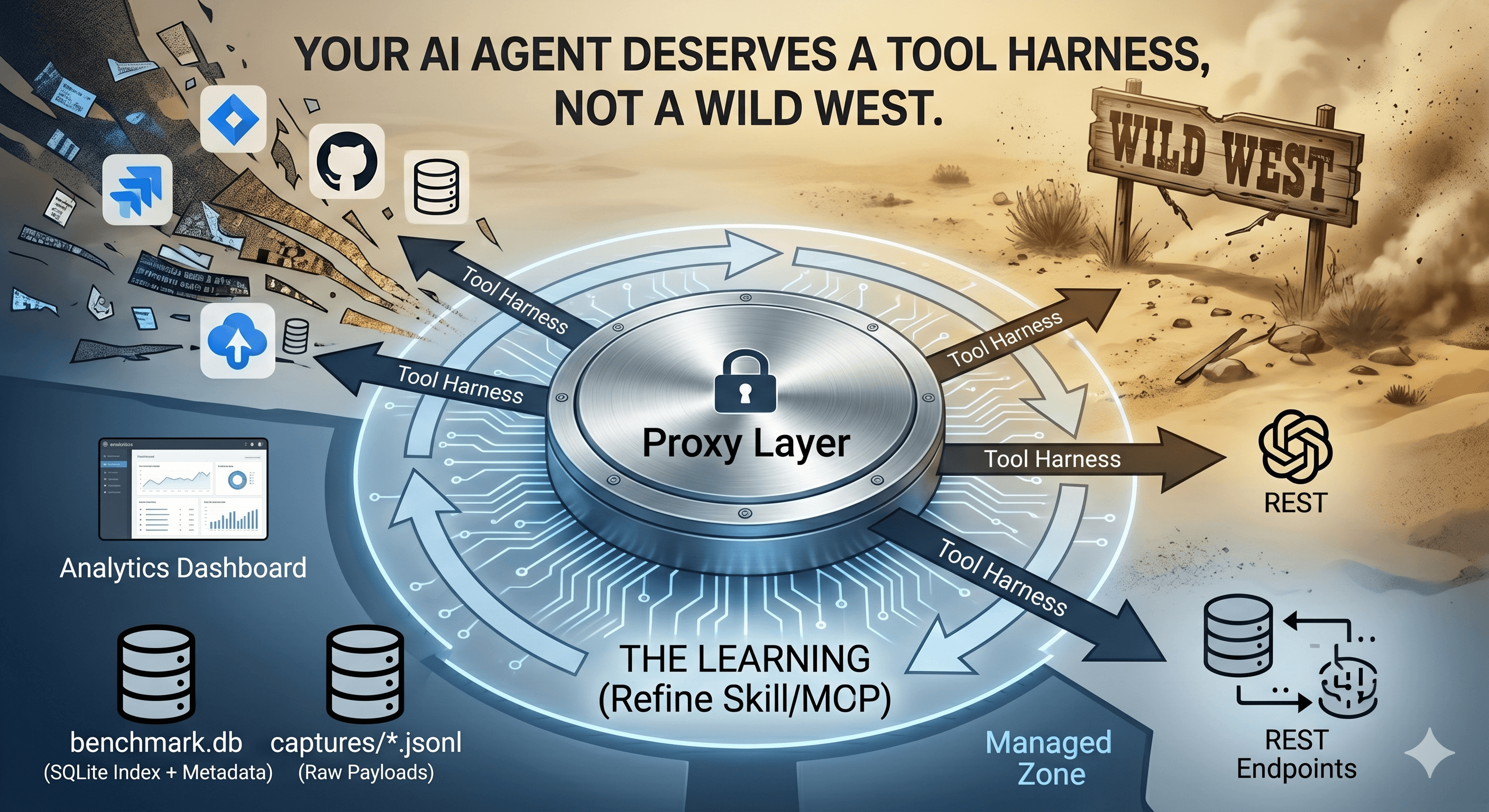
How we built a proxy-driven, benchmark-validated ecosystem for LLMs, and why your company's MCP servers and SKILLS should come with unit tests
If you're using AI coding assistants like GitHub Copilot, Cursor, or Claude, you might not realize how much you're spending on context. Every time your AI needs to understand your codebase, it consumes tokens: the currency of large language models (LLMs).
But what are tokens, exactly?
Think of tokens as the "words" that AI models understand. They're not exactly words, but pieces of text:
"Hello, world!" = 4 tokens
A 500-line Python file ≈ 2,000–4,000 tokens
Your entire codebase? Potentially hundreds of thousands of tokens
And here's the kicker: you pay for every token. With GPT-4o, that's $2.50 per million input tokens and $10 per million output tokens. It adds up fast.
When an AI assistant needs to understand your code, it typically does one of these things:
| Method | Token Cost | Problem |
| Read entire files | 1,000–10,000+ tokens/file | Most content is irrelevant |
| Search with grep | Variable | No semantic understanding |
| Paste code manually | User overhead | Error-prone, incomplete |
| Load entire codebase | 50,000–500,000+ tokens | Exceeds most context windows |
Real example: To understand how a search function works in a project, an AI might need to read:
server.py (1,405 lines → 10,270 tokens)
database.py (554 lines → 3,514 tokens)
That's 13,784 tokens just to find a few relevant functions.
RAG is a technique that retrieves only the relevant pieces of information before sending them to the AI. Instead of dumping entire files into the context, RAG:
Pre-indexes your codebase into semantic chunks (functions, classes, documentation sections)
Searches for the most relevant chunks using vector similarity
Returns only what's needed (typically 500–2,000 characters per result)
Same example with RAG:
Search for "search semantic similarity" → returns 5 targeted chunks
Token cost: 1,679 tokens (vs 13,784)
Savings: 87.8%
I built a benchmark script to measure actual token savings using live RAG searches against an indexed codebase.
These results use actual semantic search against the nexus-dev project's indexed database:
| Test Case | Without RAG | With RAG | Savings |
| Find embedding function | 3,883 tokens | 575 tokens | 85.2% |
| Understand search flow | 13,784 tokens | 1,679 tokens | 87.8% |
| How chunking works | 2,264 tokens | 551 tokens | 75.7% |
| MCP gateway routing | 5,064 tokens | 2,958 tokens | 41.6% |
| Lesson recording system | 13,784 tokens | 1,664 tokens | 87.9% |
| Total | 38,779 tokens | 7,427 tokens | 80.8% |
Note: The "MCP gateway routing" case shows lower savings (41.6%) because the RAG search returned one large chunk (2,174 tokens). This demonstrates that RAG effectiveness depends on how your code is chunked: smaller, focused functions yield better savings.
For "Find embedding function", instead of 585 lines of embeddings.py, RAG returns:
🔍 embed: 55 tokens          (core embedding function)
🔍 embed_batch: 207 tokens   (batch processing)
🔍 embed: 59 tokens          (alternative implementation)
🔍 _get_embedder: 92 tokens  (factory function)
🔍 embed: 162 tokens         (another variant)
─────────────────────────────
Total: 575 tokens (vs 3,883 for full file)
Using GPT-4o pricing ($2.50/1M input tokens):
| Metric | Without RAG | With RAG | Monthly Savings* |
| Per task | 38,779 tokens | 7,427 tokens | — |
| Per session (10 tasks) | ~388K tokens | ~74K tokens | — |
| 200 sessions/month | 77.6M tokens | 14.8M tokens | — |
| Monthly cost | $194 | $37 | $157/month |
*Assuming 200 coding sessions per month with 10 context retrievals each
Let me break down RAG without the jargon:
Your Code                    Vector Database
┌─────────────────┐         ┌─────────────────┐
│ def login():    │         │ [0.12, 0.45...] │ ← "login function"
│   check_auth()  │   →     │ [0.33, 0.21...] │ ← "authentication"
│   ...           │         │ [0.67, 0.89...] │ ← "user session"
└─────────────────┘         └─────────────────┘
Each function, class, and documentation section is converted into a vector: a list of numbers that represents its meaning. Similar concepts have similar vectors.
When you ask "how does authentication work?", RAG:
Converts your question into a vector
Finds the most similar vectors in the database
Returns the corresponding code chunks
Query: "authentication"
   ↓
Vector: [0.35, 0.22, ...]
   ↓
Match: login() function (similarity: 0.92)
   ↓
Return: Just the relevant 50 lines, not the entire file
The AI receives only the relevant chunks, answers your question, and you save tokens.
LiteLLM is an open-source proxy that logs every LLM request with token counts and costs.
Quick setup:
# Install
pip install litellm

# Run as proxy
litellm --model openai/gpt-4o --port 4000
Then point your AI tools at http://localhost:4000 instead of the OpenAI API directly. LiteLLM logs:
Input/output token counts
Cost per request
Latency
View the dashboard:
litellm --config config.yaml --detailed_debug
# Dashboard at http://localhost:4000/ui
If you're using OpenAI directly, check your usage dashboard to see daily token consumption.
Nexus-Dev is an open-source project that provides RAG as an MCP (Model Context Protocol) server. It works with Cursor, Copilot, Antigravity, and other MCP-compatible tools.
# Install
pip install nexus-dev

# Initialize your project
cd your-project
nexus-init --project-name "my-project"

# Index your code
nexus-index src/ docs/ -r
Now your AI assistant can use semantic search instead of reading entire files.
For custom implementations, use LangChain with a vector database like LanceDB, Pinecone, or ChromaDB:
from langchain.embeddings import OpenAIEmbeddings
from langchain.vectorstores import LanceDB

# Index code
embeddings = OpenAIEmbeddings()
vectorstore = LanceDB.from_documents(documents, embeddings)

# Search
results = vectorstore.similarity_search("authentication function", k=5)
RAG isn't always the best choice:
| Situation | Better Approach |
| Small files (<100 lines) | Just read the file directly |
| Need full context (refactoring) | Read entire file |
| One-time questions | Manual paste is fine |
| No semantic similarity (config files) | Grep/find works better |
RAG shines when:
✅ You have a large codebase (>10K lines)
✅ You ask repeated questions about the same code
✅ You need cross-project knowledge
✅ You want to reduce ongoing costs
Beyond RAG for code search, there's another token efficiency win: tool consolidation.
Every MCP tool you expose to an AI consumes tokens in the system prompt. Each tool definition includes:
Name and description (~20-50 tokens)
Parameter schemas with types and descriptions (~50-150 tokens)
With multiple MCP servers, this adds up quickly:
| Servers | Tools | Tokens in System Prompt |
| GitHub only | 10 | 1,508 |
| + Home Assistant | 18 | 2,278 |
| + Filesystem | 26 | 2,892 |
| + Database + Slack | 36 | 3,678 |
And there's a hard limit: VS Code and OpenAI cap tools at 128 per request.
Instead of exposing all 36 tools directly, nexus-dev's gateway approach exposes just 3 meta-tools:
search_tools - Find tools by natural language description
get_tool_schema - Get full parameter details for a tool
invoke_tool - Execute any backend tool
| Metric | Direct Exposure | Gateway | Reduction |
| Tools in prompt | 36 | 3 | 33 fewer |
| Tokens per request | 3,678 | 486 | 86.8% |
The gateway isn't free: it requires an extra call to discover tools:
Traditional: [Request with 36 tools] → Response
Gateway:     [Request with 3 tools] → search_tools → invoke_tool → Response
When is the gateway worth it?
✅ More than ~10 tools across servers (break-even point)
✅ Tools you don't use every request
✅ Approaching the 128 tool limit
❌ Only 2-3 frequently-used tools (direct exposure is simpler)
python scripts/benchmark_gateway_tools.py --servers github,homeassistant,filesystem
2,406 tokens saved per request
At $2.50/1M tokens (GPT-4o input): $0.006015 per request
Tokens saved: 240,600
Cost saved: $0.6015
Tokens saved: 240,600,000
Cost saved: $601.50
Token costs add up fast: Reading files directly can consume 20x more tokens than needed
RAG reduces context costs by 80%+: By returning only relevant chunks
Tool definitions are hidden costs: 36 exposed tools = 3,678 tokens every request
Gateway consolidation saves 86%: 36 tools → 3 meta-tools = massive savings
Measure before optimizing: Use the benchmark scripts on your actual setup
There are trade-offs: Gateway adds discovery calls, but saves on baseline
Clone the benchmark script:
 git clone https://github.com/mmornati/nexus-dev.git
 cd nexus-dev
 pip install tiktoken
 python scripts/benchmark_rag_efficiency.py --project-dir .
Set up LiteLLM to track your current token usage
Implement RAG using Nexus-Dev or your preferred stack
Compare before/after costs over a month
Nexus-Dev GitHub - Open-source RAG for AI coding assistants
LiteLLM - Open-source LLM proxy with cost tracking
OpenAI Tokenizer - Visual token counter
Tiktoken - Python library for counting tokens
Have questions or want to share your own benchmark results? Open an issue on GitHub or reach out on Mastodon.