

Securing Python Code Execution: How We Protected Our Server from Untrusted Code

Search for a command to run...
No comments yet. Be the first to comment.
and why it took two completely different approaches to get it right.

Following the Trail from the Cultura & FFT Breaches to SendGrid Abuse

Beyond the single-model myth: Implementing intelligent multi-agent routing and DAG workflows with AI Dispatch.

Introduction: The Black Box of AI Code Generation When you ask GitHub Copilot to write a function, refactor a module, or explain a complex piece of code, the response you get is the output of a probab

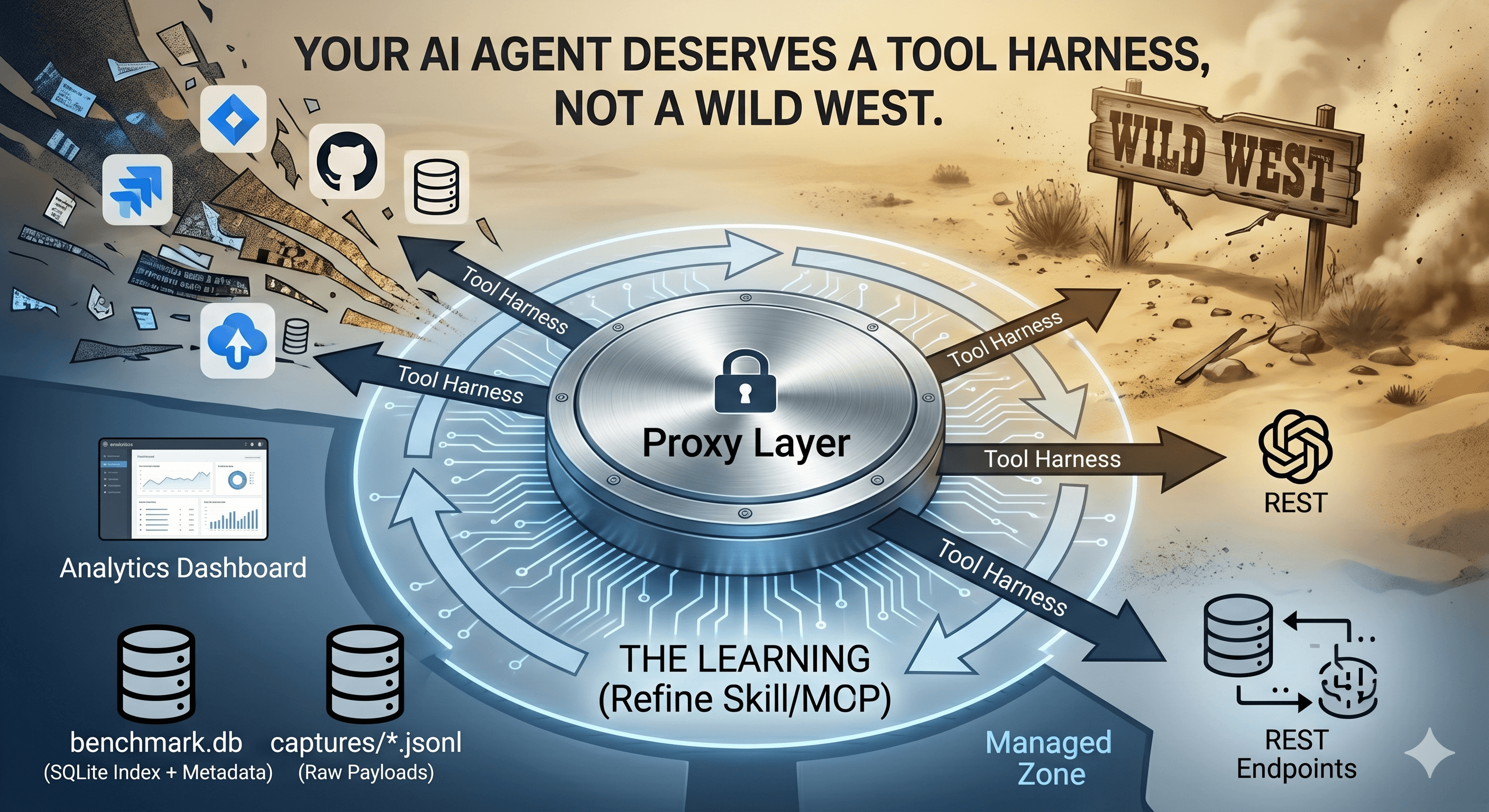
How we built a proxy-driven, benchmark-validated ecosystem for LLMs, and why your company's MCP servers and SKILLS should come with unit tests
Running user-submitted code on your server is one of the most dangerous things you can do as a developer. A single line of malicious Python could delete your database, steal credentials, or turn your server into a cryptocurrency miner. Yet for platforms like Cyber Code Academy, an interactive Python learning platform, code execution isn't optional. It's the core feature.
In this post, I'll walk through how we built a secure, production-ready code execution system using Docker containers, restricted Python namespaces, and multiple layers of defense. We'll explore the attack vectors we protect against, the security measures we implemented, and how each execution flows through our system.
Before diving into our solution, let's understand the threats. When users can submit arbitrary Python code, attackers can attempt:
Python's __builtins__ dictionary contains powerful functions like exec(), eval(), compile(), and __import__(). If attackers can access these, they can execute arbitrary code or import dangerous modules.
# Attack attempt: Access exec via getattr
dangerous = getattr(__builtins__, 'exec', None)
if dangerous:
    dangerous("import os; os.system('rm -rf /')")
Even without dangerous builtins, attackers might try to read sensitive files:
/etc/passwd — user accounts
/proc/self/environ — environment variables (potentially containing database URLs, API keys)
/var/run/docker.sock — Docker socket (would allow container escape)
Malicious code could exfiltrate data or download malware:
Make HTTP requests to attacker-controlled servers
Open socket connections
Access internal network resources
Attackers could consume all server resources:
Infinite loops consuming CPU
Large memory allocations
File descriptor exhaustion
If running in Docker, attackers might try to:
Access the Docker socket to control the host
Mount the host filesystem
Break out of container isolation
Various Python mechanisms could be exploited to execute arbitrary code:
eval(), exec(), compile() functions
__import__() to load dangerous modules
Metaclass-based attacks
To validate our security, we created a comprehensive test suite with 24 security tests covering all these attack vectors. Every test should fail — if any succeeds, we have a vulnerability.
We implemented multiple security layers, each protecting against different attack vectors. If one layer fails, others provide backup protection.
┌─────────────────────────────────────┐
│     FastAPI Endpoint                │
│  POST /api/v1/execute               │
│  (Authentication, Validation)       │
└──────────────┬──────────────────────┘
               │
               ▼
┌─────────────────────────────────────┐
│     ExecutorPool Service            │
│  - Semaphore (concurrency limit)    │
│  - Container lifecycle management   │
│  - Resource limit enforcement       │
└──────────────┬──────────────────────┘
               │
               ▼
┌─────────────────────────────────────┐
│     Docker Container                │
│  - Network: none (isolated)         │
│  - Capabilities: ALL dropped        │
│  - Filesystem: read-only            │
│  - Memory: 512MB max                │
│  - CPU: 1 core max                  │
│  - Timeout: 10-30 seconds           │
└──────────────┬──────────────────────┘
               │
               ▼
┌─────────────────────────────────────┐
│  executor_entrypoint.py             │
│  - Restricted namespace             │
│  - Signal-based timeout             │
│  - Test execution                   │
└─────────────────────────────────────┘
The first line of defense is Docker container isolation. Each code execution runs in a completely isolated container.
Our executor image (infra/docker/executor.Dockerfile) is purpose-built for security:
FROM python:3.13-slim

# Minimal base image - only essential libraries
RUN apt-get update && apt-get install -y --no-install-recommends \
    libffi-dev \
    libssl-dev \
    && rm -rf /var/lib/apt/lists/*

# Create non-root user
RUN useradd -m -s /sbin/nologin executor

WORKDIR /executor

# Copy executor entrypoint script
COPY --chown=executor:executor executor_entrypoint.py /executor/

# Switch to non-root user
USER executor

ENTRYPOINT ["python", "/executor/executor_entrypoint.py"]
Key security features:
Minimal base image: python:3.13-slim contains only essential packages
Non-root user: Code runs as executor user, not root
No unnecessary packages: Reduces attack surface
When we run the container, we apply strict security constraints:
cmd = [
    "docker", "run",
    "--rm",  # Auto-remove after execution
    "--memory=512m",  # Memory limit
    "--memory-swap=512m",  # No swap (prevents swap-based attacks)
    "--cpus=1.0",  # CPU limit
    "--network=none",  # No network access
    "--read-only",  # Read-only root filesystem
    "--cap-drop=ALL",  # Drop all Linux capabilities
    "--tmpfs=/tmp:size=10m,mode=1777",  # Only /tmp writable (10MB limit)
    "-i",  # Interactive stdin for input
    "cyber-code-executor"
]
Let's break down what each flag prevents:
| Flag | Protection Against |
--network=none | Network access, data exfiltration, downloading malware |
--cap-drop=ALL | Privilege escalation, system calls requiring capabilities |
--read-only | Writing to filesystem, modifying system files |
--tmpfs /tmp | Limits writable space to 10MB (prevents disk exhaustion) |
--memory=512m | Memory exhaustion DoS attacks |
--cpus=1.0 | CPU exhaustion via infinite loops |
--rm | Ensures container cleanup (no persistent state) |
Even if malicious code somehow breaks out of Python's restrictions, Docker isolation prevents it from accessing the host system, network, or other containers.
The second layer restricts what Python functions and modules are available to user code. We create a custom __builtins__ dictionary containing only safe functions.
Inside executor_entrypoint.py, we build a restricted execution namespace:
import builtins

exec_namespace = {
    "__builtins__": {
        # Safe built-in functions
        "print": print,
        "len": len,
        "range": range,
        "str": str,
        "int": int,
        "float": float,
        "list": list,
        "dict": dict,
        "set": set,
        "tuple": tuple,
        "zip": zip,
        "enumerate": enumerate,
        "sorted": sorted,
        "sum": sum,
        "min": min,
        "max": max,
        "abs": abs,
        "all": all,
        "any": any,
        "map": map,
        "filter": filter,
        "bool": bool,
        "isinstance": isinstance,
        "type": type,
        "callable": callable,
        "hasattr": hasattr,
        "getattr": getattr,
        "id": id,

        # Limited exception types
        "Exception": Exception,
        "ValueError": ValueError,
        "TypeError": TypeError,
        "IndexError": IndexError,
        "KeyError": KeyError,

        # Required for class creation
        "__build_class__": builtins.__build_class__,
        "super": super,
    },
    "__name__": "__main__",
    "__doc__": None,
}

# Execute user code in restricted namespace
exec(code, exec_namespace)
Notice what's not in the namespace:
❌ eval(), exec(), compile() — Code execution
❌ __import__() — Module importing
❌ open(), file() — File operations
❌ input() — User input
❌ os, subprocess, sys — System access (not in namespace)
❌ socket, urllib, requests — Network access (not in namespace)
getattr is SafeYou might notice getattr is allowed. Couldn't attackers use it to access dangerous functions?
# This attack attempt fails:
dangerous = getattr(__builtins__, 'exec', None)
It fails because __builtins__ in our namespace is a dictionary, not the real builtins module. The dictionary only contains the functions we explicitly added. There's no exec key in that dictionary, so getattr returns None.
We use signal-based timeout enforcement as a safety net:
class TimeoutException(Exception):
    pass

def timeout_handler(signum, frame):
    raise TimeoutException("Code execution exceeded timeout limit")

signal.signal(signal.SIGALRM, timeout_handler)
signal.alarm(timeout_seconds)  # Set timeout

try:
    exec(code, exec_namespace)
finally:
    signal.alarm(0)  # Cancel alarm
The Docker container also has a process-level timeout, providing defense in depth. If user code tries to modify signal handlers, Docker's timeout will still terminate the container.
Now let's see how everything works together when a user submits code.
A user submits code via the API:
POST /api/v1/execute
{
    "code": "def add(a, b): return a + b",
    "tests": [
        {
            "name": "test_add",
            "assertion": "assert add(2, 3) == 5",
            "hidden": false
        }
    ],
    "timeout_seconds": 10
}
The ExecutorPool service manages container execution:
class ExecutorPool:
    def __init__(self, max_pool_size: int = 5):
        self.semaphore = asyncio.Semaphore(max_pool_size)  # Concurrency limit
        self.executions: Dict[str, ExecutionResult] = {}

    async def execute(self, request: ExecutionRequest):
        async with self.semaphore:  # Limit concurrent executions
            # Prepare input JSON
            execution_input = {
                "code": request.code,
                "tests": request.tests,
                "timeout_seconds": request.timeout_seconds
            }

            # Run in thread pool (Docker is blocking I/O)
            result = await loop.run_in_executor(
                None,
                self._execute_blocking,
                execution_input,
                request.execution_id,
                request.timeout_seconds
            )
            return result
Key features:
Semaphore: Limits concurrent executions (default: 5)
Thread pool: Docker operations are blocking, so we run them in a thread pool to avoid blocking the async event loop
Result caching: Stores results for later retrieval
The blocking execution function creates and runs the container:
def _execute_blocking(self, execution_input: dict, execution_id: str, timeout_seconds: int):
    # Build docker run command with all security flags
    cmd = [
        "docker", "run",
        "--rm",
        "--memory=512m",
        "--memory-swap=512m",
        "--cpus=1.0",
        "--network=none",
        "--read-only",
        "--cap-drop=ALL",
        "--tmpfs=/tmp:size=10m,mode=1777",
        "-i",
        "cyber-code-executor"
    ]

    # Run container with JSON input via stdin
    result = subprocess.run(
        cmd,
        input=json.dumps(execution_input),
        capture_output=True,
        text=True,
        timeout=timeout_seconds + 10  # Buffer for container startup
    )

    # Parse JSON output from stdout
    result_data = json.loads(result.stdout)
    return ExecutionResult(**result_data)
The container's entrypoint script (executor_entrypoint.py) reads JSON from stdin:
def main():
    # Read input from stdin
    request = json.loads(sys.stdin.read())

    code = request.get("code", "")
    tests = request.get("tests", [])
    timeout = request.get("timeout_seconds", 10)

    # Execute code in restricted namespace
    result = execute_code(code, tests, timeout)

    # Output results as JSON to stdout
    print(json.dumps(result), file=sys.stdout)
    sys.exit(0)
The execute_code function:
Sets up signal-based timeout
Creates restricted namespace
Executes user code with exec(code, exec_namespace)
Runs test assertions in the same namespace
Captures stdout/stderr
Returns structured results
The container outputs JSON to stdout, which the backend parses:
{
    "passed": true,
    "test_results": [
        {
            "name": "test_add",
            "passed": true,
            "error": null
        }
    ],
    "error": null,
    "output": "",
    "execution_time_ms": 145
}
The container is automatically removed (--rm flag), ensuring no persistent state.
We maintain a comprehensive security test suite with 24 tests covering all attack vectors. Every test should fail — if any succeeds, we have a vulnerability.
"""
Test: Attempt to read files from filesystem
Risk Level: HIGH
"""
result = "SAFE"

# Attempt 1: Try using open() directly (should be blocked)
try:
    with open('/etc/passwd', 'r') as f:
        content = f.read()
        result = f"VULNERABLE: Can read /etc/passwd: {content[:100]}"
except Exception as e:
    error_type = type(e).__name__
    if error_type == 'NameError':
        result = "BLOCKED: open() not available"
    else:
        result = f"BLOCKED: open() failed: {str(e)}"

print(result)
Expected result: "BLOCKED: open() not available" (because open is not in the restricted namespace)
"""
Test: Attempt to access Docker socket
Risk Level: CRITICAL
"""
result = "SAFE"

# Attempt 1: Try to read Docker socket file
try:
    with open('/var/run/docker.sock', 'rb') as f:
        result = "VULNERABLE: Can read Docker socket"
except:
    pass

# Attempt 2: Try to connect via socket module
try:
    import socket
    s = socket.socket(socket.AF_UNIX, socket.SOCK_STREAM)
    s.connect('/var/run/docker.sock')
    result = "VULNERABLE: Can connect to Docker socket"
except:
    pass

print(result)
Expected result: "SAFE" (because open is blocked and socket cannot be imported)
Our test suite covers:
Namespace Escape (4 tests) — Accessing dangerous builtins
Filesystem Access (3 tests) — Reading/writing files
Network Access (2 tests) — Socket connections, HTTP requests
Docker Escape (2 tests) — Docker socket, host filesystem
Resource Exhaustion (2 tests) — Memory/CPU DoS
Import Bypass (3 tests) — Bypassing import restrictions
Code Injection (2 tests) — eval, exec, compile
Environment Variables (2 tests) — Credential leakage
Advanced Techniques (3 tests) — Metaclass attacks, descriptor abuse
All tests should fail. Running them regularly ensures our security measures remain effective.
Each security layer protects against different attack vectors:
Docker isolation prevents access to host system, network, and filesystem
Resource limits prevent DoS attacks (memory, CPU, timeout)
Restricted namespace prevents code injection and dangerous imports
Non-root user limits damage if isolation is breached
Read-only filesystem prevents file modifications
Dropped capabilities prevents privilege escalation
Even if one layer fails, others provide backup protection. For example:
If namespace escape succeeds → Docker isolation prevents damage
If Docker escape succeeds → Non-root user limits capabilities
If resource limits fail → Timeout enforcement terminates execution
In production, our security measures successfully block all attack attempts:
✅ Namespace escape attempts fail (cannot access exec, eval, __import__)
✅ Filesystem access attempts fail (open() not in namespace)
✅ Network access attempts fail (cannot import socket, network is disabled)
✅ Docker escape attempts fail (Docker socket not mounted, network disabled)
✅ Resource exhaustion attempts fail (limits enforced, timeouts trigger)
✅ Code injection attempts fail (dangerous functions not in namespace)
Users can write normal Python code (functions, classes, data structures, algorithms), but cannot access system resources or execute arbitrary code.
Security doesn't come without cost. Our measurements:
Container startup: ~200-500ms
Simple execution: ~50-150ms
Total request time: ~250-650ms
For a learning platform, this is acceptable. The security benefits far outweigh the performance cost.
To optimize:
Pre-build executor images during deployment
Use Docker layer caching
Increase semaphore size for concurrent workloads
Monitor and optimize container cleanup
While our current implementation is production-ready, we're considering additional hardening:
seccomp profiles — Fine-grained system call filtering
AppArmor/SELinux — Additional kernel-level restrictions
RestrictedPython library — More robust namespace restrictions via AST transformation
Network namespaces — Custom network policies
Resource quotas — Per-user execution limits
Securing code execution requires multiple layers of defense. By combining Docker container isolation, resource limits, and restricted Python namespaces, we've created a system that allows users to run code safely while protecting our infrastructure.
Key takeaways:
Never trust user code — Always assume it's malicious
Defense in depth — Multiple security layers provide backup protection
Test your security — Maintain a comprehensive test suite
Monitor and log — Track all executions for security auditing
Stay updated — Security is an ongoing process, not a one-time setup
If you're building a platform that executes user code, I hope this post provides a solid foundation for your security architecture.
Resources: