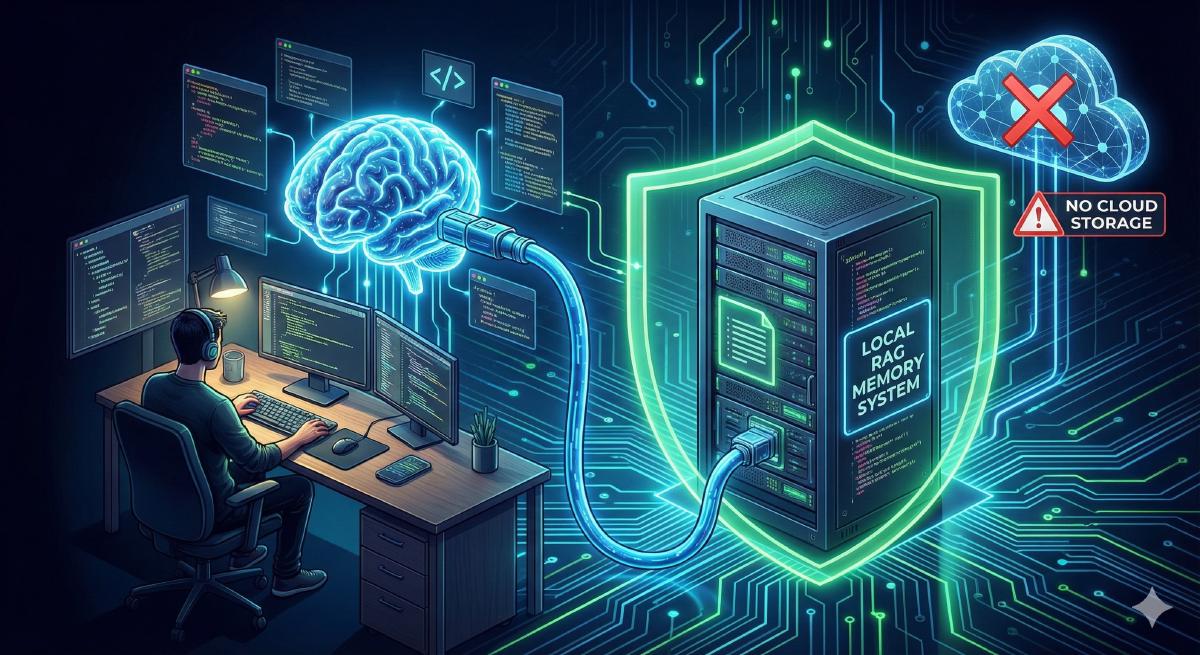

If you follow me, you know I’m a big fan of AI coding assistants. I use them daily, GitHub Copilot, Cursor, Claude, and they’ve genuinely transformed how I write code. But there’s one thing that has frustrated me for months: these assistants have no memory.
Every single time I start a new session, my AI assistant has to re-learn my codebase. It scans files, asks me the same questions, and burns through tokens just to understand context it already knew yesterday. It’s like working with a brilliant colleague who gets amnesia every night.
So I built Nexus-Dev, an open-source local RAG system that gives AI coding agents persistent memory.
What is RAG? (For Those New to AI)#
Before diving in, let’s clarify some terms:
RAG (Retrieval-Augmented Generation) is a technique where, instead of feeding an entire document to an AI, you store information in a searchable database and retrieve only the relevant pieces when needed. Think of it like giving the AI a smart index to your codebase rather than making it read everything.
MCP (Model Context Protocol) is an open standard introduced by Anthropic that allows AI agents to connect to external tools and data sources. If you’ve used GitHub Copilot, Cursor, or Claude with plugins, you’re already using MCP.
Embeddings are numerical representations of text that capture meaning. Similar texts have similar embeddings, which enables semantic search, finding content by meaning, not just keywords.
The Problem: AI Agents Have Amnesia#
No Memory Between Sessions#
When you close your IDE and reopen it the next day, your AI assistant forgets everything. It doesn’t remember the architecture decisions you made, the bugs you fixed together, or the patterns your codebase uses.
Token Consumption Adds Up#
Every session, the AI needs to “warm up” by reading your codebase again. This consumes tokens, and tokens cost money. Research shows that giving AI agents more context can actually make them perform worse. Accuracy can drop significantly (from 87% to 54%) due to context overload.
Existing Solutions Are Cloud-Based#
Several solutions address this problem:
But I wanted something local-first (my code never leaves my machine), open-source (I control the stack), and cross-project (knowledge learned in one project helps others).
The Solution: How Nexus-Dev Works#
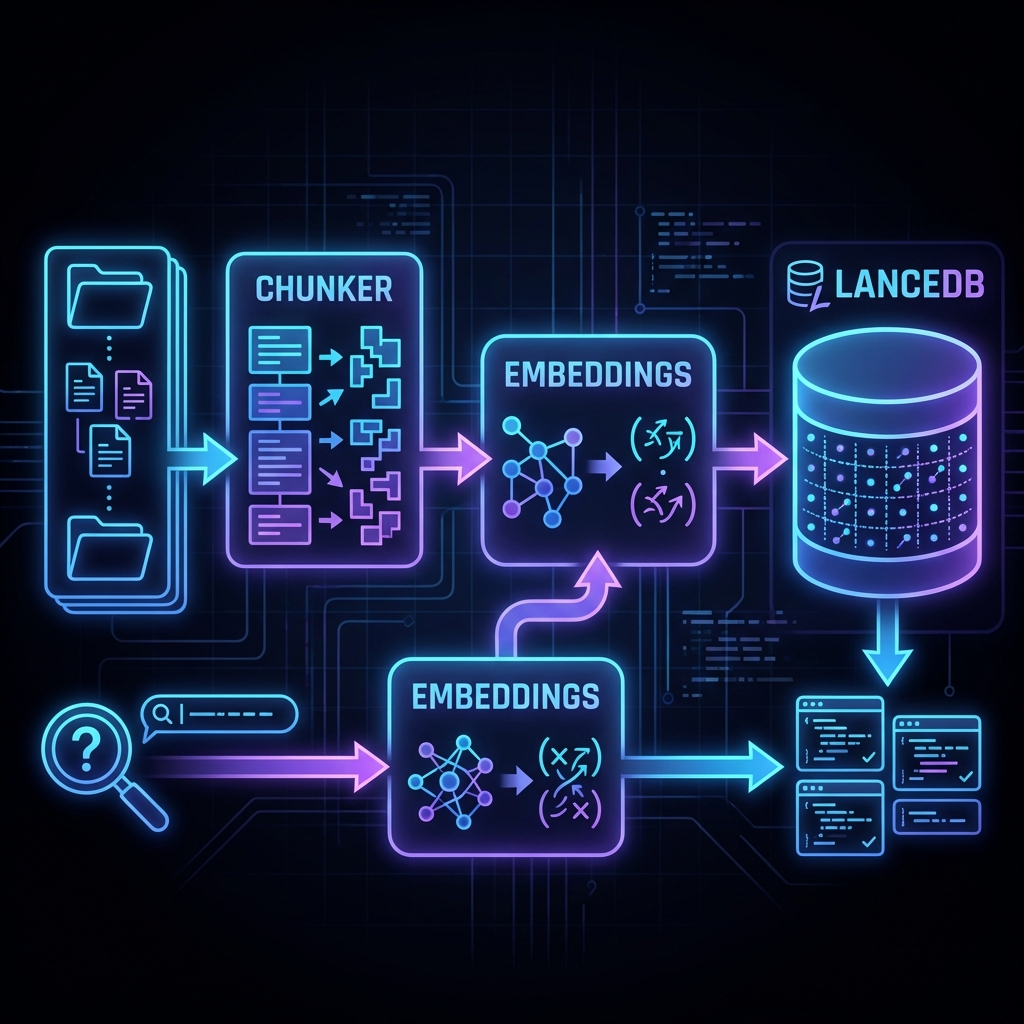
The diagram shows the two main flows:
Indexing (top flow): Source code → Chunker → Embeddings → LanceDB Search (bottom flow): Query → Embeddings → LanceDB → Relevant Results
Step 1: Language-Aware Chunking#
The first insight is that naive text splitting doesn’t work for code. Cutting a function in half destroys its meaning.
Instead, Nexus-Dev uses tree-sitter to parse code into an Abstract Syntax Tree (AST) and extract semantic units: functions, classes, and methods.
# Each chunk contains rich metadata for better search
@dataclass
class CodeChunk:
    content: str           # The actual code
    chunk_type: ChunkType  # function, class, method
    name: str              # e.g., "authenticate_user"
    docstring: str | None  # Documentation helps search!
    signature: str | None  # Function signature
    start_line: int        # Precise location
    end_line: int
Supported languages: Python, JavaScript/TypeScript, Java, and Markdown/RST for documentation.
Step 2: Multi-Provider Embeddings#
Embeddings convert code chunks into vectors that capture meaning. Nexus-Dev supports multiple providers:
| Provider | Best For |
|---|---|
| OpenAI | Easy setup, general purpose |
| Ollama | Privacy, offline, free |
| Google/AWS | Enterprise environments |
| Voyage AI | Best RAG quality |
⚠️ Important: Embeddings aren’t portable between providers. Switching requires re-indexing.
For privacy-focused teams, Ollama runs entirely locally:
{
  "embedding_provider": "ollama",
  "embedding_model": "nomic-embed-text"
}
Step 3: LanceDB Vector Storage#
LanceDB is a local vector database, no server to run, just a file on disk.
# Semantic search finds code by meaning, not keywords
results = database.search(
    query="authentication middleware",
    doc_type=DocumentType.CODE,
    limit=5
)
# Returns the most relevant functions/classes
Step 4: The Secret Weapon: Lessons Learned#
After fixing a tricky bug, record it:
record_lesson(
    problem="JWT validation fails with special characters",
    solution="Use base64url decode instead of base64",
    code_snippet="claims = base64url.decode(token.split('.')[1])"
)
Next time you encounter a similar issue, the AI finds it automatically. This creates institutional memory that survives team changes.
Getting Started#
# Install
pip install nexus-dev

# Initialize
cd your-project
nexus-init --project-name "my-project" --embedding-provider openai

# Set API key
export OPENAI_API_KEY="sk-..."

# Index your code
nexus-index src/ docs/ -r

# Verify
nexus-status
Add to your IDE’s MCP configuration:
For Cursor (.cursor/mcp.json):
{
  "mcpServers": {
    "nexus-dev": { "command": "nexus-dev" }
  }
}
For VS Code (.vscode/mcp.json):
{
  "mcpServers": {
    "nexus-dev": { "command": "nexus-dev" }
  }
}
The 7 Tools Your AI Gets#
| Tool | What It Does |
|---|---|
search_code | Find functions, classes by meaning |
search_docs | Search documentation |
search_lessons | Find past solutions |
search_knowledge | Search everything |
index_file | Add files to the knowledge base |
record_lesson | Save debugging insights |
get_project_context | View project stats |
Real Example#
You: "I need to add authentication to the API"

AI: Let me search the codebase...
    [Calls search_code("authentication middleware")]

    Found 3 relevant results:
    1. auth_middleware.py:15-45 - JWTAuthMiddleware class
    2. user_service.py:23-67 - authenticate_user function
No more reading through entire files. The AI finds exactly what’s relevant.
Results#
Since deploying Nexus-Dev:
Faster session starts: AI immediately has context
Reduced token usage: Only fetching what’s needed
Cross-project learning: Lessons from one project help others
All local: No cloud, no API costs for storage
Nexus-Dev is open source: github.com/mmornati/nexus-dev